

I don't have adobe profiles in LR CC on iPad and sets monochorme by default
Hi,
i've working in LR iPad version since 2017 with my first generation iPad and now i got an issue with profiles.
I've got always profiles availables for all my photos (Olympus pen.f, Panasonic GH5 and Sony A7RIII) with original camera profiles and all profiles that comes with LR (modern, creatives, BW etc...) but idon't have availables Adobe profiles ( but in LR CC on desktop are availables).
The issue is that when i acces to edit a photo, it takes by default a monochrome profile as standard profile os this camera... It seems as the original profile os the picture was monochrome, so all edits i can do with this pictures are ok, but the image is in black and white all time.
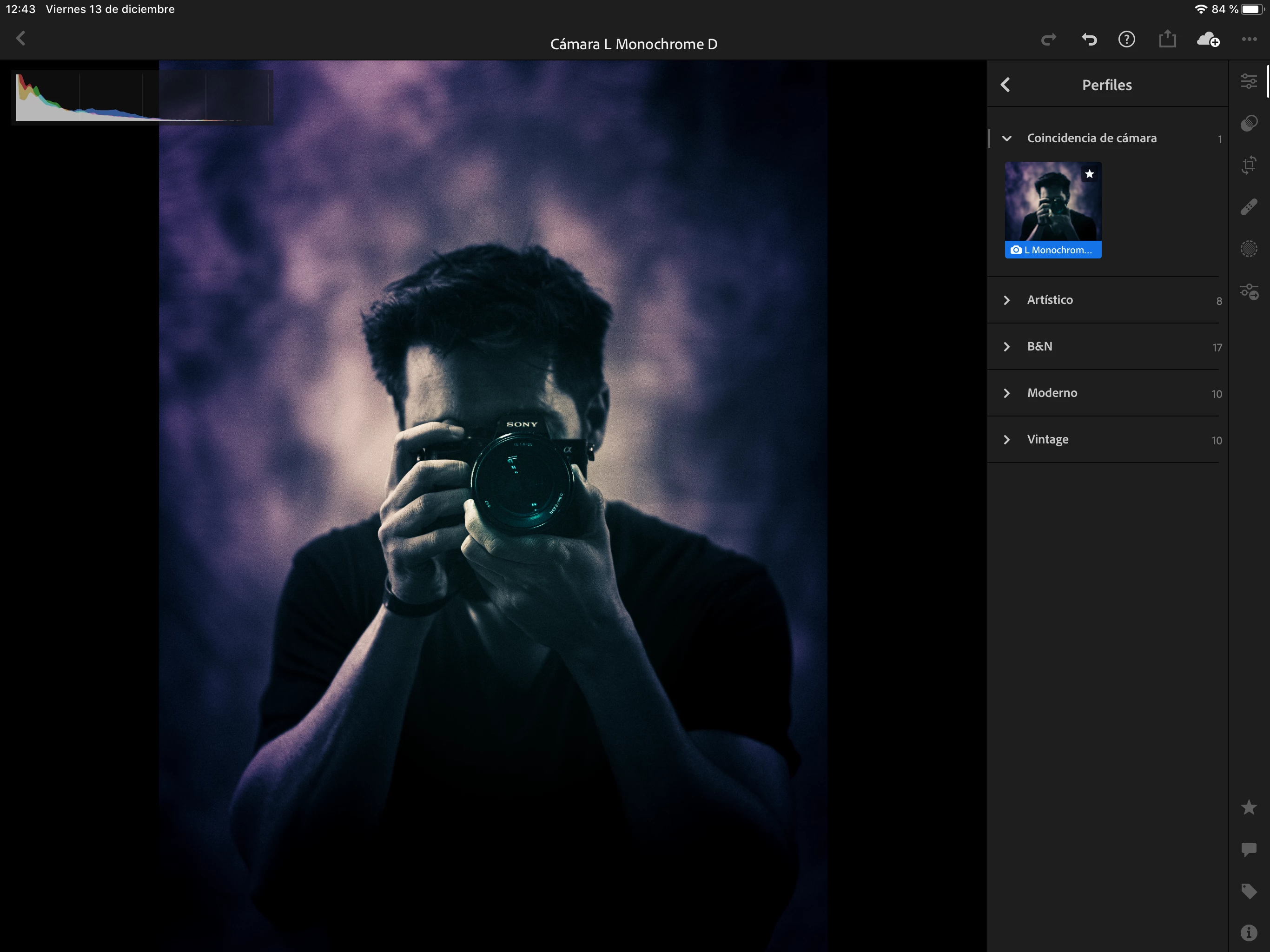
It happens all time and it's so curious that when i come back to desktop to LR CC, ther i can change the profile to Adobe or to camera original (with more optionsa9 and i can take it back to another color profile,
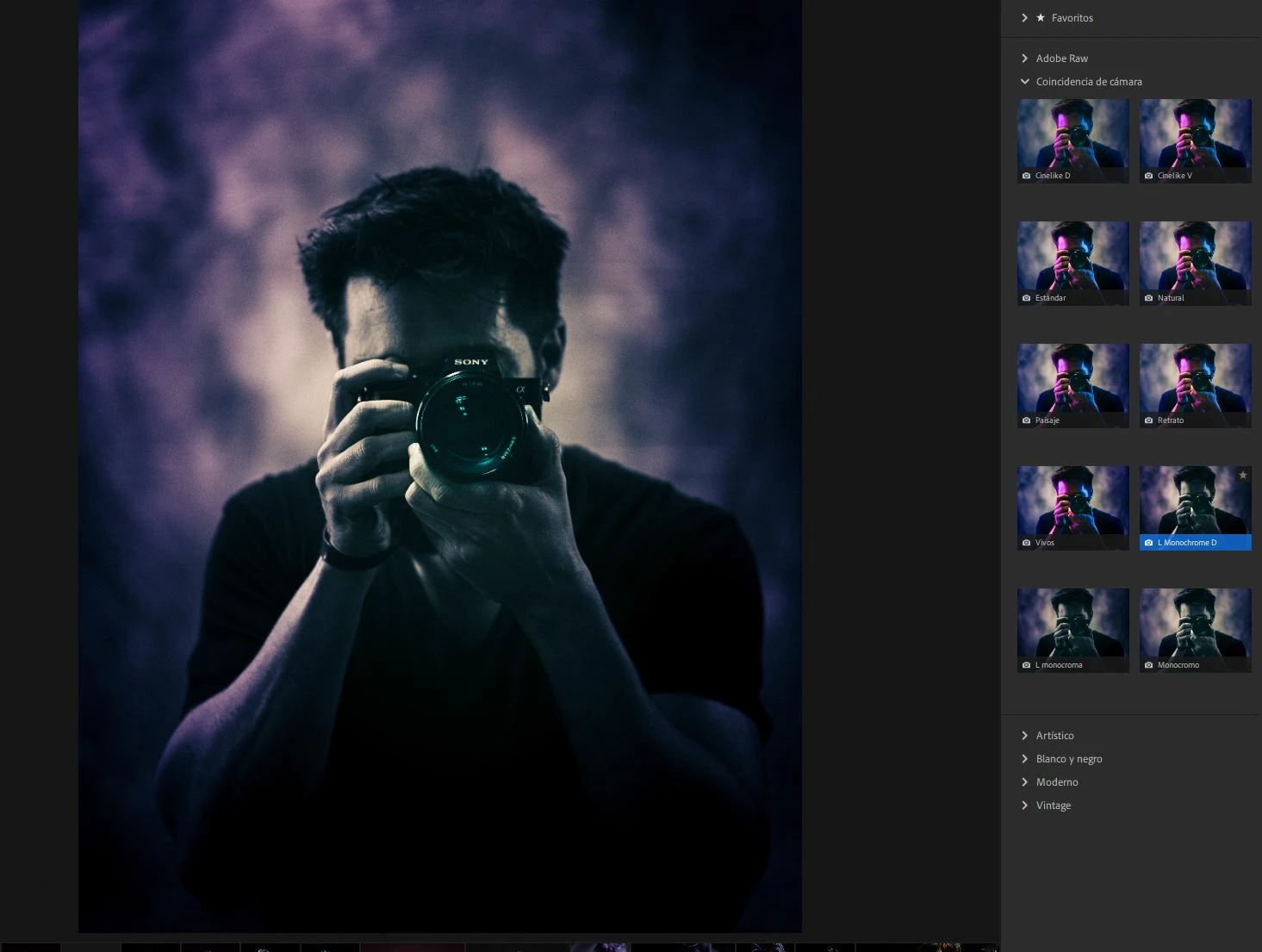
It's so disappointed having to change profiles in every single photo later in LR CC on desktop when i just edit on iPad.
I hope you have any solution to that issue and i'll be waiting for your respose for this.
thanks!
 AdChoices