
Participant
December 12, 2023
Question

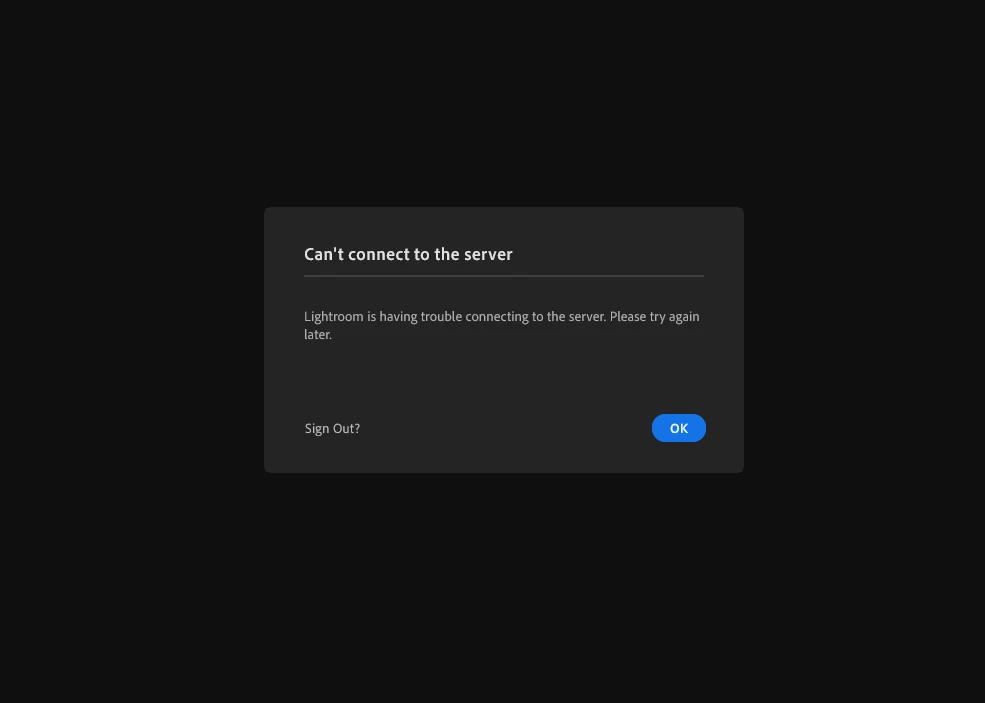
I have been unable to use lightroom (cloud) for a month now due to server issues.

  • December 12, 2023
  • 5 replies
  • 439 views

I have tried reinstalling, logging out from all of my other devices, and allowing adobe tech support to remote access my computer in order to troubleshoot. Nothing has worked, and I've been met with the same error screen throughout all of this. Any help would be greatly appreciated. 

Here's a picture of the error.


This topic has been closed for replies.

5 replies

Participant
December 25, 2023

To anyone with the same issue with me in the future, I've given up. Couldn't figure anything out, and nothing seems promising. Spend your money on a capture one subscription instead.

GoldingD
Legend
December 19, 2023

So, to verify, your installed copy of the Adobe Creative Cloud Desktop App. Are you signed in? And if you sign out, then sign back in, do you get any errors?


Do not test this out if you do not have Internet at the time.


Community Expert
December 17, 2023

Have you tried resetting Lightroom's preferences? You do this by holding down Alt and Shift (Windows) / Opt and Shift (Mac) while opening Lightroom (you might have to quit it first). If this doesn't work it might help to delete the local copy of your library. Only do this when you are sure all your images are in the cloud (check using a browser). Unfortunately I have no clue where the library catalog file is stored in windows and can't find the answer to this on Adobe's site. On Macs, it is just in the pictures folder inside your home directory. Moving it to another place (so you can move it back if this doesn't work) it and restarting will force Lightroom cloudy to reload the library from the cloud. 

Participant
December 18, 2023

I am sorry to say that neither of these suggestions worked either.


Please, anybody, if you're out there with a solution, or if you know somebody that might have a solution, I would appreciate any help you might offer.

Community Expert
December 18, 2023

Can you take your computer to another network location (e.g. a public library or a friend's house). Does it work there? If so something in your home network or isp is wrong. I would suspect a problem with dns servers. I would try changing them to 1.1.1.1 or 8.8.8.8 which are both trustworthy servers much better reliability than most isp based dns.
if that doesn't help: Do you have access to any other computer you might try connecting from by installing creative cloud and Lightroom and logging in with your account? A friend's computer or at a computer store perhaps. Just uninstall after testing. If that works it is some issue on your computer. Completely nuking your creative cloud installation (using Adobe's creative cloud cleaner app) and reinstalling from scratch might help. If none of that works, it is most likely a problem in the account on Adobe's side. If so you somehow would need an actual expert at Adobe to help you. I don't work for them (just another forum user) so I don't know to do that.

Rikk Flohr_Photography
Community Manager
December 15, 2023

There are no other reports of this that I can locate which means it is probably a local issue.

Likely causes: 

  • Anti-virus interference
  • Firewall settings on your local machine
  • Router settings at your location
  • ISP settings
  • Country settings or restrictions


Please review your connectivity and make certain that you don't have something blocking access. 

Rikk Flohr: Adobe Photography Org
Participant
December 17, 2023

https://community.adobe.com/t5/lightroom-ecosystem-cloud-based-discussions/lightroom-having-trouble-connecting-to-the-server/m-p/14075959


https://community.adobe.com/t5/lightroom-ecosystem-cloud-based-discussions/error-message-lightroom-is-having-trouble-connecting-to-the-server-please-try-again-later/m-p/11347219


Neither disabling my anti-virus softwares or my firewalls has solved the issue. I've factory reset my router. I've called my ISP. I've tried using a vpn. I've tried using my phone's data. I live in Canada.


Photoshop and Lightroom Classic work fine, and I can also use Lightroom Cloud on my Browser. It is specifically Lightroom Cloud for Windows Desktop that doesn't work.

Participant
December 15, 2023

Could I get any help? I'm going to permanantly stop using adobe products if this persists. I'm paying for a non-functional product.