
Question
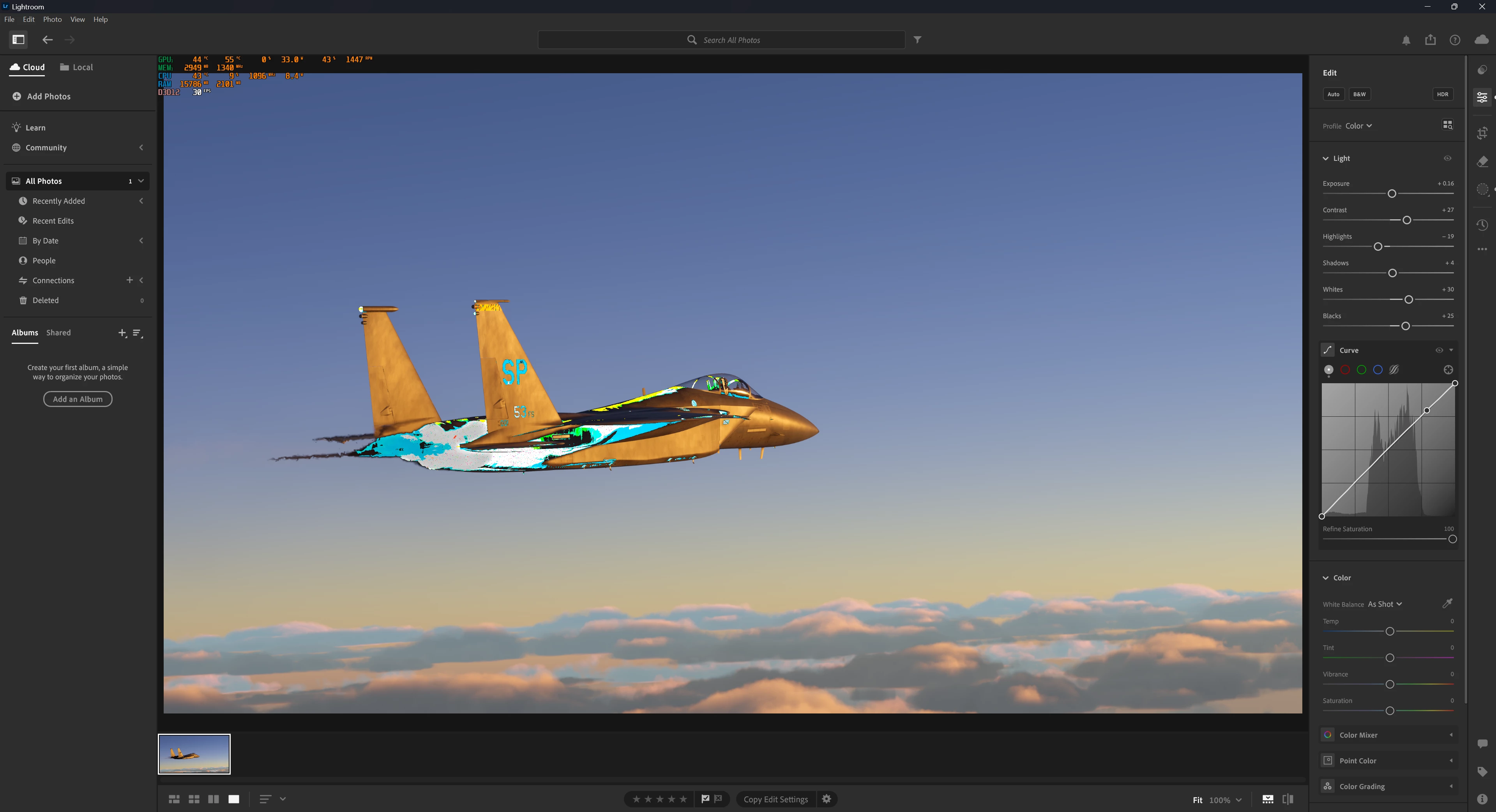
I just got lightroom and I keep having visual glitches in my photos. How to fix?
For example, I tried to make a layer mask for just the sky in a photo, but then the colors glitched out everywhere, including the plane, which wasn't even selected. I'm not overheating, running out of RAM, or something like that. I'll give my specs below, maybe that can help.
CPU: Intel I5-12500
GPU: AMD 6800XT
RAM: Corsair 32 GB 3600 MHz
Windows 11
Lightroom Version 7.4.1
Also running a 4K monitor if that matters


 AdChoices