


Known Participant
February 5, 2019
Question

I'm almost all in with CC, what about old Lightroom Classic photos?

My workflow seems to gel with the Lightroom CC for personal and professional work so any photo going forward is going straight to CC.

What about my old favorites from Classic?

Whenever I enable "sync" in Classic, I get this warning...
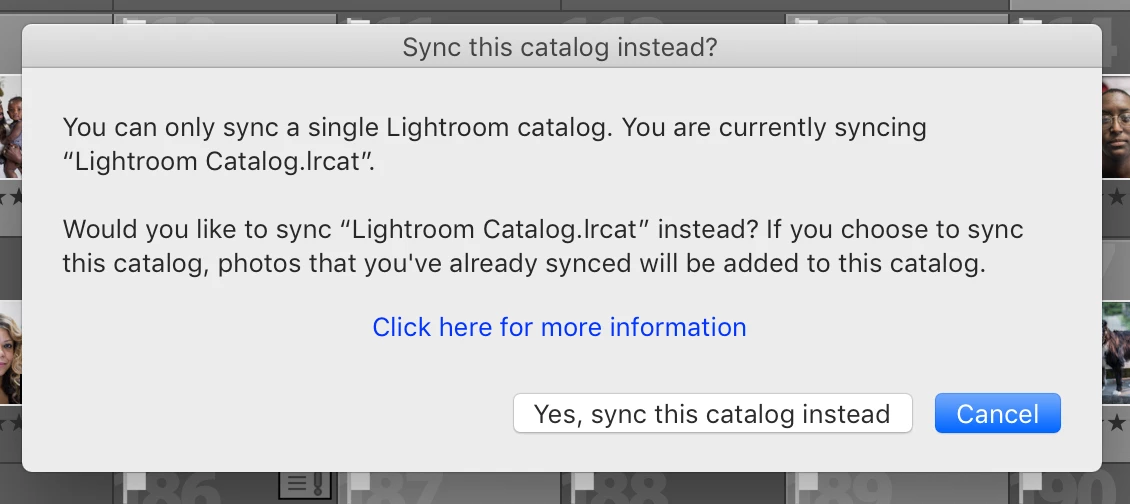
The wording is confusing and I don't want to mess anything up ("You are currently syncing... would you like to sync..." ???!). if I choose Yes here, I'll be able to sync collections from Classic while using CC most of the time for new work, correct?

and whenever I do enable sync in Classic, only photos in synced collections will count against my 1 TB CC storage space, right?

    This topic is closed to new replies. Start a new post to keep the conversation going.

    5 replies

    99jon
    Legend
    February 5, 2019

    Are you syncing Classic from another computer or laptop?

    If you only have one catalog go ahead.

    Only collections marked for sync will get sent to the cloud as smaller smart previews. At present smart previews don’t use any part of your 1TB storage. That is fully available for originals imported into LRCC.

    When sync is activated in Classic all originals already in the cloud will download into Classic as will any new files going forward. Is that your intention?

    Translate
    Known Participant
    February 5, 2019

    Here's my history...

    In November, I sold my Surface Book 2 which had my single Lightroom Classic catalog on it.

    I bought a Mac Mini and iPad Pro. After selling the Surface, I transferred the Classic catalog into Classic on the new Mac Mini. At that point, I stopped using Classic entirely and have since imported all new photos (from some jobs and personal photos) into CC. This amounts to around 130 GB (3,547 photos). I did import 600 or so photos into the iPad Lightroom CC directly but the remaining photos have been imported into CC through the Mac Mini (not sure if that last point really matters overall).

    So you are saying if I enable sync in Classic on the Mac Mini, all 3,547 photos that I've imported into CC since November will be synced/downloaded to the Mac Mini?

    I do not want that to happen as the Mini only has a 128 GB internal SSD, plus there is no point in that. I don't actually want those photos on my computer.

    Considering this, should I just export the photos from Classic and re-import them into CC if I do not want the ~3,500 photos to download to the Mini? It's just around 250 photos per year from the past few years (my absolute favorites) that I want accessible in CC. The vast majority of my old photos can just live in Classic and I can go back to them if I need them for any reason.

    Translate
    99jon
    Legend
    February 5, 2019

    Yes I would suggest you stick with LRCC and don’t activate sync from under the identity plate in LR Classic or keep it paused.

    Simply export the photos you want in the cloud to the desktop or a temporary folder and add them to LRCC.

    Translate