
photosoldier860
Participant
April 24, 2026
Question

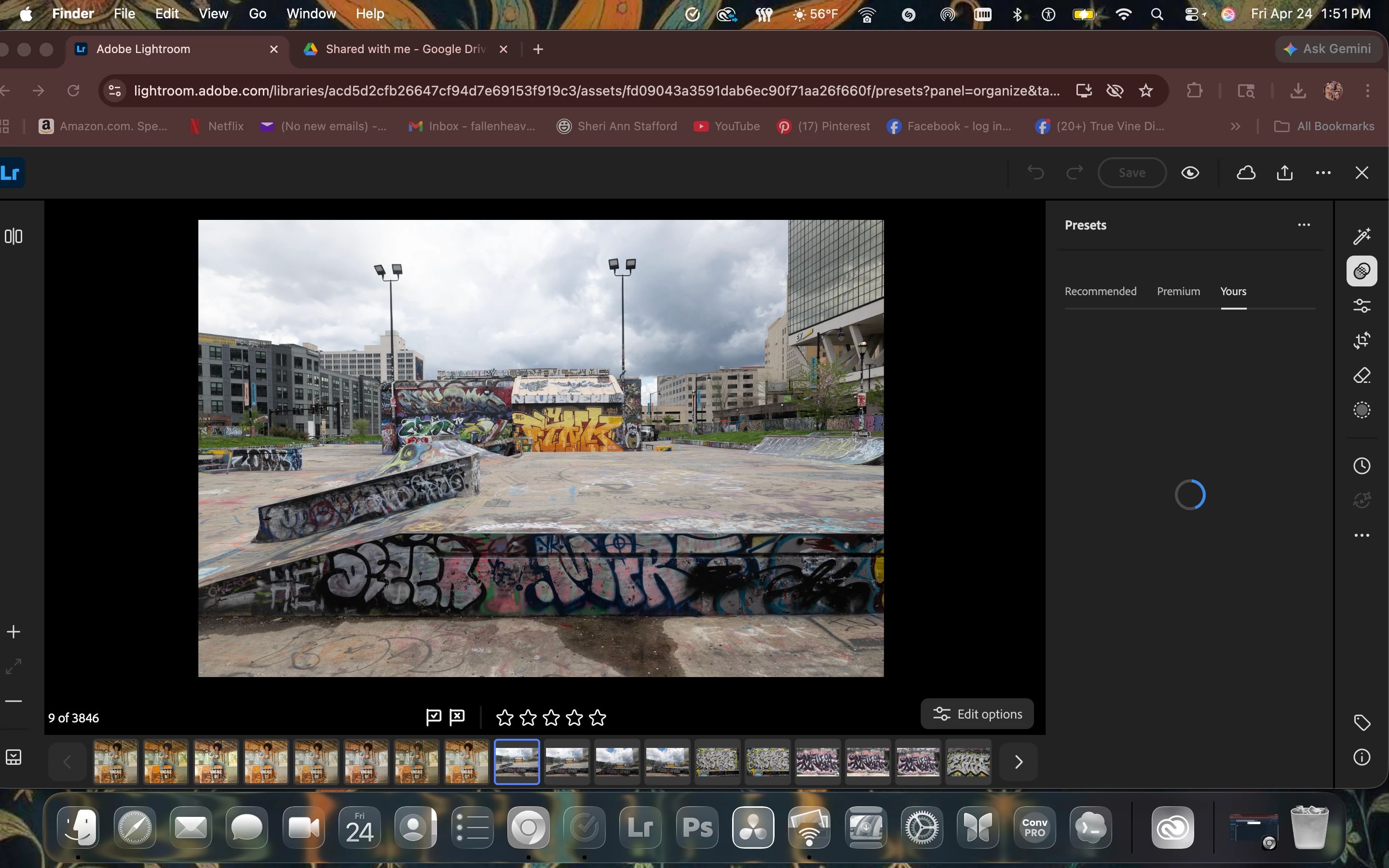
i trying to upload presets to the web n it wont load
  • April 24, 2026
  • 1 reply
  • 12 views

im trying to load  my presets to lightroom web its been doing this for a hour now

    1 reply

    Anshul_Saini
    Community Manager
    Community Manager
    May 4, 2026

    Hi ​@photosoldier860,

    Thanks for sharing the screenshot. From what I can see, Lightroom Web is getting stuck while loading presets (spinner on “Yours” tab), which usually points to something blocking or interfering on the browser side rather than the presets themselves.

    Could you please check a few things:

    • Browser extensions: Ad blockers, privacy tools, or script blockers can interfere with Lightroom Web
    • From your screenshot, I do see multiple menu bar/browser extensions active. Try closing them one at a time and reloading the page.
    • Try a different browser: Chrome / Edge (latest version) or open in an Incognito / Private window (no extensions loaded)
    • Network check: Switch to a different network (WiFi or mobile hotspot). VPNs or firewall tools can sometimes block asset loading.
    • Log out of Lightroom Web and sign back in to refresh the session

    Also, just to confirm, are you uploading presets via .XMP / .DNG files? Does it stay stuck like this for all presets or just specific ones?

    Once you try the above, let me know if there are any changes.

    Best regards,
    Anshul Saini