



I use a radial or linear gradient, lightroom is automatically applying values to the scales in the “Light” box
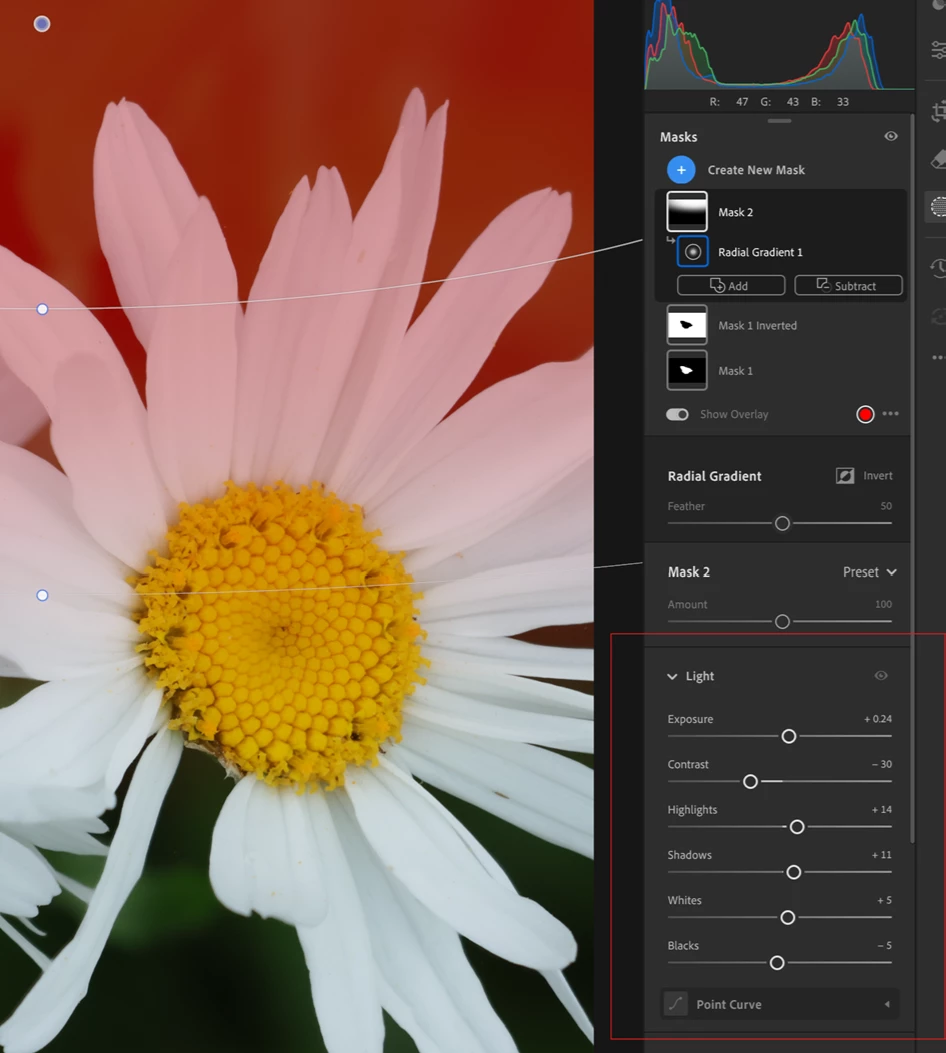
Every time I use a radial or linear gradient, lightroom is automatically applying values to the scales in the “Light” box - every option is given a random value, which has no effect on the image but means I cannot see what I’m trying to. This is a 100% reproducing issue:
- Open an image,
- Select the Radial or Linear Gradient tool and create your gradient,
- Resize or attempt to change a value in the light scale
- Check the values of the options in “Light”, i.e. “exposure”, “contrast”, “highlights” etc
Results:
The sliders are automatically changed in the light options without making any difference to the image, and ruining any sense of what I am trying to achieve with the gradient. When this bug occurs (all the time) you can’t even delete the gradient. A workaround is click the “Show Original” button twice and this removes the values on the sliders, allowing me to use them as intended.
A very annoying bug as it seems to have come in the last couple of updates and wastes a little time with every photo I work on.

 AdChoices