
Known Participant
September 6, 2022
Answered

Identify pictures which are not stored in Albums/Collections

  • September 6, 2022
  • 1 reply
  • 763 views

Dear Adobe-Community,


I would like to know if it is possible to find out in Lightroom (cloud) which images in the library are not stored in an album/collection. I have already made various imports. In doing so, I noticed that I apparently did not always import directly into an album. How can I find out which images are already saved in albums or which are not saved in albums?


All the best and take care.
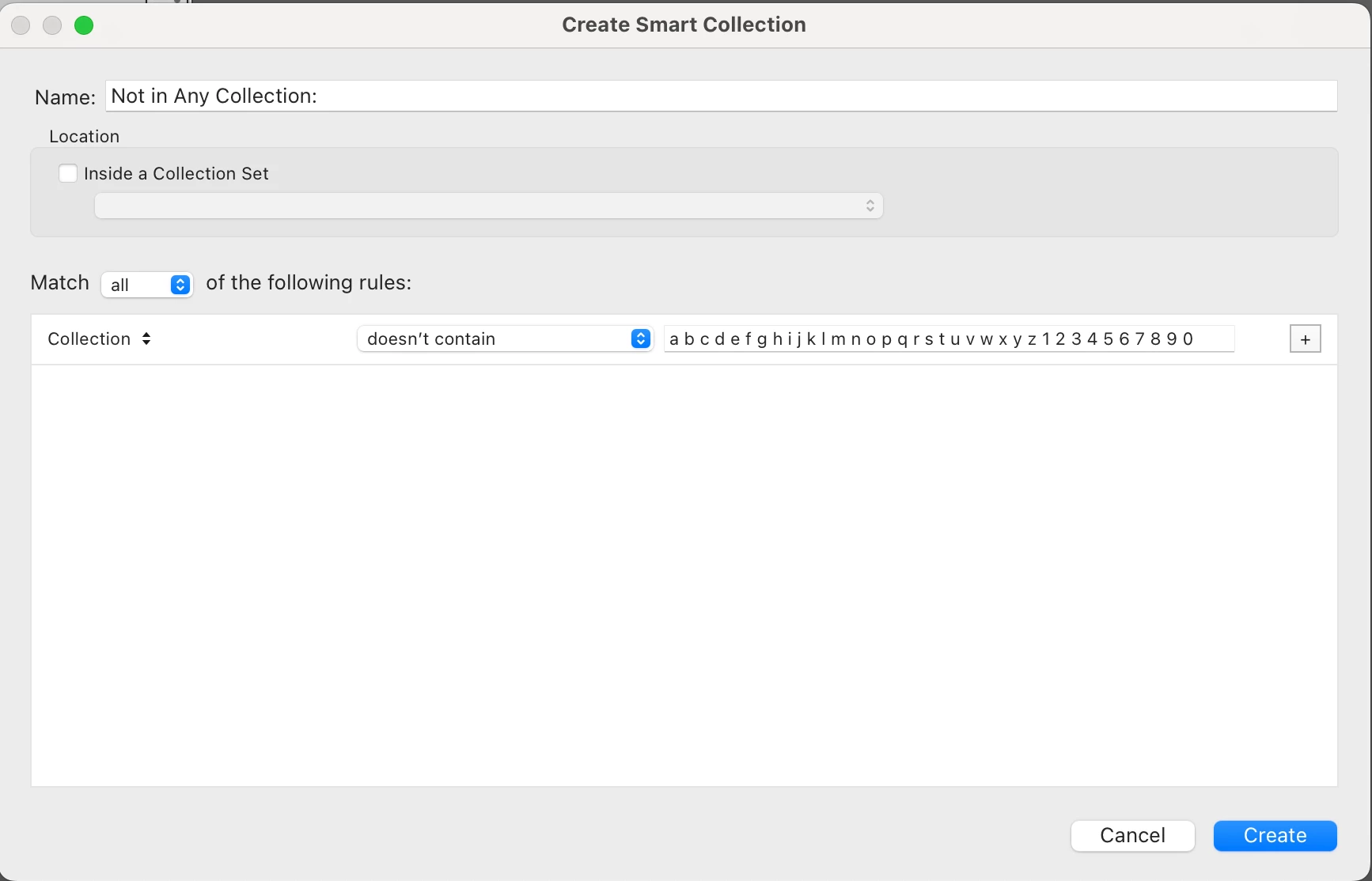
Correct answer Rikk Flohr_Photography

Lightroom Classic: 


For Folder search, substitute 'Folder' for 'Collection' in this smart album.

Lightrom Web does not have this functionality. 


1 reply

Jim Wilde
Community Expert
Community Expert
September 6, 2022

Using the Lightroom Desktop app, click on All Photos then click in the search bar (top centre). A list of searchable "facets" appears, click on the "Album" facet and a list of all your albums will appear. Scroll down to the bottom of the list and you'll see a "Not in any album" entry, click on that and the grid will be populated with all the images which are not yet in any album.

5omeoneAuthor
Known Participant
September 8, 2022

Thanks a lot! It works. 🙂 A hidden but thankfully available feature. 😉