
Participant
October 19, 2020
Question

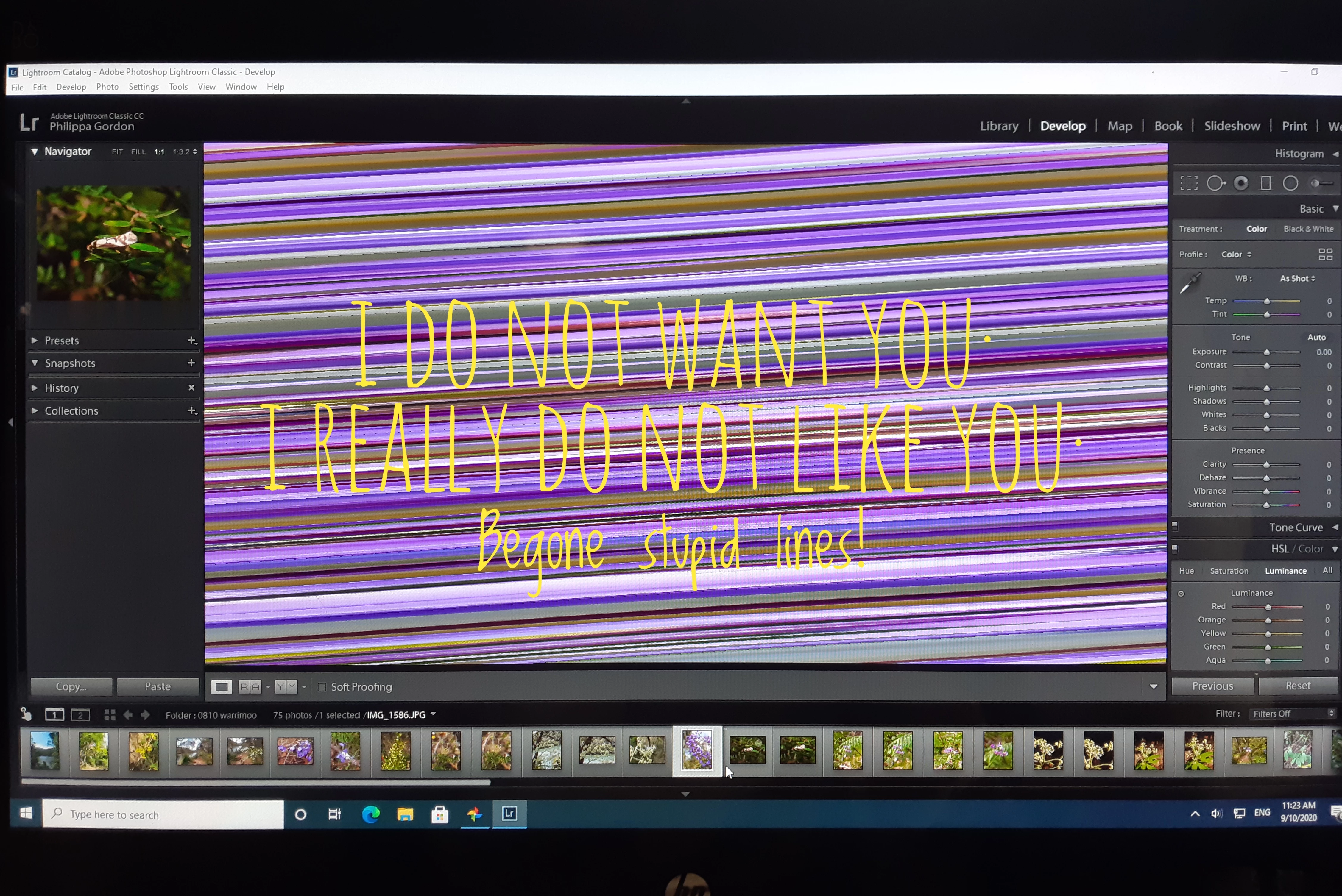
Images display as diagonal lines in LR Develop module after Windows 10 upgrade

  • October 19, 2020
  • 1 reply
  • 166 views

Help! Sorry I'm not verytechie...

Last week My PC decided it needed to do a full Windows 10 upgrade, and now I can't open an image in LR Develop module. I can import photos, and see a selected photo in Library but when I select it it displays as condensed diagonal bars.  

Is this something simple I can fix? Something to do with a graphics driver has been suggested.

Thank you for your advice.
This topic has been closed for replies.

1 reply

Rob_Cullen
Community Expert
Community Expert
October 19, 2020

The response from Jeffrey Tranberry in the link following (and the included links in his post, although aimed at Photoshop) is still useful today and most likely will be the answer to your "stupid lines".

ie. Update the monitor Graphics Driver. (The default that Windows installs is sometimes incompatible with Lightroom graphics!)

https://feedback.photoshop.com/conversations/lightroom-classic/photoshoplightroom-raw-editor-problem-redgreen-blank-screen/5f5f45be4b561a3d425d3483


Regards. My System: Windows-11, Lightroom-Classic 15.1.1, Photoshop 27.3.1, ACR 18.1.1, Lightroom 9.0, Lr-iOS 10.4.0, Bridge 16.0.2 .