Participant
October 24, 2017
Answered

Import preset to Lightroom CC

  • October 24, 2017
  • 4 replies
  • 16875 views

I have just installed Lightroom CC.

I want to add my old presets but I dont know how.

I used Lightroom Classic before and I know how to add preset in this classic version.

Please show me how.

Thanks a lot!

This topic has been closed for replies.
Correct answer MelissaLA88

I had to figure this out for myself just last night! This is how I did it on my Mac:

I downloaded some free presets to demonstrate this for you.

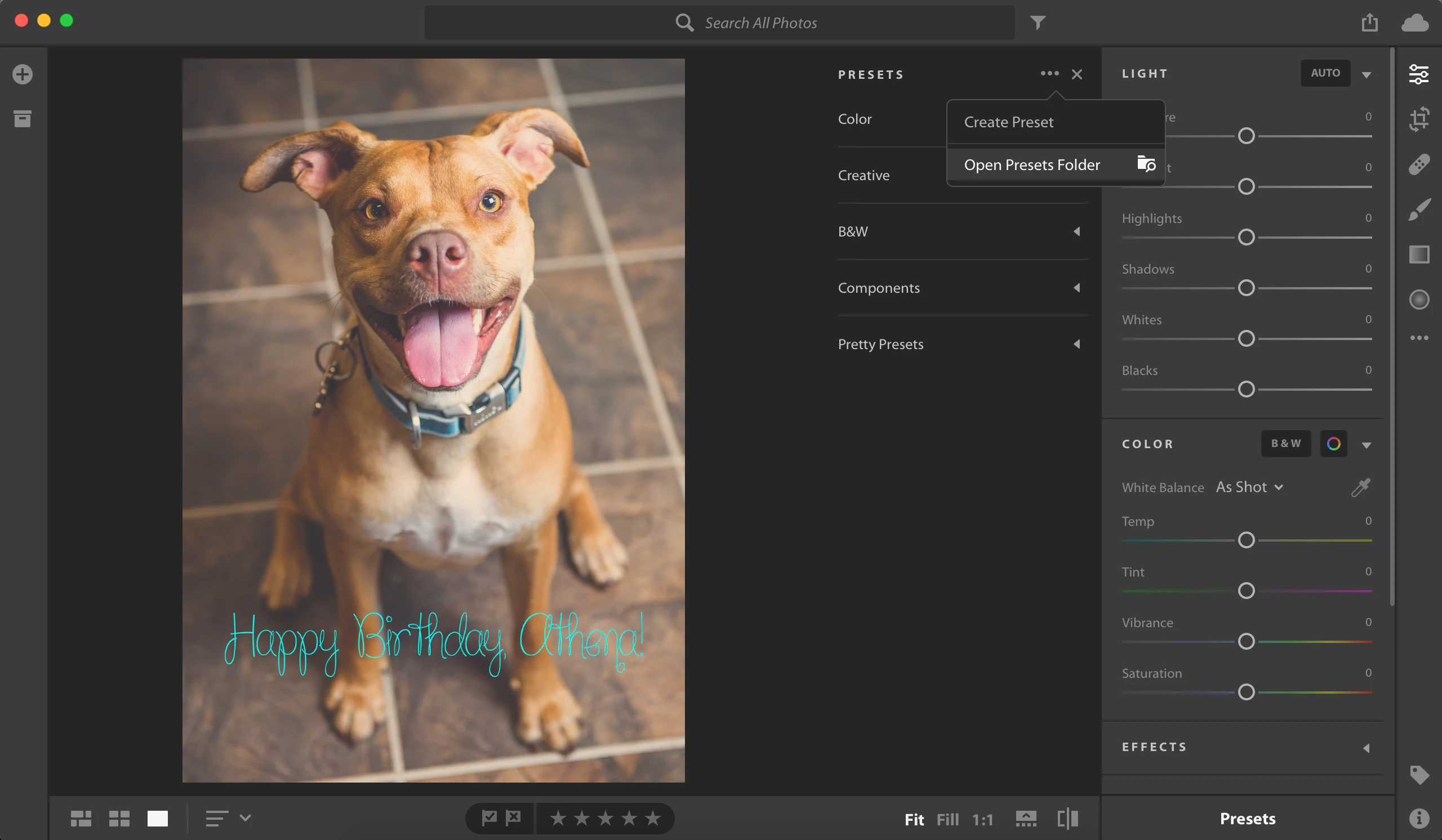
In Lightroom CC, make sure the Edit panel is open (shortcut E). At the bottom of the panel, select "Presets". This will slide out another panel. At the top of that panel, click on the three dots (...) at the top. Then select "Open Presets Folder". This opens a window.
In that window, I then drug my presets into the User Presets Folder.
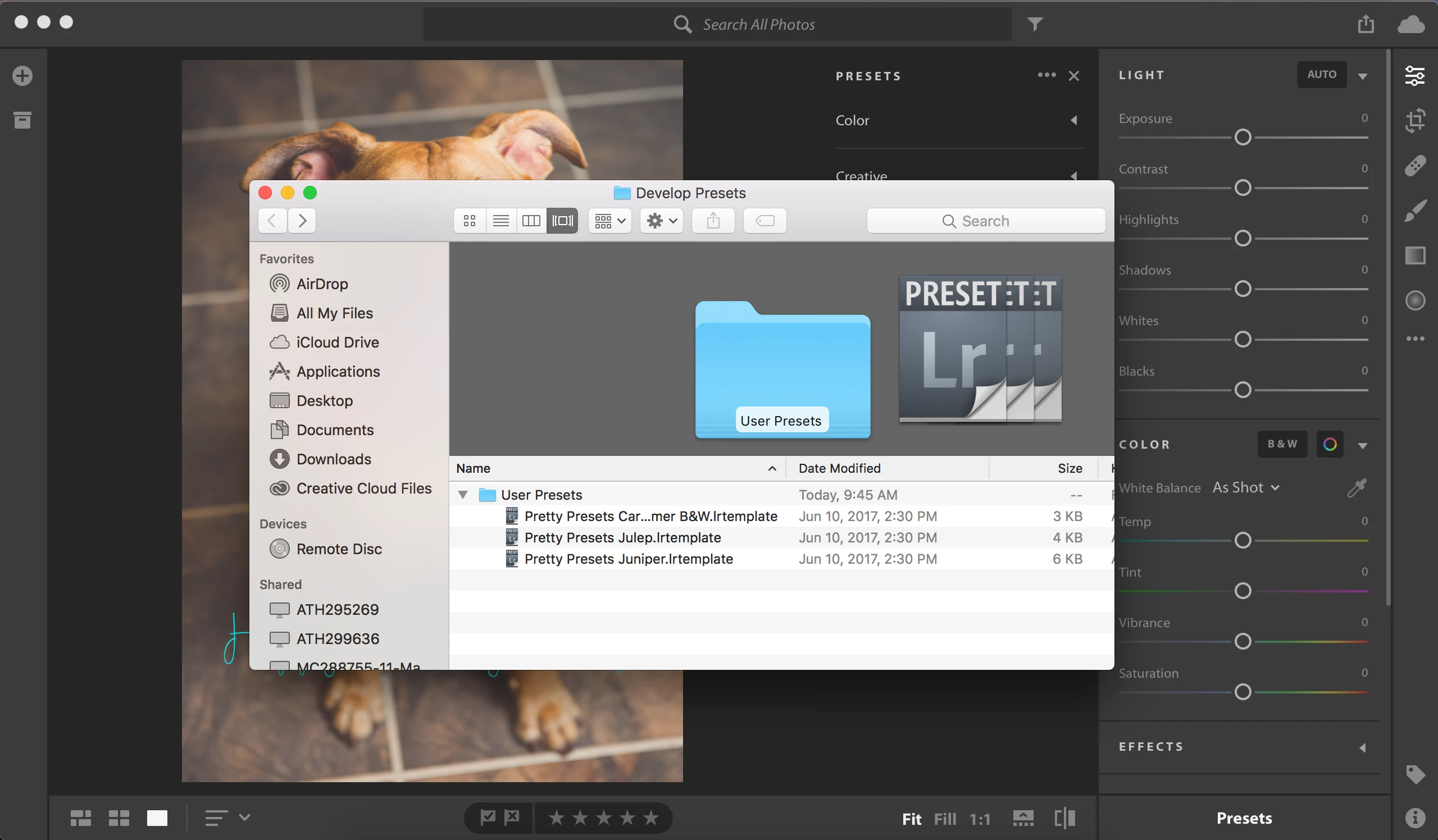
I then restarted Lightroom CC and the presets were there. Try it and see if it works

4 replies

Participant
October 21, 2020

thank you! I was looking at other websites and stuff, they said to go to edit panel but I thought they meant the edit on the top

Participating Frequently
July 12, 2018

Good guide, you gave so much information! read this article to find out how to get Adobe Lightroom for free http://fixthephoto.com/how-to-get-lightroom-for-free.html

Participating Frequently
November 26, 2017

I bought CC about a month ago and have been wracking my brain trying to get my presets from LR 5 into CC.  I wish I had seen your post earlier.  I literally had them moved in about 3 minutes. Thanks so much for taking the time to post this easy step.  Disappointed that this wasnt easier to find in Adobe. Thanks for your time. Perfect solution!

Participating Frequently
November 27, 2017

I'm glad it helped!

MelissaLA88Correct answer
Participating Frequently
October 24, 2017

I had to figure this out for myself just last night! This is how I did it on my Mac:

I downloaded some free presets to demonstrate this for you.

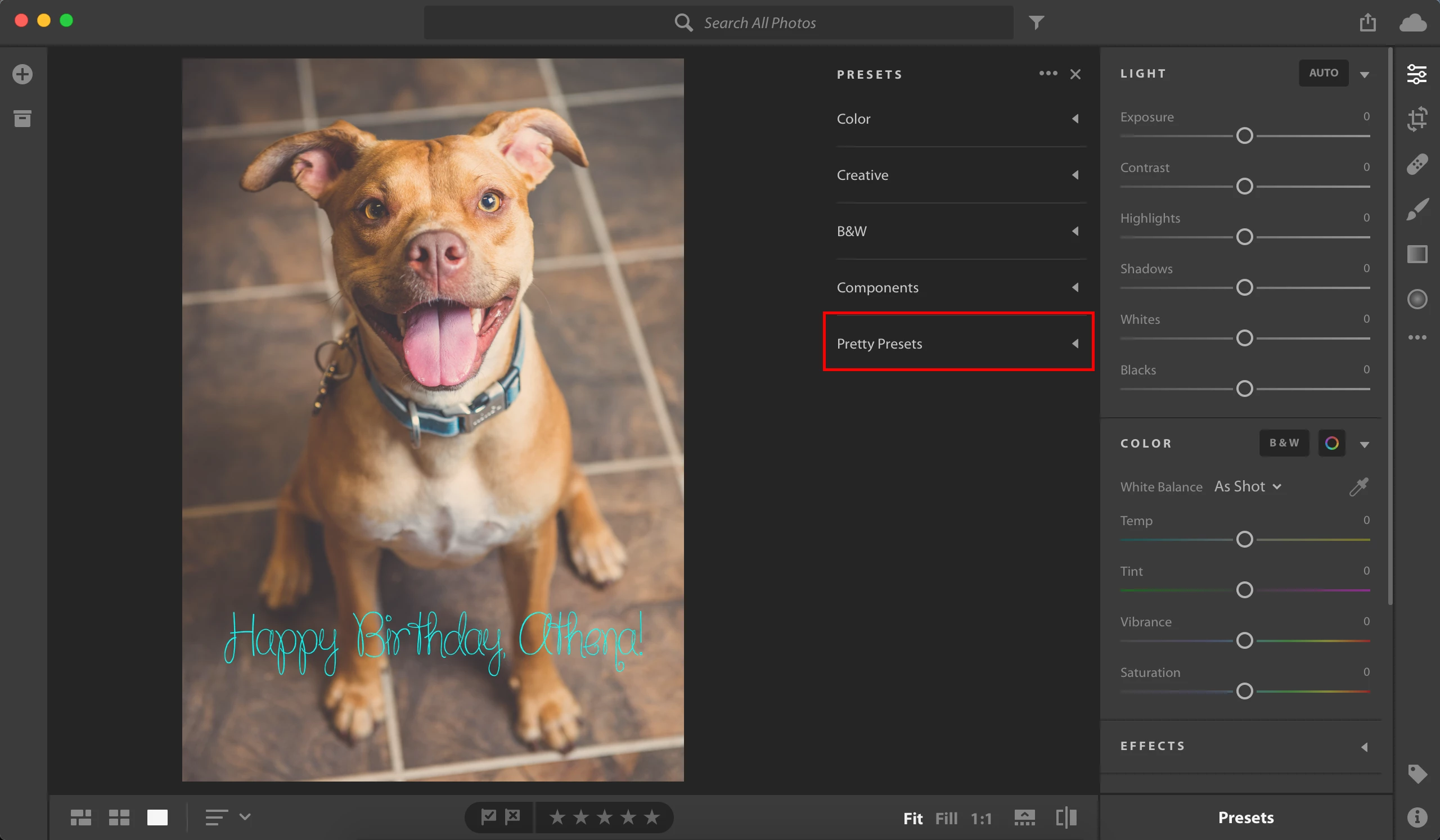
In Lightroom CC, make sure the Edit panel is open (shortcut E). At the bottom of the panel, select "Presets". This will slide out another panel. At the top of that panel, click on the three dots (...) at the top. Then select "Open Presets Folder". This opens a window.

In that window, I then drug my presets into the User Presets Folder.

I then restarted Lightroom CC and the presets were there. Try it and see if it works
mryhrt
Participant
October 24, 2017

Awesome! Thank you for this.

Participating Frequently
October 24, 2017

No problem at all! Hope it works out for you!