
Participant
Nov 10, 2026 10:18 PM UTC
Question

Incorrect AI use tag

When traditional heal brush is used AI edit status on the image reports the following AI settings have been applied to this photo: Remove. I am only using the spot heal tool. No distraction removal or gen AI remove is used. Even when resetting edits on the image the AI tag remains. This does not seem to affect local files only cloud.
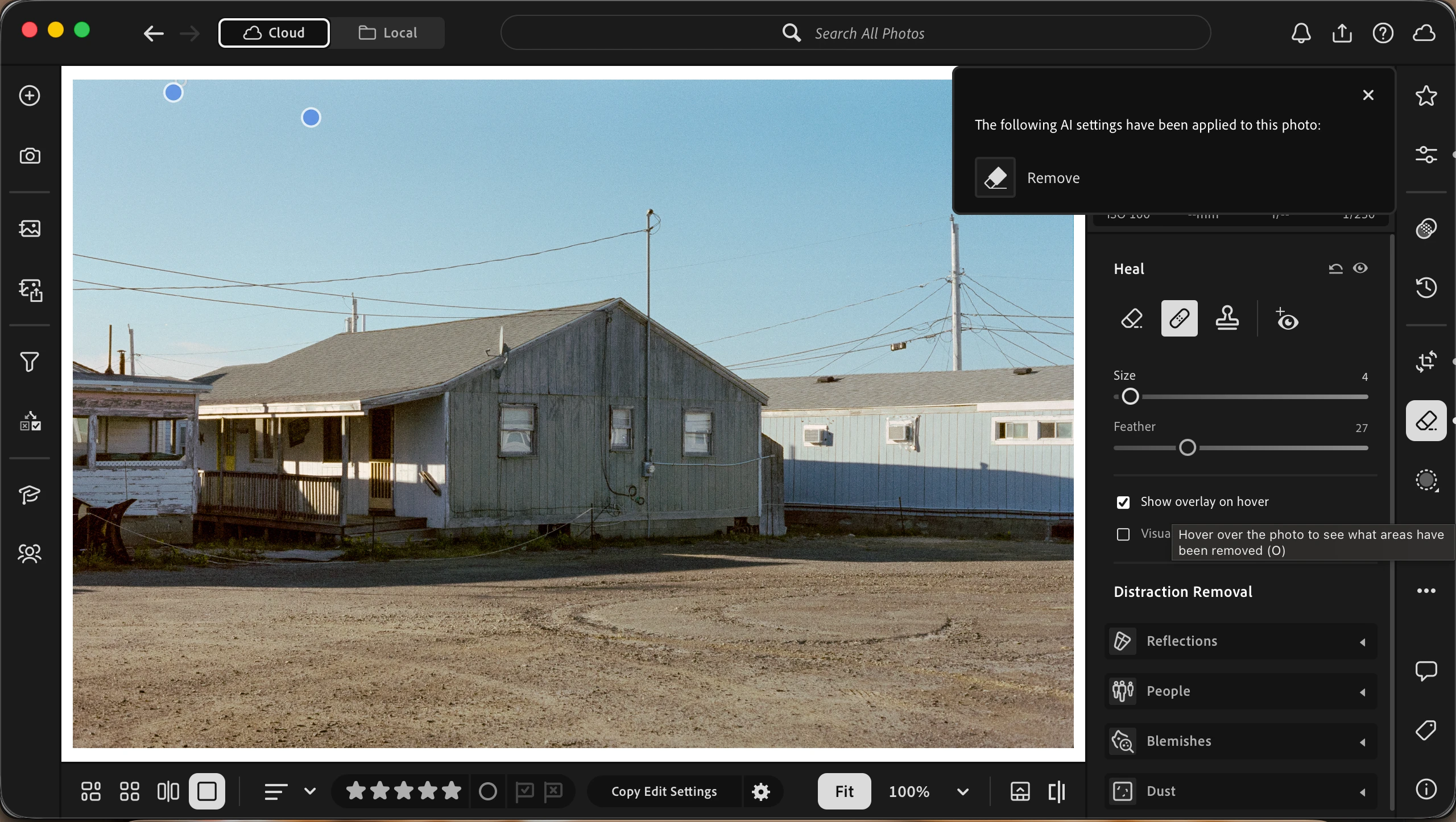
 

    2 replies

    Participant
    Nov 11, 2026 9:53 PM UTC

    Appreciate the response Sameer! Very interesting. In the current climate with AI tags being implement by photo sharing platforms it would be great for Adobe to clarify their messaging. If using legacy tools triggers an AI tag when posting photos I think they are inviting a storm of angry customers on their hands. Seems like a glaring oversight to me. 

    Translate
    Sameer K
    Community Manager
    Community Manager
    Nov 11, 2026 11:30 AM UTC

    Hey, @brennanb47020675. Thanks for bringing this up. This behavior exists in Lightroom Classic, too.


    In a year-old conversation, @johnrellis shed light on this: https://adobe.ly/4essWwJ

    Although documentation groups legacy Heal/Clone under “Remove,” a Remove entry alone is not proof that generative AI was used.


    @johnrellis - I couldn't find any notes about this on the previous thread. Would you still recommend this as a bug?


    Thanks!
    Sameer K
    (Type '@' and type my name to mention me when you reply)

    Translate