
Participant
August 18, 2021
Answered

Ipad Lightroom. View Exif data

  • August 18, 2021
  • 1 reply
  • 807 views

Hi Folks.

Last week I could see the EXIF data on screen at the top left corner, this week it's gone. 
I can't find anywhere in preferences or settings that make a difference. 
on a 'batch' type view the data is there, but not on individual picture view. 
Anyone know how I would get this back?


This topic has been closed for replies.
Correct answer Conrad_C

(edited from original reply)


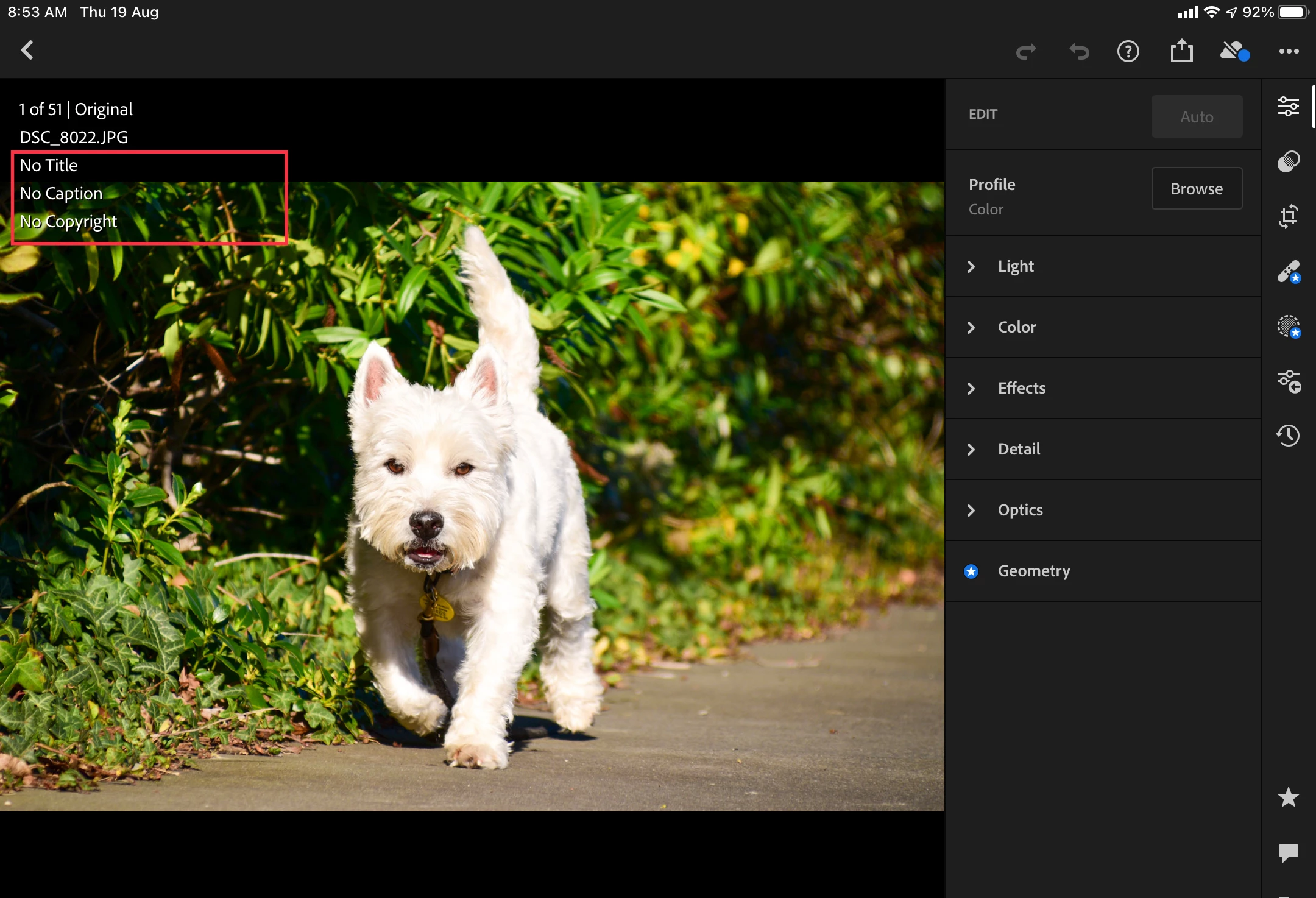
I finally figured it out. Tap within (not outside) the lines of info to cycle through the types of info it shows there. That means it was probably changed by an accidental tap.


At first I thought you meant the info display itself, which is cycled with a two-finger tap, but then I realized you were actually talking about the lines inside the red rectangle.

1 reply

Conrad_C
Community Expert
Conrad_CCommunity ExpertCorrect answer
Community Expert
August 19, 2021

(edited from original reply)


I finally figured it out. Tap within (not outside) the lines of info to cycle through the types of info it shows there. That means it was probably changed by an accidental tap.


At first I thought you meant the info display itself, which is cycled with a two-finger tap, but then I realized you were actually talking about the lines inside the red rectangle.

Participant
August 19, 2021

Your exactly right. 

Absolutely stoked to have that sorted.

Thank you so much.