
Participant
February 24, 2020
Answered

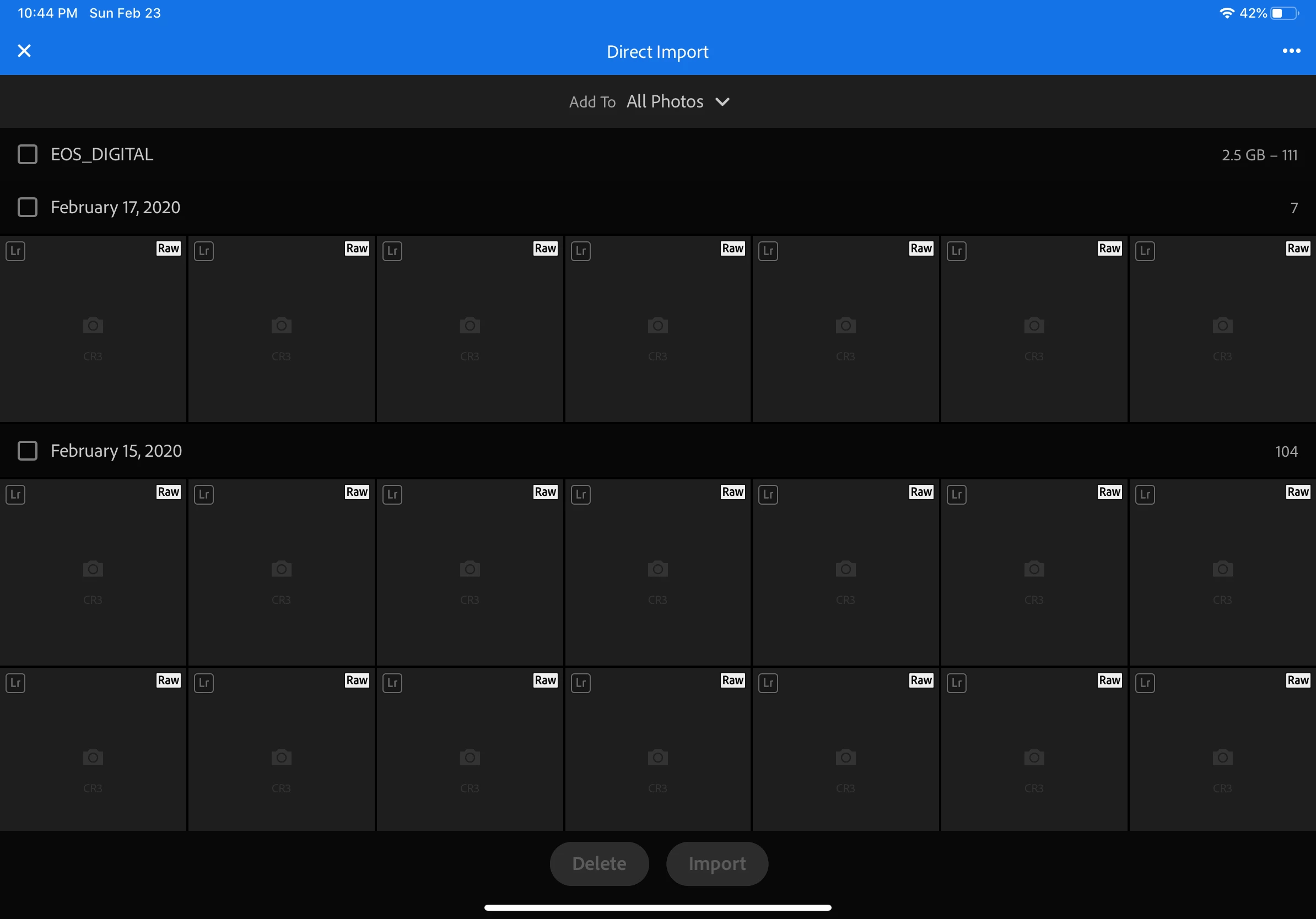
iPad Photos Not Displaying Camera RAW import previews

  • February 24, 2020
  • 4 replies
  • 9865 views

Hello! I have a problem with. Mi iPad Pro 11 inches is not displaying raw files  previews when i connect the usb card.. I cleaned the cache and the problem persist. Could you help me please?
This topic has been closed for replies.
Correct answer Ignacio B.

Nope - The update did not fix the thing. It uploads photos with no images so I can't see which photos I want to pick to download the phone so I can work with them.


Hi,

this might sound strange to try out but, do you see any difference with iOS 13.4?

Thanks,
Ignacio

4 replies

Sissing
Known Participant
December 10, 2021

Now almost 1 year after the latest comment, it is still not showing up for me on my iPad with iOS 15.1 (Lossless compressed RAF (Fujifilm X-T4)). But on the other hand it shows everything correctly on my Mac with Lightroom (CC) before import. My question is if it wouldn't be possible to use the same logic to show the thumbnails before import used for the Mac app on the iPad? And to come back to the support of the OS itself, macOS is eighter not able to show the previews of the RAF Lossless compressed files in Finder. So Adobe did something to show them on the Mac but didn't use this logic on the iPad.


I hope it would be possible to add this to a future release, since I love the option to import the images on the go into my iPad.


macOS: 12.0.1

iPadOS: 15.1

Lightroom (CC) Mac: 5.0

Lightroom iPad: 7.0.2

Community Manager
December 10, 2021

Hello @Sissing 

In the Direct Import view, Lightroom relies on iOS to be able to display thumbnail images.  If iOS can't do that, then Lightroom also cannot display thumbnail images in that view.  For such images, Lightroom can only display thumbnail images after import when our app as able to process each image and make its own thumbnail images.  


Mohit Goyal
Community Manager
Community Manager
March 12, 2020

Thanks for the update. Could you please update Lightroom mobile to 5.2.2 version and let us know if that helps.


Regards,

Mohit

Mockillo
Participant
March 22, 2020

Hi


Not sure about OP, but I'm on 5.2.2 now, and Fuji X RAF files are atleast not being previewed under direct import. Should I create a separate conversation about this issue? Or do you have any tips?


- Alex

Community Manager
March 23, 2020

Is the iOS Photos app able to display thumbs for your images in its own import screen?  

If you proceed to import the images into Lightroom, do the images then appear OK?

Participating Frequently
March 1, 2020

This is happening to me too!  I am using Lightroom 5.2.1 and connecting my Nikon to either my iPhone or iPad.  It loads the photos but does NOT show the thumbnails.  I am connecting a cable to the camera

Community Manager
February 24, 2020

Hi,

Which EOS are you using and what kind of files are you trying to import?
Which iOS version are you on?
Are you using a USB card reader or a cable to the camera?

Thanks,
Ignacio

FasuegoAuthor
Participant
February 24, 2020

Thanks Ignacio  for help me ! I use Canon EOS RP and the Software version 13.3.1 and USB cable Reader. The files are  CR3