Participant
November 23, 2023
Question

IPadOS “Documents and data” take up too much space

  • November 23, 2023
  • 2 replies
  • 2226 views

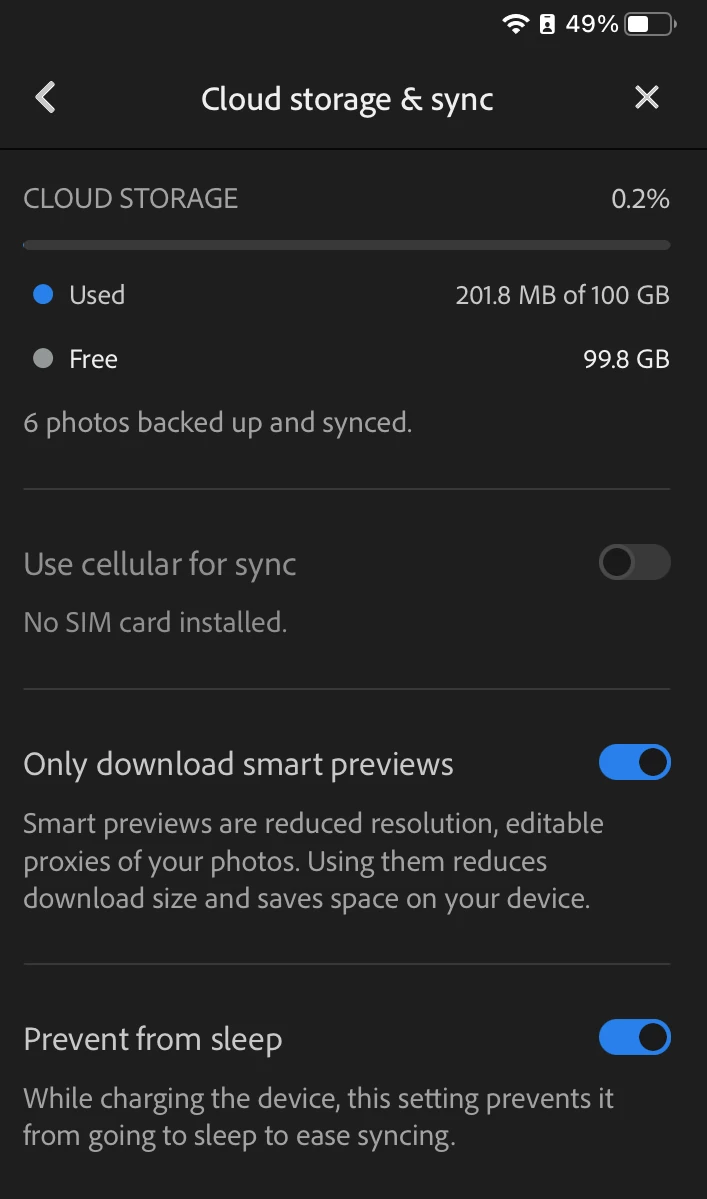
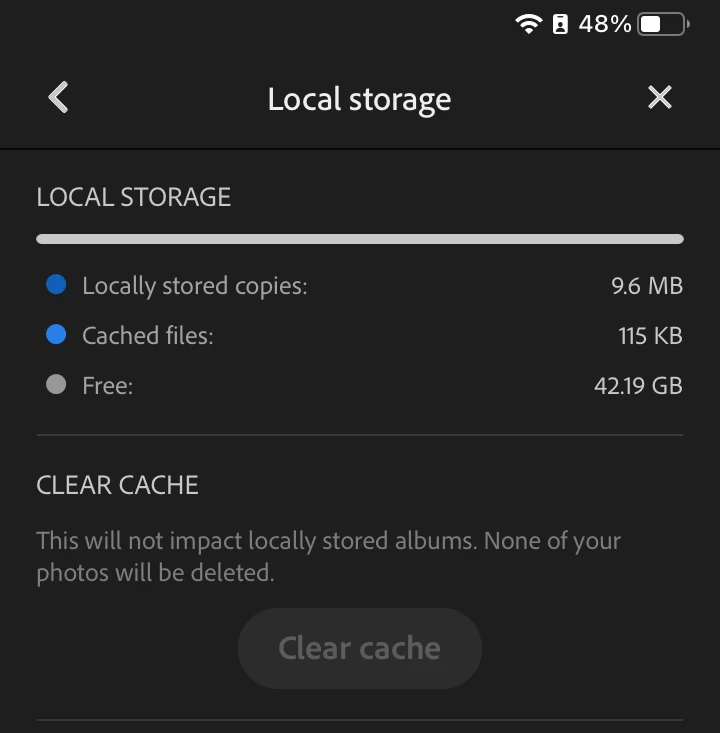
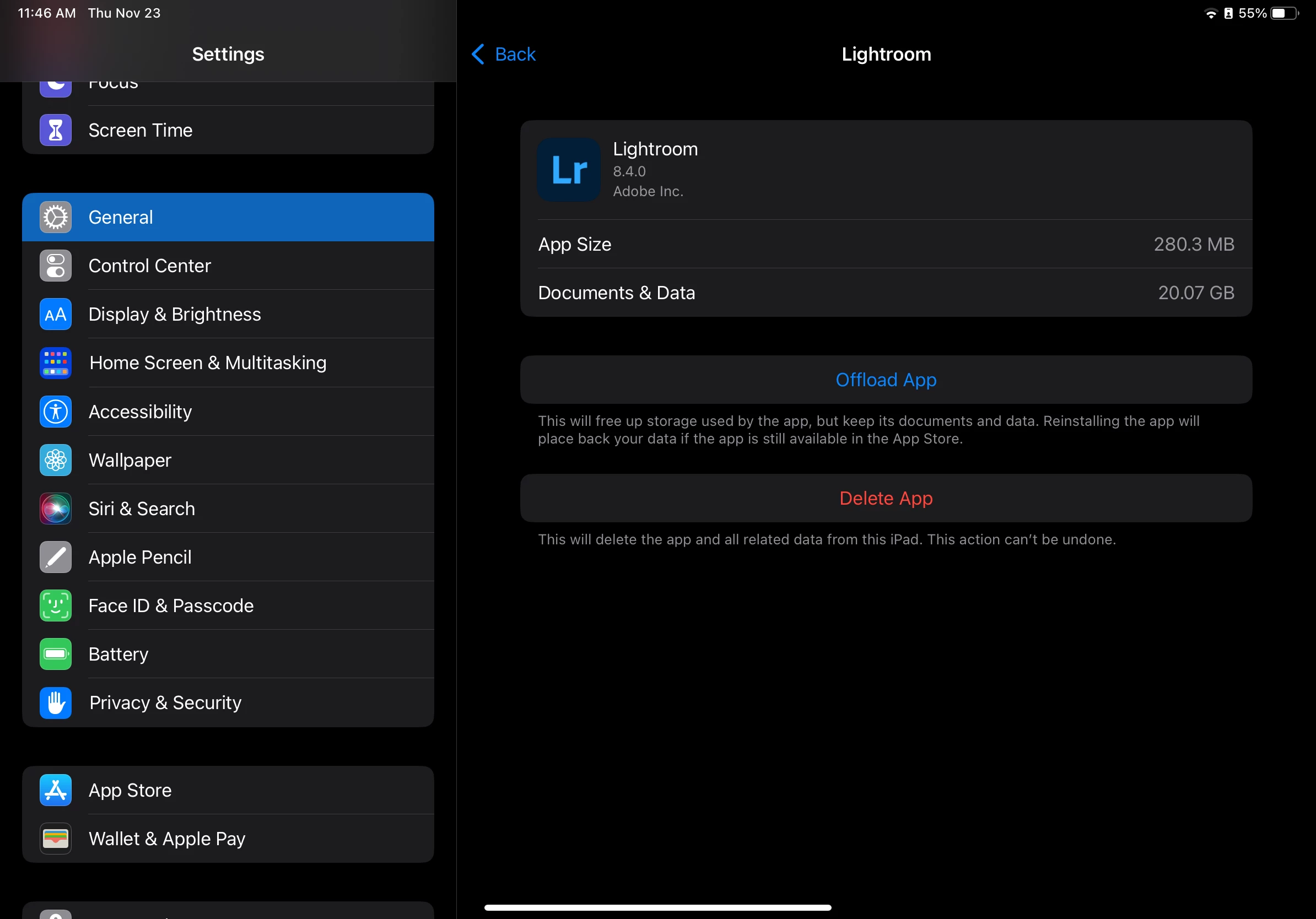
The "documents and data" size in my iPad is ridiculously large (20GB). I removed nearly everything I had within the app except for 200mb of raw photos, and the app is listed as just under 300mb, yet the "documents. I cleared the cache and it reduced it to 19.7gb, but right now it's a bloated piece of software that my minimal space iPad can't handle.


  1. Version of the app: 8.4.0
  2. Platform and OS version: iPad Pro 11-inch 3rd generation, OS v16.7.2
  3. Basic steps to reproduce the problem: settings->general->iPad storage->Lightroom
  4. Expected result and actual result: 500-600mb of space, actual: ≈20gb
This topic has been closed for replies.

2 replies

Community Expert
November 24, 2023

Does your sync status say that you are fully synced and backed up? Does it show everything that it should if you navigate to https://lightroom.adobe.com in a webbrowser? If so, you can just delete the app, reinstall it and log back in.

Participant
November 23, 2023

It removed part of my post because it generated an html error.

quote

The "documents and data" size in my iPad is ridiculously large (20GB). I removed nearly everything I had within the app except for 200mb of raw photos, and the app is listed as just under 300mb, yet the "documents. 


It should read: yet the "documents & data" folder is far too large. 

There is either something disingenuous about the application size or there are massive amounts of copied/backup data taking up too much local storage space.

Community Manager
November 27, 2023

To fix the storage usage reported in iOS, another option is to try Offload App in iOS Settings.  And then restore Lightroom.  This should preserve your login and other current app settings that could be purged from your device if you were to uninstall the app.

Participant
December 24, 2023

I "offloaded" the app, it shows my "documents and data" are at 13.16gb, which makes zero sense. I have 13 images in my app, even if they were all raw/dng files, they're all under 100mb. It would only make sense for them to have a lot of space if they were averaging 1gb per file, which they aren't even close.