
Participant
February 17, 2018
Answered

Legacy Settings message on 1000's of pictures?

  • February 17, 2018
  • 2 replies
  • 3522 views

This message below appears in the right pane when I open older older pictures (like ~2012 and before)  in Lightroom CC on my PC .  Can someone explain what this is referring to? What settings? I want to know what is changing before I "Update".  Using LR CC ver 1.2.

Here's a screen grab:
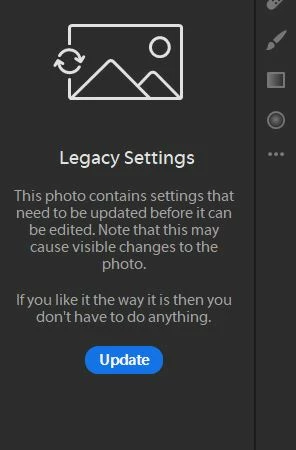
Text version:

Legacy settings

This photo contains settings that need to be updated before it can be edited. Note that this may cause visible changes to the photo.

If you like the way it is then you don't have  to do anything.

This topic has been closed for replies.
Correct answer 99jon

I assume that this relates to the current process version in the camera raw engine. Did you migrate from LR Classic or earlier version? If so you would have photos which were edited under a previous P/V. As the message says there is no need to update although you are unlikely to see any change if you do, unless you did any brush work with auto-mask in an earlier version of Lightroom.

2 replies

99jon
99jonCorrect answer
Legend
March 2, 2018

I assume that this relates to the current process version in the camera raw engine. Did you migrate from LR Classic or earlier version? If so you would have photos which were edited under a previous P/V. As the message says there is no need to update although you are unlikely to see any change if you do, unless you did any brush work with auto-mask in an earlier version of Lightroom.

Participant
March 15, 2023

Stupid!!! So I have to re-edit my photos every couple of years... Very nice. Paying for this crap... 

Participant
March 2, 2018

Same here, any help pls?