
Participant
March 9, 2021
Question

Lightroom 4.1 running on macOS Big Sur (11.2.2): Need to connect to the server

  • March 9, 2021
  • 1 reply
  • 300 views

I've just opened LIghtroom for the first time and I get this message:
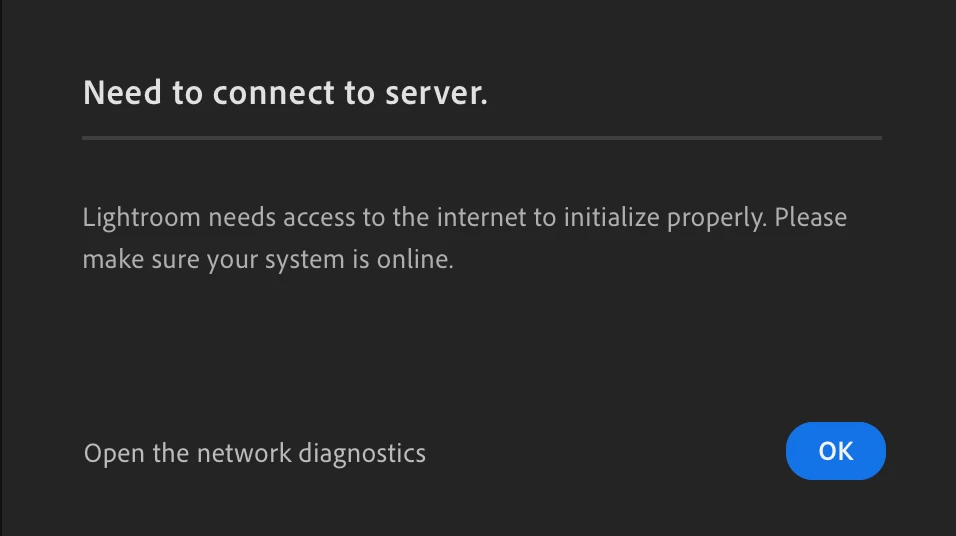
 

I am connected to the internet (which is how you're able to see this!) and have a dcent connection speed, so this is a bit annoying.


It's Lightroom version 4.1 and I'm running macOS Big Sur (11.2.2). All other Creative Cloud apps are running without problems. I've tried quitting and re-opening without success.


Hope someone can help.

This topic has been closed for replies.

1 reply

Akash Sharma
Legend
March 9, 2021

Hi there,


We're sorry for the "Can't connect to the server" error with Lightroom Desktop 4.1 on macOS 11.2.2. Could you please sign out and sign in from the Adobe Creative Cloud Desktop app and check if that helps.


Also, take a look at the following feedback link and try the offered suggestions: https://feedback.photoshop.com/conversations/lightroom-desktop-cloudbased/lightroom-desktop-no-netwo...


Let us know if that helps.

Thanks,

Akash

Participant
March 9, 2021

Many thanks Akash. I tried signing out and in again, but no change unfortuantely – exactly the same thing happens.


I took a look through the other link you supplied too. I generated the mini diagnostics report, but I'm not sure what to do with it…