Answered
This topic has been closed for replies.
You've been struck by not having the telepathic skills Adobe expect all customers of LrD to posess or not reading the What's New info 😉
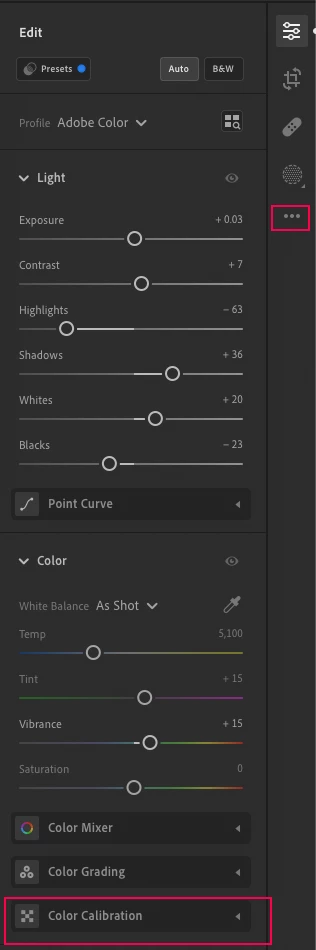
To enable the panel, you need to open the tri-dot menu on right side of editing panel track, then choose 'Show color calibration'. See below screenshot.

Sign up
Already have an account? Login
To post, reply, or follow discussions, please sign in with your Adobe ID.
Sign inSign in to Adobe Community
To post, reply, or follow discussions, please sign in with your Adobe ID.
Sign inEnter your E-mail address. We'll send you an e-mail with instructions to reset your password.