
Lightroom Albums "stuck"
I use both Lightroom (cc) and Lightroom Classic (Classic (v13.2) is my master, I use Lightroom CC (sic) (7.2 on pc) to have mobile access as well as iPAD pro and iPhone 11).
What I have noticed is, I will create Collections in Classic and sync them. I will then edit photos is one or both places and everything seems fine. Hoever, more offten then not, eventually the "Albums" on CC will get "stuck" and the photos no longer sync.
I have waited, I have ensured that all files are synced, I have permenetly deleted all files in the the Deleted bin, nothing seems to resolve the situation.
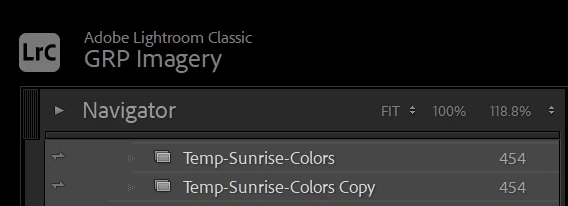
As an example, I have a Collection in classic Temp-Sunrise-Colors that at some point had 922 photos in it that successfully synced with the CC albums (see pics). However, I removed files from the Collection but in CC, the files never removed themselves. After some time, I had a Collection on Classic with 454 files. After several days, letting everygthing settle, my CC corresponding albums(on all platforms), remains at 922 files. The attached picture shows the Albums and Collection in question in CC and Classic.
As an experiment, I created a copy collection (temp-Sunrise Colors Copy), that synced immediately. I then add files and made adjustments to the Collection and to the Album and they synced correctly as I expected.
The original Album, however, remains at 922 files. As an experiment, I tried editing and removing files (files that should not be there) from the original Album on CC to see if that would force a sync. No such luck. As a final experiment, I added a file to the original Album on CC and it showed up in Classic. I then removed the file in the Classic Collection and it removed itself from the CC Album.
Anyone else see flaky behavior in Lightroom CC Albums with respect to syncing with Lightroom Classic with no obviouis (or less obvious) way to rectify.
Regards



 AdChoices