


Participant
June 26, 2023
Question

Lightroom App Taking Up Too Much Space

  • June 26, 2023
  • 1 reply
  • 1272 views

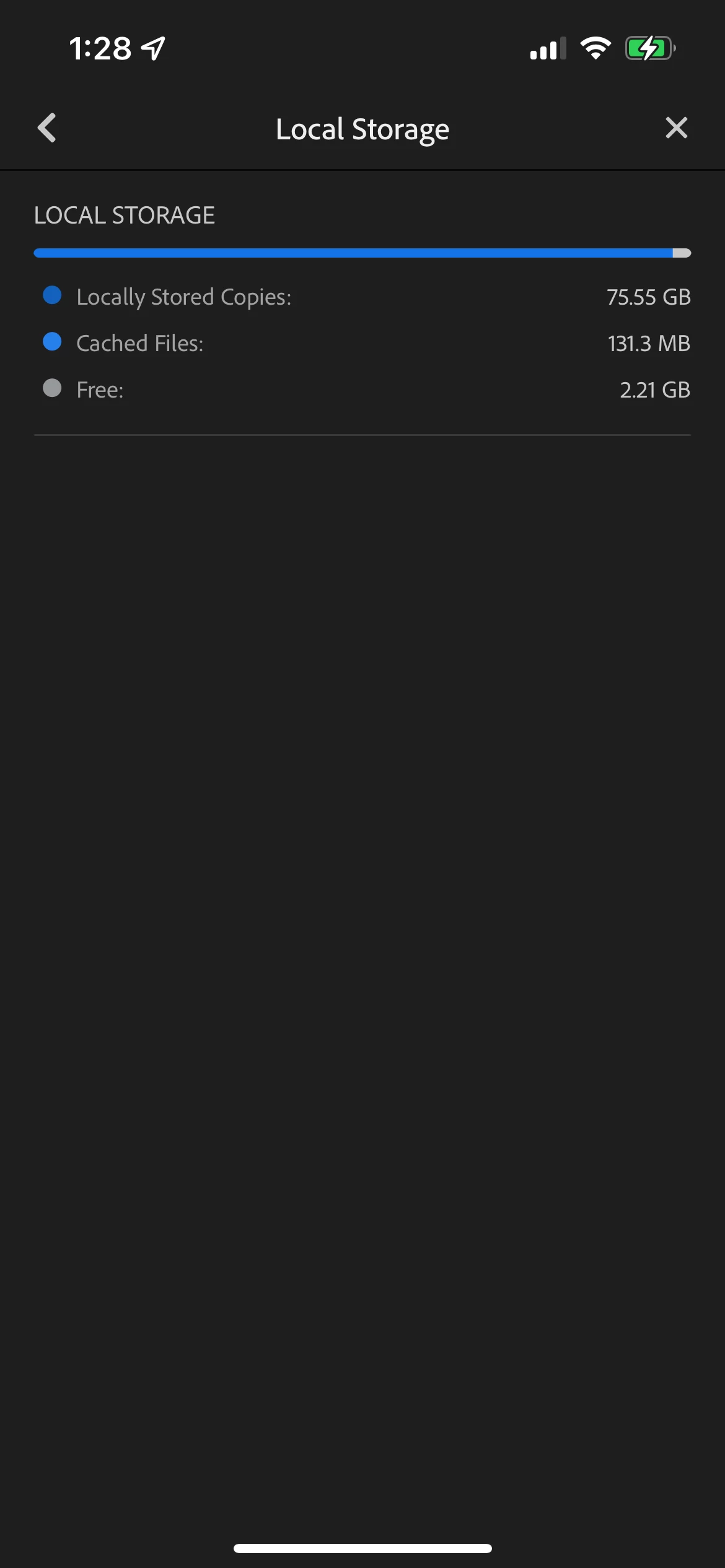
Hi! My Lightroom app is taking up 80 GB of space on my phone, even without pictures being uploaded to edit to the app. I have tried clearing my cache (which I went step by step and it didn't give me the option) and clearing my trash. Neither of these work. I barely have any apps on my phone and constantly have to delete things every time I edit. Please help! 
This topic has been closed for replies.

1 reply

Inspiring
June 26, 2023

Hello @Macy30718524suzz 

Past versions of the free Lightroom app allowed users to toggle on auto-import, and this could consume lots of storage like what's shown in your screen capture.  This sounds like what happened since you seem not to recall having imported so much.


With the free version of Lightroom Mobile, the only way to purge storage used by the app is to delete images.  At first, deleted images will be moved to the in-app trashbin.  Go to the Deleted album, and from the 3-dot menu select Permanently delete all to empty the trash.  This should recover device storage.