
Participant
November 9, 2024
Answered

Lightroom Automatically brightening

  • November 9, 2024
  • 3 replies
  • 604 views

I recently upgraded my phone to the iphone 16 pro, and all of sudden my photos when added to lightroom are automatically now adjusting to be brighter when i go to apply a preset now. Its really odd and way overexposed before adding a preset. I went to import settings and clicked Camera Settings and clicked off HDR. I just have no idea what to do.
    This topic has been closed for replies.
    Correct answer vpattiso

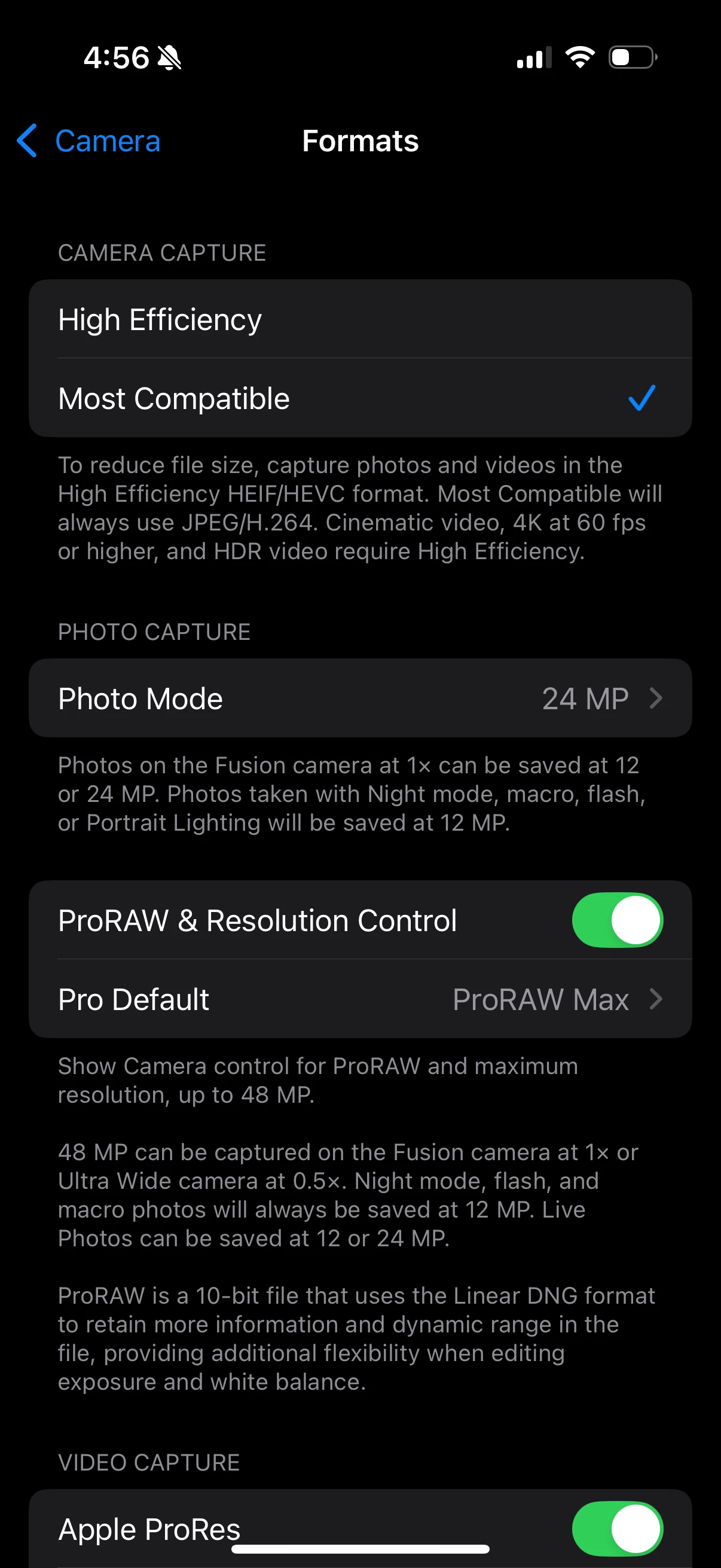
    I figured it out last night! You need to go into settings > camera > formats and click "most compatible". That solved It for me 🙂

    3 replies

    vpattisoCorrect answer
    Participant
    November 15, 2024

    I figured it out last night! You need to go into settings > camera > formats and click "most compatible". That solved It for me 🙂

    Participant
    November 14, 2024

    Having this exact issue as well.. did you find any answers?

    liv_9144Author
    Participant
    November 14, 2024

    No answers yet 😞 @kglad can you help?

    kglad
    Community Expert
    Community Expert
    November 14, 2024

    i'm not a lr expert.  perhaps @dj_paige can help


    kglad
    Community Expert
    Community Expert
    November 9, 2024

    in the future, to find the best place to post your message, use the list here, https://community.adobe.com/

    p.s. i don't think the adobe website, and forums in particular, are easy to navigate, so don't spend a lot of time searching that forum list. do your best and we'll move the post (like this one has already been moved) if it helps you get responses.


    <"moved from using the community">
    liv_9144Author
    Participant
    November 10, 2024

    Thank you! Wasnt sure exactly where to post. Is it moved now to the right place and any idea how I can fix this issue?