Participant
May 15, 2019
Question

Lightroom cannot start anymore

  • May 15, 2019
  • 2 replies
  • 416 views

Since yesterday Lightroom does not start anymore. When I start the app I see the following 2 error messages:
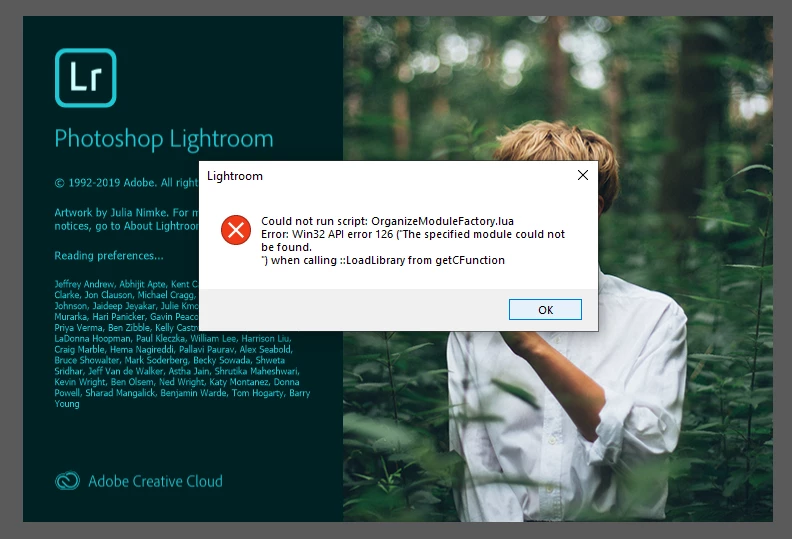
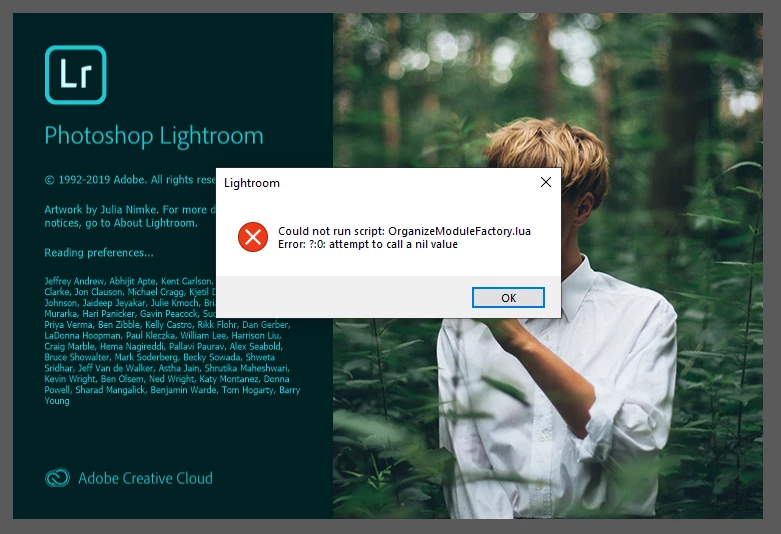
And when I press OK after this last error message, I see an empty Lightroom with a buggy top Menu window as seen in the screenshot below:
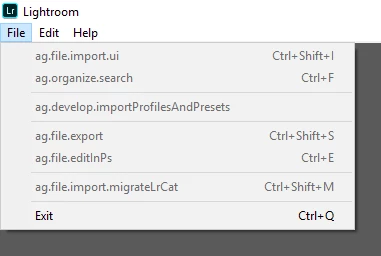
I have uninstalled both Lightroom and Creative Cloud completely. I used the AdobeCreativeCloudCleanerTool.exe before rebooting and reinstalling everything again. Ligthroom is still unable to start unfortunately. Please note I do not use any VPN.

I do not know what to do next. Please help.

Thanks,

fred

This topic has been closed for replies.

2 replies

99jon
Legend
May 16, 2019

Have you just updated to version 2.3 from Creative Cloud?

Participant
May 16, 2019

I have indeed – this is when the bug started to appear. Please note this is happening on Windows only. I have no problem with the newer 2.3 release on Mac.

I manually re-installed the 2.2 on Windows through the Creative Cloud menu (see screenshot below), and Lightroom was able to start normally. When it asked me to update it to 2.3 I gave it a try and unfortunately the bug was still there, unable to start.

I downgraded again to 2.2 and it is now stable.

99jon
Legend
May 16, 2019

This is sometimes a Windows system problem.

Check from the control panel that you have all of the c++ redistributable components installed – see image below.

Glad to hear the latest version is working for you on Mac.

This is an older but similar thread.

https://forums.adobe.com/message/9380286

Bani Verma
Legend
May 16, 2019

Hi Fred,

I am moving this query to Lightroom — The cloud-based photo service​ community, experts here will be able to assist you better.