
lightroom CC filled hard drive
Lightroom CC
Mac OS Catalina
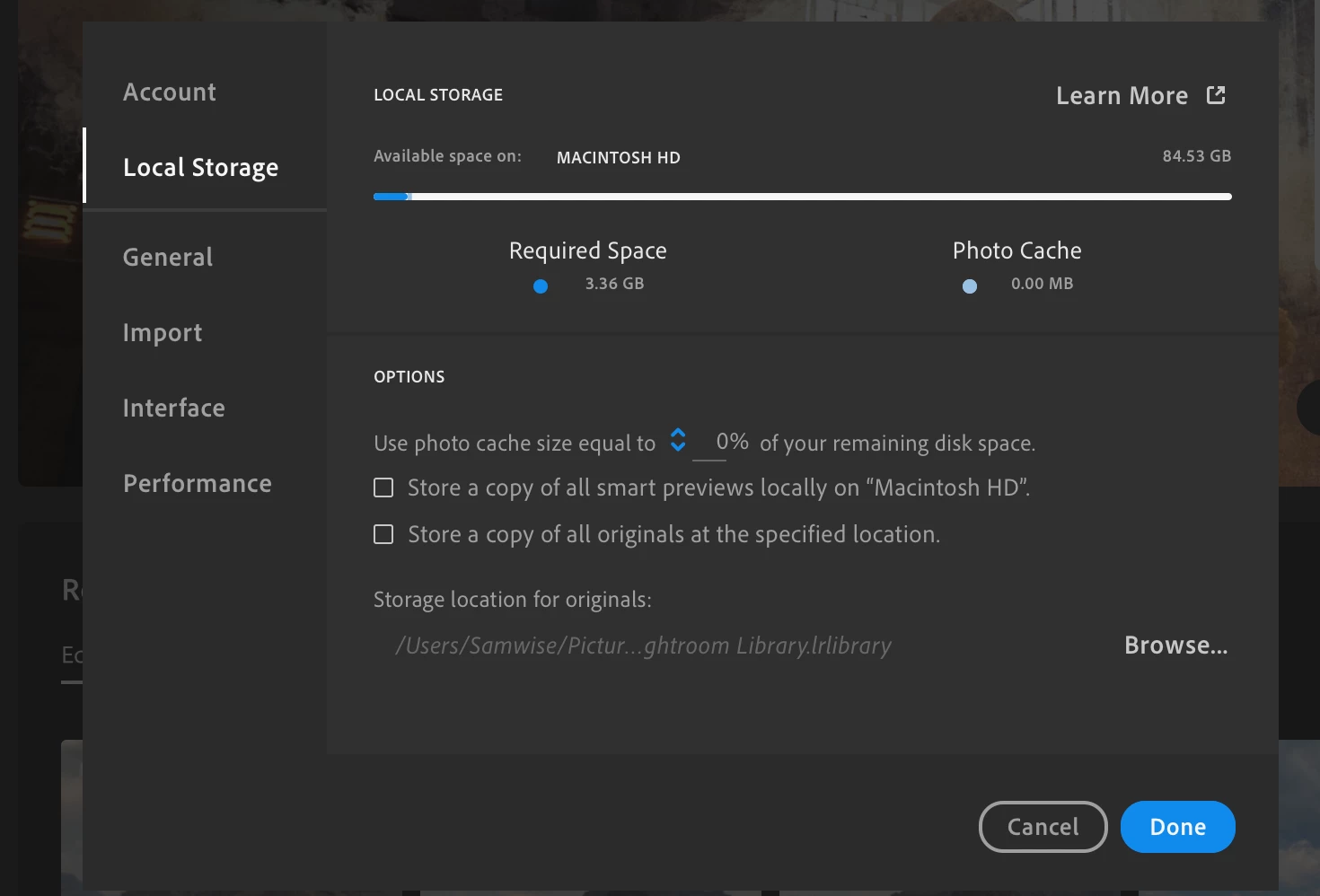
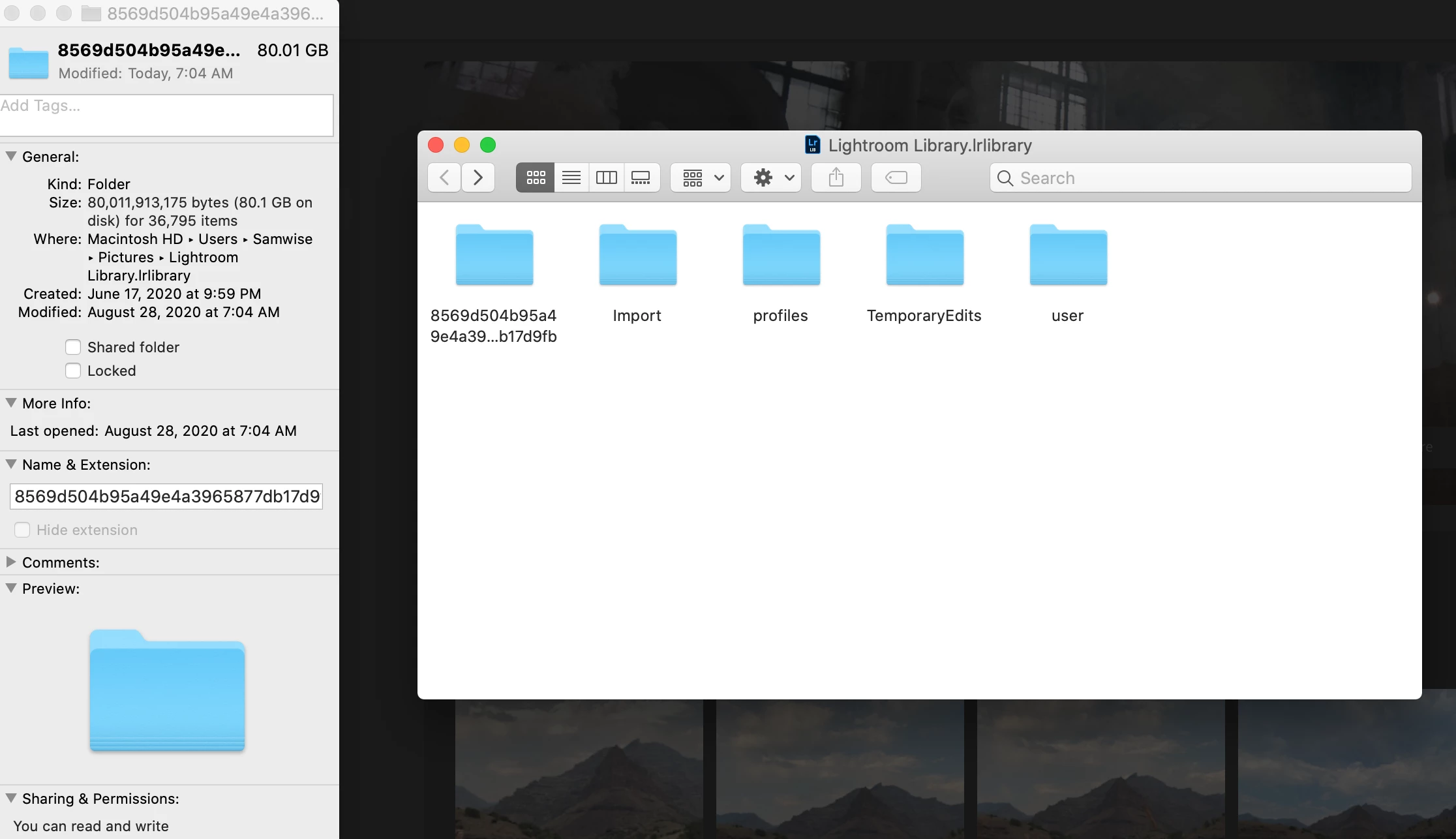
I have my Lightroom cc set to use 0% of my remaining hard drive space, with no stored smart previews or stored originals. I had it set at 20% and to store smart previews, but it stopped importing and said I was out of space on my hard drive. I reduced the space it uses and told it to stop storing smart previews, but it is still giving me an import error. In my local storage preference in Lightroom it says it should only be taking up 3gb of hard drive space, but I went to the library file and it’s 82gb! Is there a way to clear the cache? Can I delete the library file without losing my edits since everything should be on the cloud?
I've had to force quit lightroom several times when it stopped responding, I'm wondering if that has led to the cache not clearing itself out as often as it should?


 AdChoices