Participant
August 26, 2020
Answered

Lightroom cc for iPhone won’t share to Instagram

  • August 26, 2020
  • 7 replies
  • 1036 views

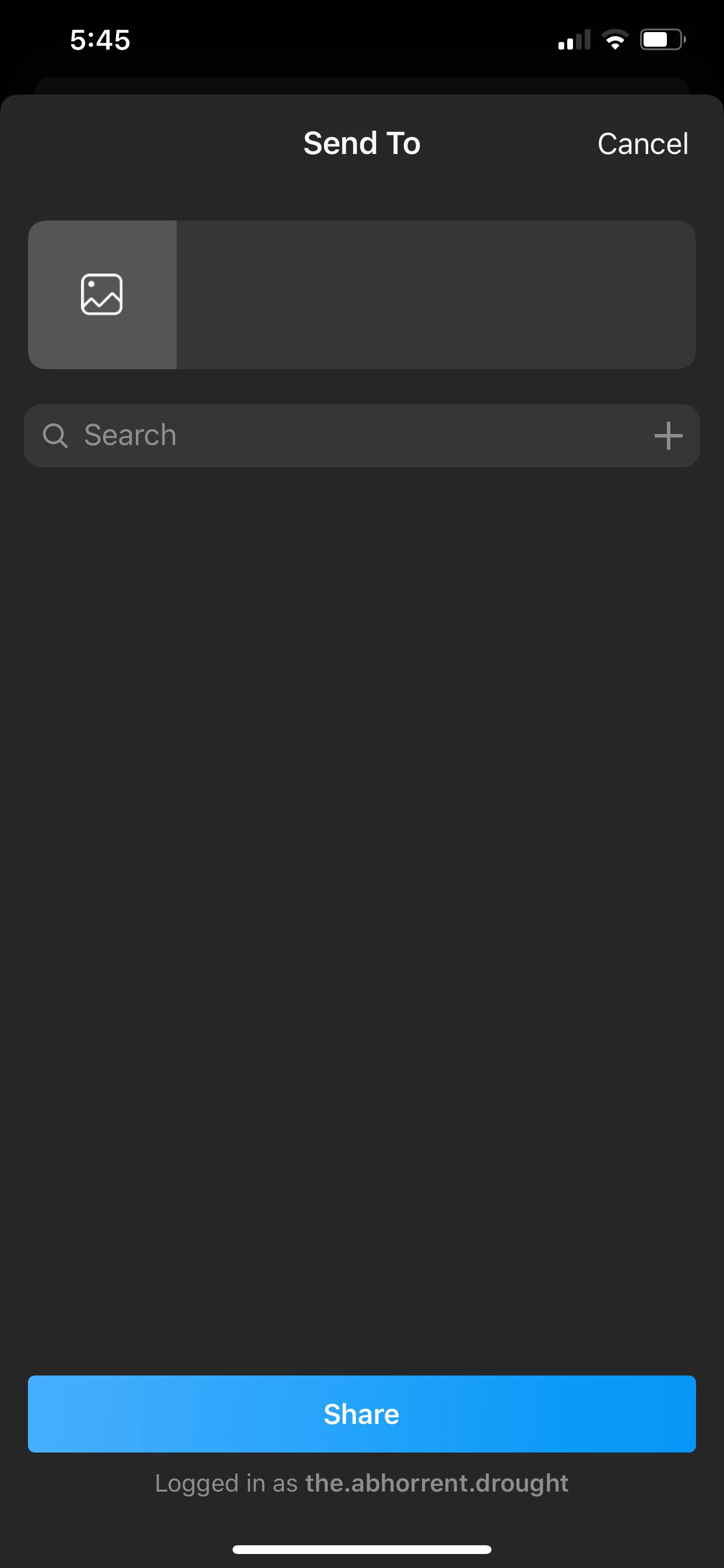
It worked just this morning. When I go to the share icon now, and share to Instagram I get this strange option screen now. The search link is the only link that works and it takes me to a community screen where I have to pick individual people to share to, instead of just posting to my feed. Thanks in advance for any help
This topic has been closed for replies.
Correct answer Akash Sharma

Hi there,


Sorry to hear that you cannot share images from Lightroom mobile to Instagram.


There is change in the Instagram's Share extension that is causing this issue. We are working with our partners to address this issue.


Thanks,

Akash

7 replies

shonesd
Participant
November 27, 2020

I have had the same problem since the latest update. "Share to" works for FB and Twitter but not IG. 

Participant
September 6, 2020

I have the same issue just started, is there any update to this issue as I really really need it for my business page ! Thanks in advance x

Participant
August 29, 2020

I am having a similar problem trying to share to Instagram from my iPad. I press the share icon, then the Instagram icon but nothing happens. This only started yesterday. Is this the same problem?

Cheers

Akash Sharma
Akash SharmaCorrect answer
Legend
August 28, 2020

Hi there,


Sorry to hear that you cannot share images from Lightroom mobile to Instagram.


There is change in the Instagram's Share extension that is causing this issue. We are working with our partners to address this issue.


Thanks,

Akash

Participant
August 28, 2020

Thanks for the info Alash. Do you know if this will be fixed with a software update or can it be handled in the background on Adobe's and their partners' side?

Participant
August 28, 2020

Sorry, typo. Akash, I meant. 

Inspiring
August 27, 2020

With this recent update, sharing to Instagram doesn't work. You can't see the picture, add a comment or make any sense that would allow one to post the pic.

How do I post to IG?

Participant
August 26, 2020

After the most recent update I can no longer Share to Instagram - after choosing the share to Instagram option, there's no thumbnail, there's no place to add a comment, and though it does show what IG account I'm logged in to, the Share button in that panel does nothing. This is on both iPhone and iPad, Lightroom 5.4.1.  

Participant
August 26, 2020

v.5.4.1にバージョンアップした時あたりから iPad版と iPhone版Lightroom でInstagram投稿ができなくなりました。

共有からアプリで開くでInstagramを選択すると今までと異なる「Send To」という画面になり、下部に自分のInstagramアカウントにログインされていると英語表記されますが、「Share」ボタンを押しても何も起きません。

アプリを削除、再インストールしても同じ状態です。