


Lightroom CC - Importing Best Practices
Hello!
I recently purchased a subscription to Lightroom CC (cloud). I have read a few forums and one ( https://forums.adobe.com/thread/2399038 ) asked a question that I am also a little confused about. I don't have millions of photos yet but I want to make sure I start my organization and workflow the right way at the beginning! I have imported a few photos to test how the importing and organization work on my computer and other devices.
Original photos are stored on a camera SD card
All settings are factory; I don't have the checkbox selected to save a copy of all originals (see pic below)
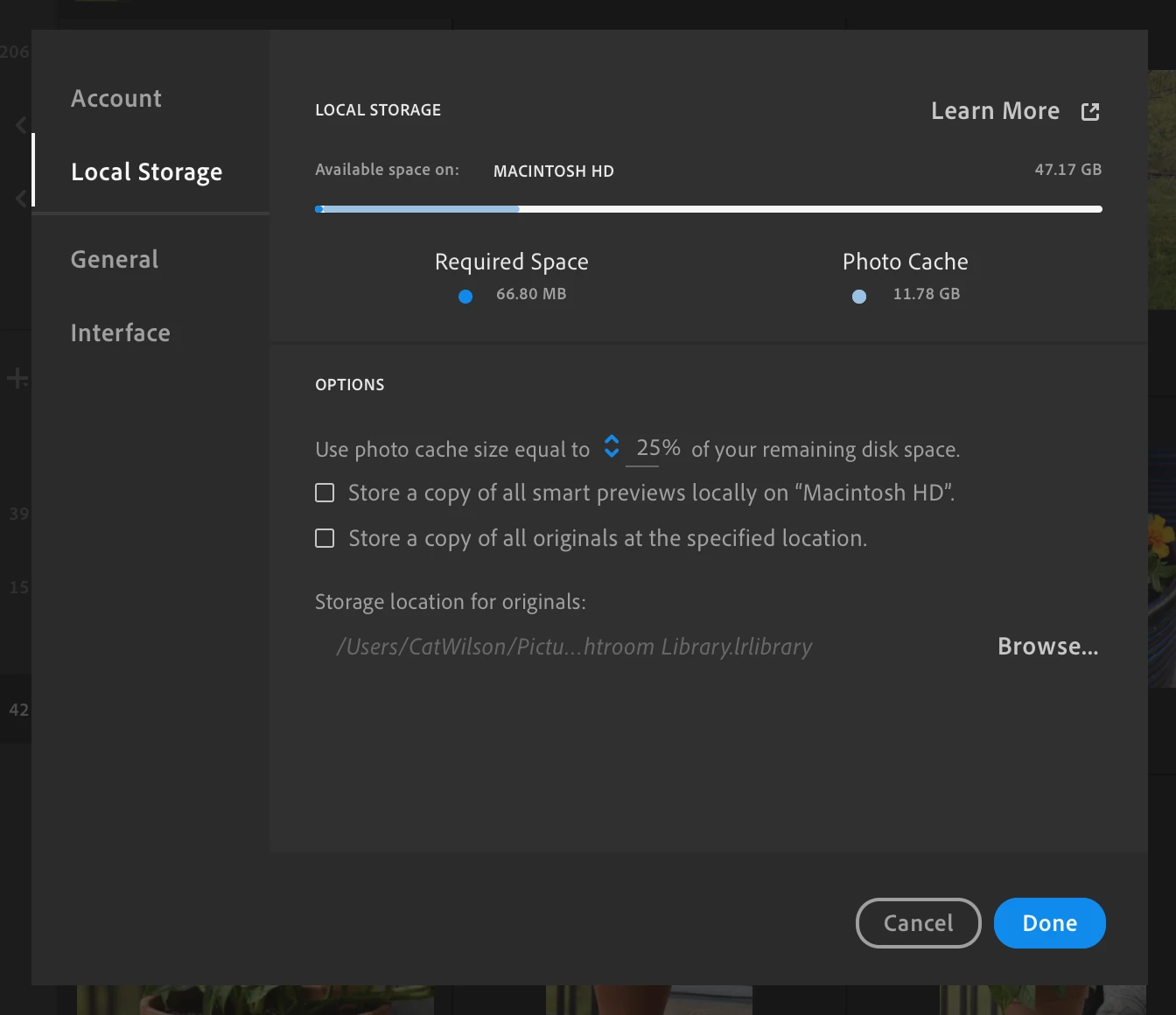
At this point LR has uploaded those photos to the Cloud, and it has created unedited "originals" on my computer at the location defaulted to ".lrlibrary". Unpackaged, it shows the unedited photos in this folder with the long string of letters (c26f9e69ef...).
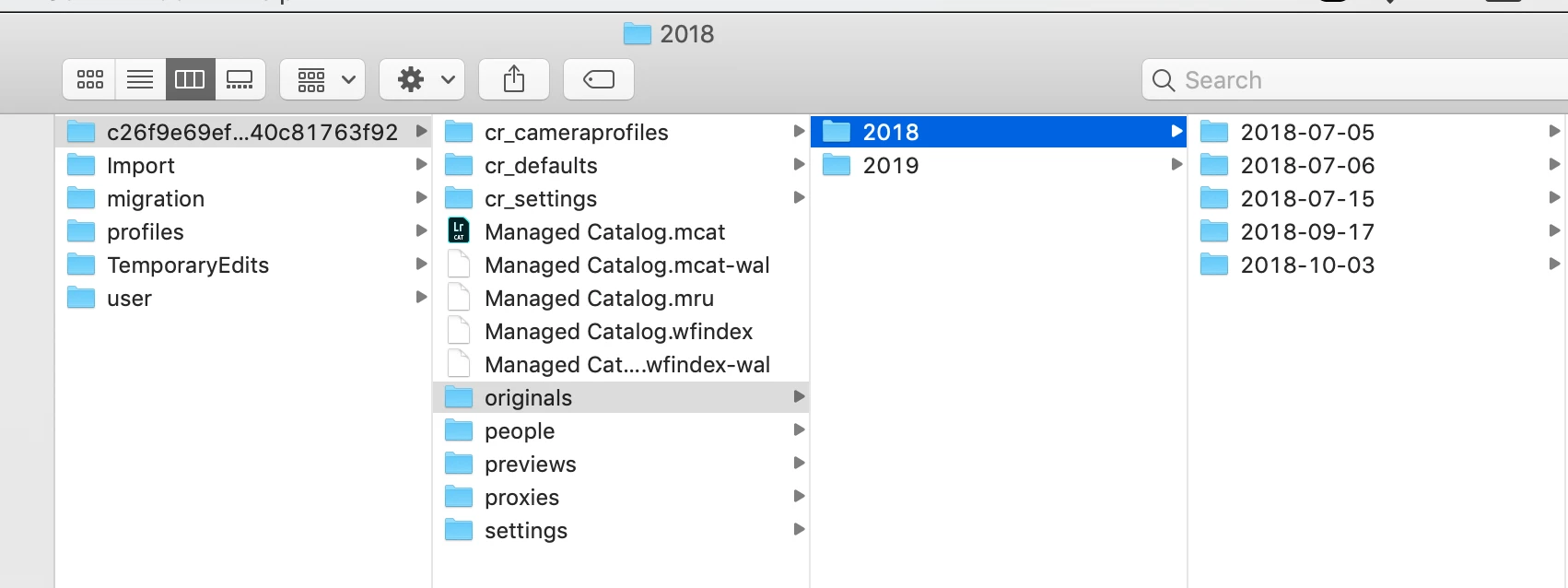
I've noticed these photos are the same size as the original ones as if I had saved them straight to my computer from the SD card. If I delete a photo from this location in the .lrlibrary > originals folder, it does not remove them from the lightroom app. However, if I remove a photo from the LR desktop or mobile app, it does remove the photo from the .lrlibrary > originals folder.
Assumption: I don't need the original file saved to my computer, and after I edit in LR I'll manually save down all images to some folder on my computer/external drive. If I really want the original images, I would save them to my computer, but delete after saving down the edited files from LR to save space.
My best practice would be to upload straight to LR (therefore saving the original unedited file in the .lrlibrary, and saving the always-updated edited photo in the cloud). And after I sort through the keeps and rejects, and after editing, I'll save the photos down to my laptop in some organized folder. That way I don't have 2 copies of the original unedited image, and I have 1 copy of the final edited photo in the cloud and 1 on my computer. I'm assuming that if LR deleted this c26f9e69ef... folder in .lrlibrary, I would lose my original unedited photos that were originally imported to LR.
I'm very new to this and just want to do it in the best way to optimize storage. Please provide thoughts or helpful recommendations!
 AdChoices