
Lightroom CC initial sync goes trough and yet never terminates
Hi,
I am using Lightroom CC 3.2 under macOS Catalina 10.15.3. I have a large collection of about 15000 photos, mostly RAW, some uploaded from Lightroom Classic (therefore missing the original inn the cloud), some virtuals copies created in LR Classic, some duplicates created from LR CC. So the collection is a bit messy.
Yet, everything works fine on one of my Macs, and my iPhone, on my iPad, but on another Mac, doing a fresh install of LR CC, synchronization apparently goes through (filtering all photos by "Syncing status" returns zero result), but the spinning wheel on the cloud icon is still there and sync apparetnly never stops. I have deleted the LR CC library and cache files in ~/Library/Caches, rebooted and started from scratch but I still have the same issue.
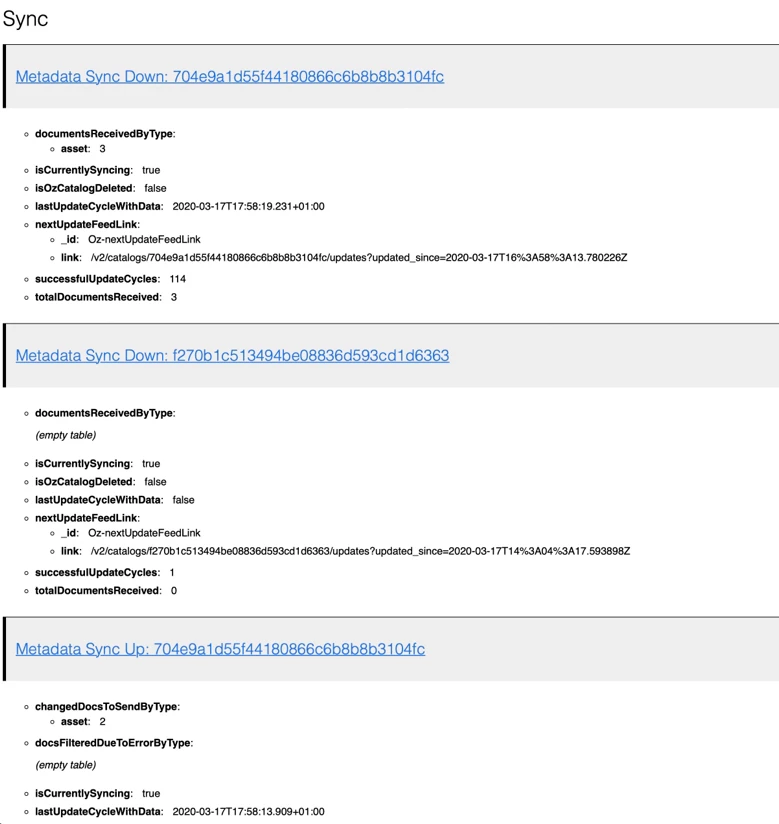
It seems that some "invisible" assets are still synchronizing in the background but how can I debug this? The diagnostic journal show entries like the ones below. Any idea?


 AdChoices