Marmaduke
Participant
November 30, 2018
Question

Lightroom CC Photo Rendering Problem

  • November 30, 2018
  • 4 replies
  • 952 views

MacOS Mojave - 2015 MBPro.

Canon 5d Mk III

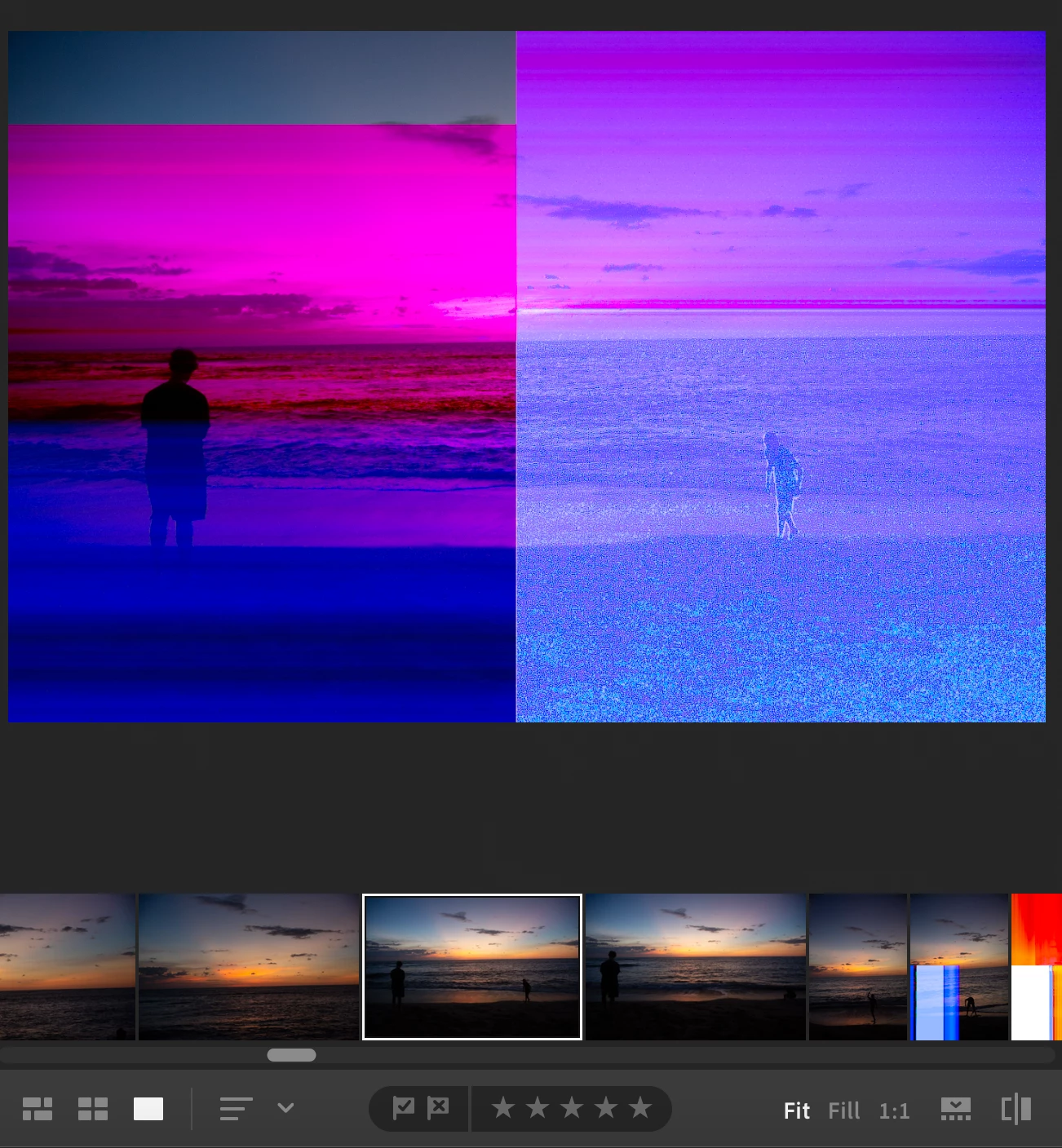
I have several thousand photos in LR CC.  A last batch seem to be rendering improperly.  Have deleted and re-uploaded.  Same problem.  Have verified that the problem is not with the original files.  And, to make maters more confusing, notice that the ribbon renders the photo fine.  Any ideas on the problem?  LR is up to date.  As is my camera raw file (these are shot in Canon Raw).  None of my other photos have had this problem (all shot same camera, same format).  Not all the photos shot in this batch have the same problem.  Just a number of them.  Also, sometimes clicking on the photo will change the render (sometimes for the better, sometimes for the worse, but never to eliminate all the artifacts.
    This topic has been closed for replies.

    4 replies

    January 1, 2019

    macOs Mojave (Version 10.14)

    Lightroom CC (Version 2.1.1)

    MacBook Pro (13-inch, Mid 2012)

    Sony ILCE-7M2

    I'm having exactly the same issue, although it is temperamental. Zooming in or changing the user interface can fix the colours, but then zooming out or changing it back results in greenish tones or orange casts. The Filmstrip appears to always show the correct image.

    It's also interesting that enabling GPU rendering also fixes the issue.

    January 1, 2019

    Quick update on this. I've just checked and importing some original .AWR (Sony Raw) files, rather than the converted .DNG (Adobe DNG Converter) files that were being used previously. Doing this makes those images render correctly. So maybe it's an issue with rendering the .DNG format?

    Marmaduke
    MarmadukeAuthor
    Participant
    November 30, 2018

    It was complicated.   2G4A2108.CR2  change to  2G4A21088.CR2  literally just added an "8" .. deleted the file in LRCC then re-uploaded the renamed file.

    I also previously copied all the files from a flash card to my desktop to see if that might help.  It did not.

    cmgap
    Community Expert
    Community Expert
    November 30, 2018

    Is this batch the only images that had that file naming convention? Did you make a change in your camera settings only on this batch.

    Marmaduke
    MarmadukeAuthor
    Participant
    November 30, 2018

    I had not thought of signing out.  But, unfortunately did not work.  And good thinking on checking the iPad/iPhone.. but same issues on both those devices ... which I think means it's not time for a new MBP :-(   I just went back to source photo file and it opens in Photoshop CC just fine.  Also, just tried changing the file name on one impacted photo, then reuploading it.  That worked. Guess I need to try applying that method to all 100 photos.. ugh.

    cmgap
    Community Expert
    Community Expert
    November 30, 2018

    Okay - thanks for letting us know. What was the filename change? From and to? Might help others that may encounter the same problem.

    cmgap
    Community Expert
    Community Expert
    November 30, 2018

    Have you tried completely signing out and back in from both Lr CC and the Creative Cloud Manager? Is this preview issue specific to your MBP? How do they render on your phone or tablet or other computer? This looks like it could be a graphics processor issue.