
Participant
September 19, 2020
Answered

Lightroom CC Version 1.5 - why can't I make a panorama?

  • September 19, 2020
  • 2 replies
  • 977 views

Hi Adobe community. I have read and watched online tutorials as to how you can stitch together photos within Lightroom itself to create a panorama. However, in my version of Lightroom, I cannot seem to find the panorama tool. I am curious why this is, as I was under the impression I could create panoramas within Lightroom - but perhaps not the Creative Cloud version? 

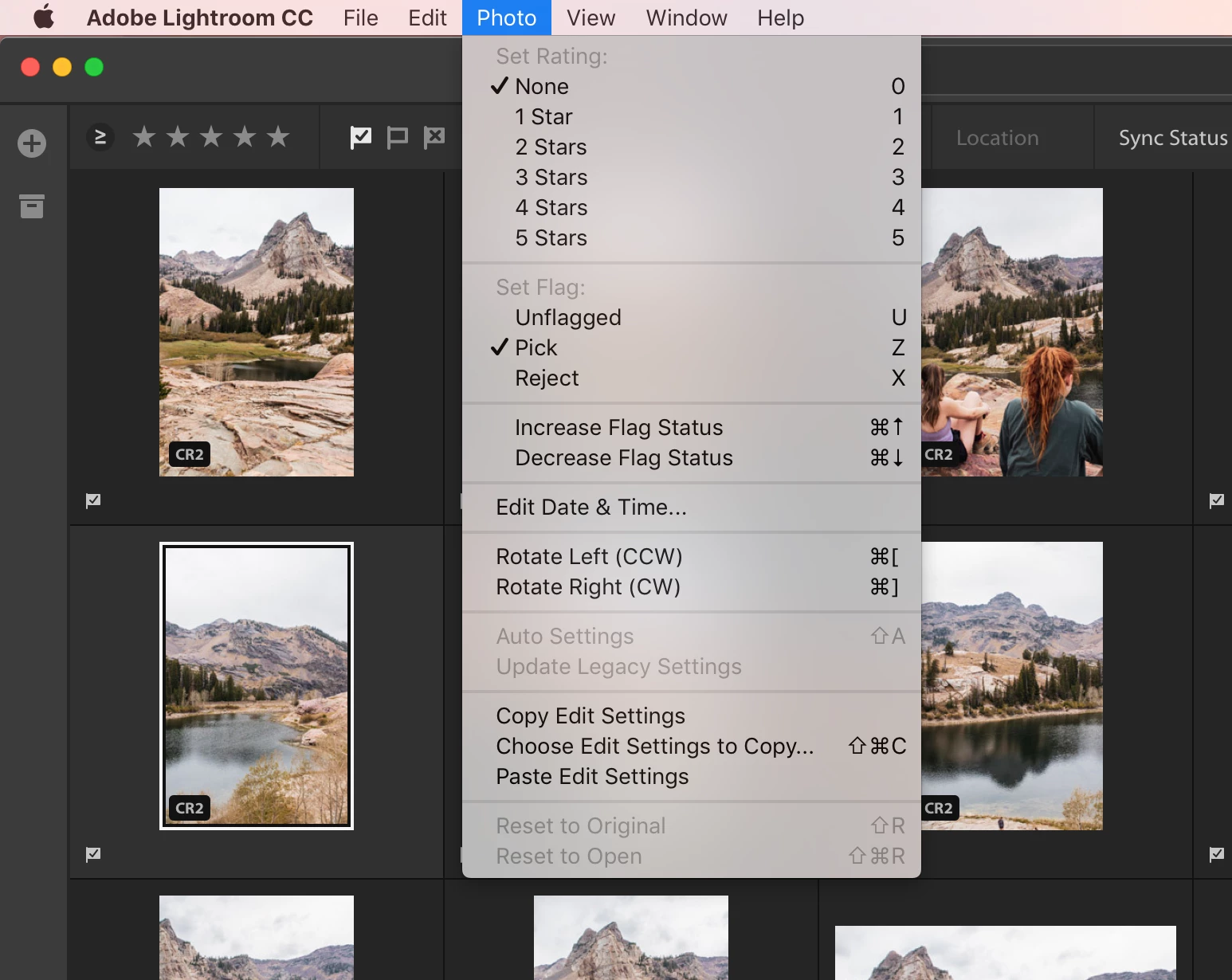
I read that all you need to do is simply select your images for the panorama stitch, select the "Photo" dropdown from the menu bar, and there will be a panorama option - however, I do no have that command. I've attached a screenshot for your reference. Any and all help would be greatly appreciated, as I'd really like to use this tool! 
This topic has been closed for replies.
Correct answer JP Hess

Lightroom CC, as you call it, is now referred to as Lightroom Desktop, and the current version number is 3.4. Version 3.4 DOES have panorama merge. Why are you still using Version 1.5?

2 replies

Jim Wilde
Community Expert
Community Expert
September 20, 2020

HDR and Panorama merge was added to Lightroom in  version 2.2.

JP Hess
JP HessCorrect answer
Inspiring
September 20, 2020

Lightroom CC, as you call it, is now referred to as Lightroom Desktop, and the current version number is 3.4. Version 3.4 DOES have panorama merge. Why are you still using Version 1.5?

Participant
September 20, 2020

Hmmm, how strange! I became a Lightroom user in December of 2019 and I guess "Lightroom Desktop" hasnt updated on my computer since then? Struggling to find how to update it. 

Jim Wilde
Community Expert
Community Expert
September 20, 2020

What version of MacOS are you using? That might be the issue if you are still using an older version.


The normal way to update the software is via the Creative Cloud Desktop app. Open that and do Help>Check for Updates to see what updates it can offer you.