

Yarapa
Participant
February 23, 2026
Question

Lightroom cloud constantly synchronized

  • February 23, 2026
  • 1 reply
  • 23 views

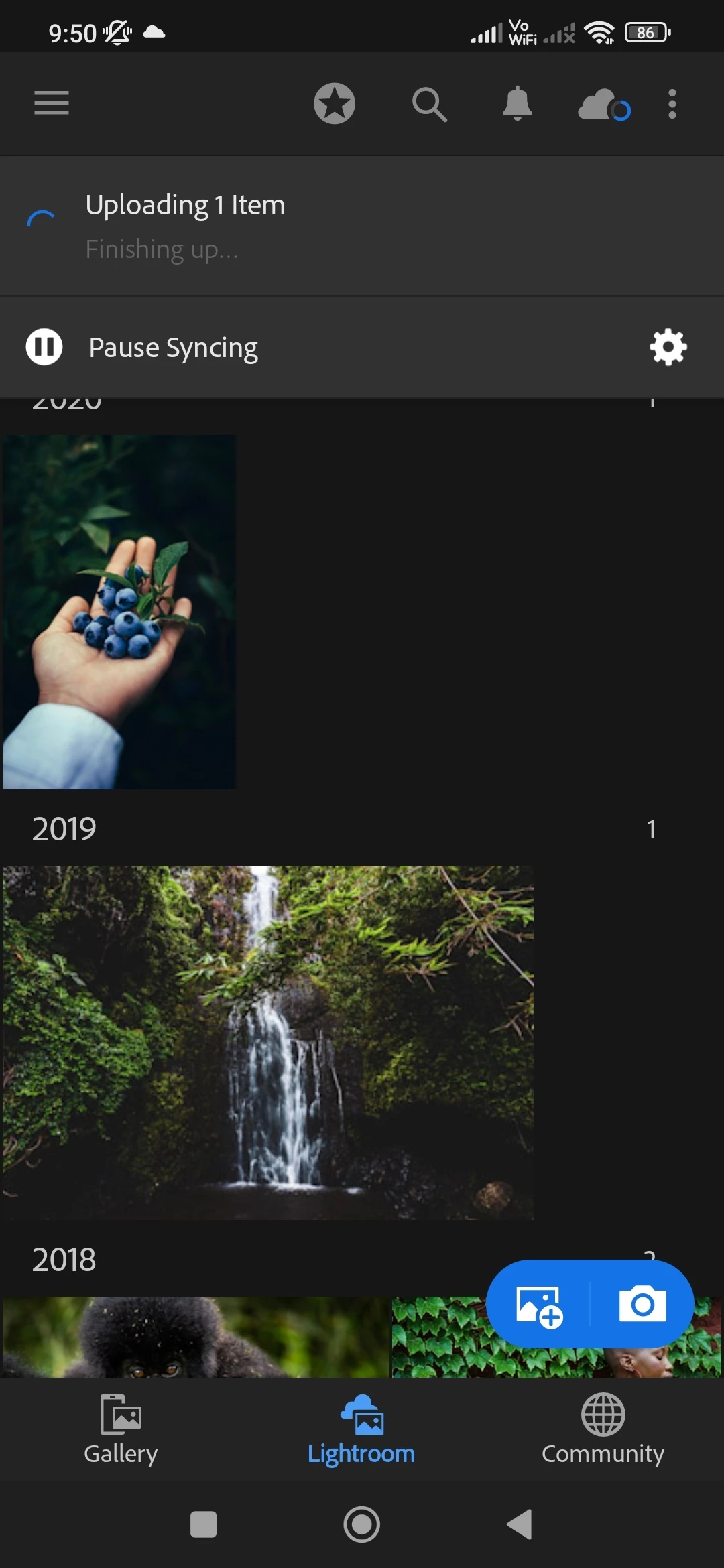
Hi I'm having problem with Lightroom cloud being constantly synchronized. I have latest version v11.1.2 on my android and on pc windows 11. I tried to delete photo and upload again but nothing happens. I deleted photo from delete folder as well. I tried to restart Lightroom but nothing. Tried uninstal and instal again but same problem. I see same issue on forum happening over many years. Can anyone solve this
 

    1 reply

    Srishti Bali
    Community Manager
    Community Manager
    February 23, 2026

    Hi ​@Yarapa 


    Thank you for reaching out, and I’m sorry for the inconvenience you’re experiencing. Since there’s no error message showing, it’s possible that a file is stuck in the cloud. To investigate further, could you please confirm the following:

    • Is the issue occurring only on Android or on Windows PS as well?

    • When you tap/click the cloud icon, do you see any sync issues listed?

    • Are you signed in with the same Adobe account on both devices?

    • When you open Lightroom on a web browser https://lightroom.adobe.com/, do you see the file there or notice the same issue?

    • Do you have enough available cloud storage space? Click on cloud icon on browser to check that.


    Once we have these details, I’ll be able to guide you more effectively.


    Regards,

    Srishti


    Yarapa
    YarapaAuthor
    Participant
    February 23, 2026

    Hi 

    . The issue is both on Android app and on laptop. The difference is that on laptop I can actually upload photo but it's still synchronizing and on Android I can't see photo just synchronizing.

    . When I click cloud icon on android  I can see 1 photo pending even if I delete it from all albums including delete album. On windows it's just synchronizing in general.

    . I'm signed in with same account

    . On the web photo is visible but it gives me notice that it's synchronizing that particular photo. When I delete that photo it's still in sync with no specific issue but it will not stop. On Android it's still sync 1 item even if delete  but doesn show which. On Android I tried to do minor edit on another photo and it starting synchronizing that photo as well with no signs of stopping.

    . I have enough cloud storage

    This is happening since yesterday but worth noticing is that I updated Lightroom recently maybe two days ago