Participant
April 8, 2022
Question

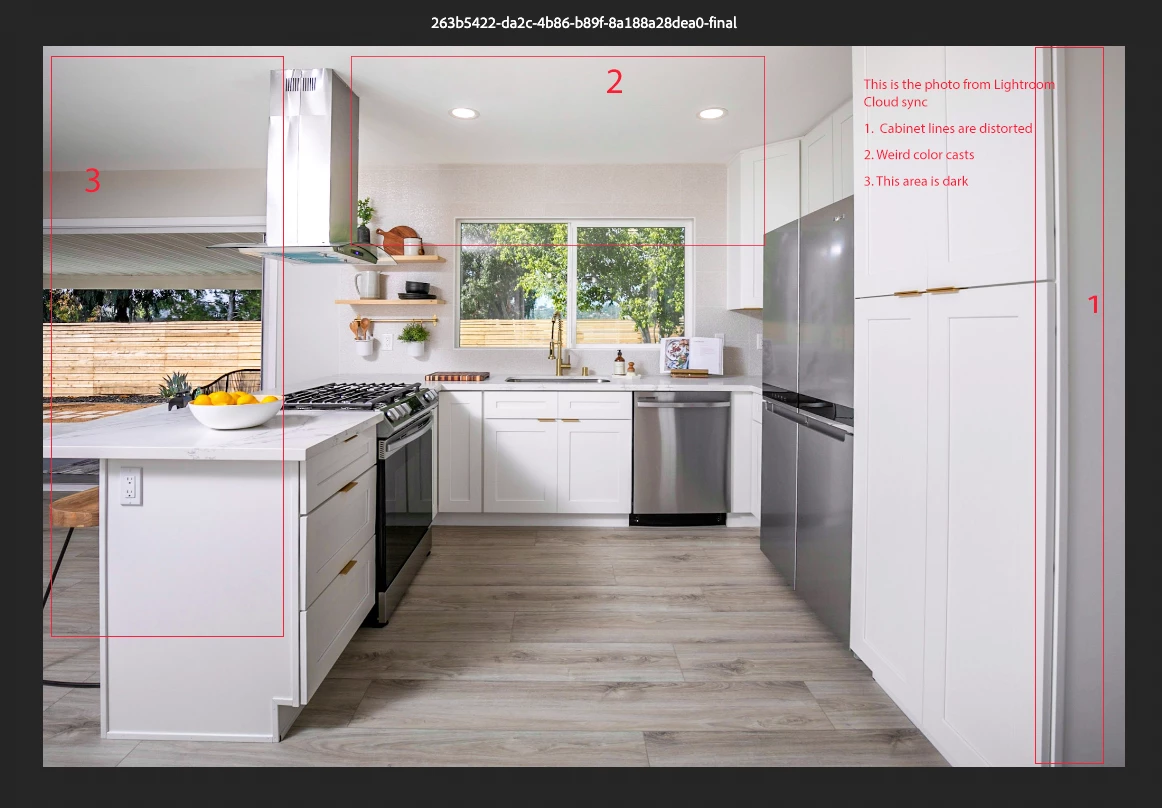
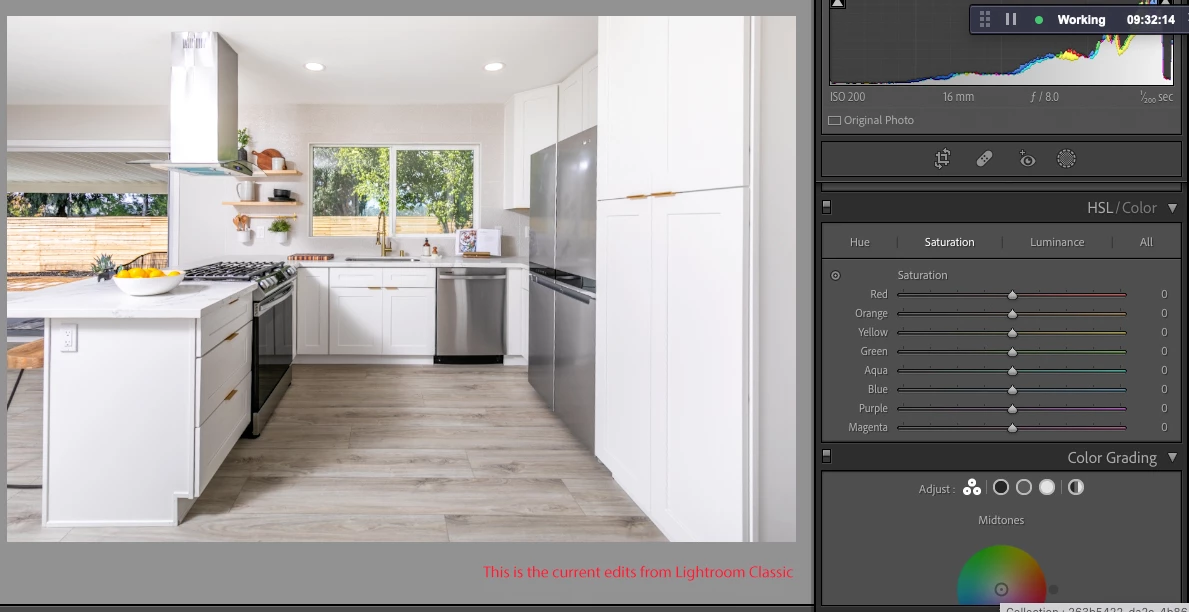
Lightroom Cloud photos doesn't match with the edits with Lightroom Classic

  • April 8, 2022
  • 1 reply
  • 119 views

Lightroom version: Lightroom Classic 11.2
OS and version: macOS 12


Issue:

1. Go to Lightroom Classic and edit a photo

2. Sync the photo on Lightroom Cloud

3. Check the photo on the cloud if they are the exact edits on Lightroom Classic


Expected result: Lightroom should show the exact edits made
Actual result: Lightroom cloud does not show the exact edits or changes made on Lightroom classic. The quality is poor and it's not properly synced with Lightroom Classic edit adjustments. 


This topic has been closed for replies.

1 reply

JohanElzenga
Community Expert
Community Expert
April 9, 2022

I'm puzzled about your Lightroom cloud screenshots. They show a long name at the top of the window, which looks like this is some preview rather than the synced image (which should have the same file name as it has in Lightroom Classic). When I look at images in a shared album (I assume that is what I'm looking at), then I do not see such long name at the top of the window. I do not see a name at all, but when I click on the info icon I see the original file name in the info and the album name at the top. The edits also match exactly. How exactly did you sync and share these images?


-- Johan W. Elzenga