

Question
Lightroom | Color Grading Hint box popping up all the time.
Hello, those two horses drive me mad and now I spent 45 minut chating to Adobe just to end up here. So, Hi everyone, hope youre having a beautiful day.
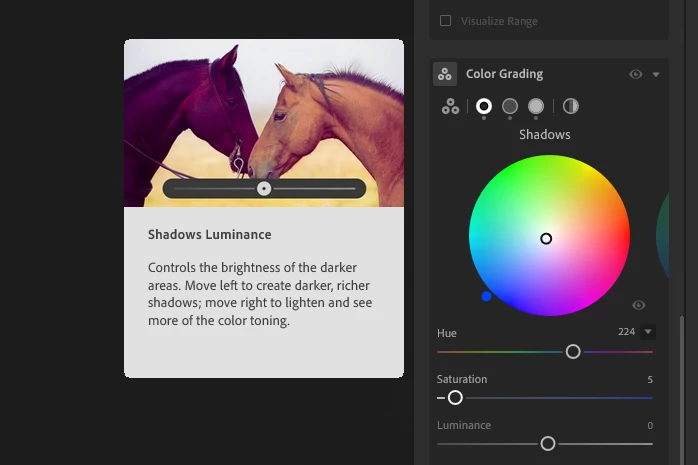
Only way to replicate is to hover over the names of the sliders, but it is not consistent.
Facts:
- Win 11 Home (up-to-date, non-beta participant), Intel 13400F, RTX3060
- Lightroom 20240801 poweruser. Hints are popping up only after update, but this one persists.
- The whole system (and yes CC and Lightroom) were restarted and booted up multiple times.
P.S.: Im just bitter because of those two frisking horses that jerk away my focus every single time i hover my mouse in the general area... other than that Im trying to be a pleasent guy 😄 so dont mind my tantrum.


 AdChoices