

Question
Lightroom Desktop Copy / Edit Settings Not Working
Lightroom 5 doesn't appear to honor copy / paste edit settings, specifically in COLOR.
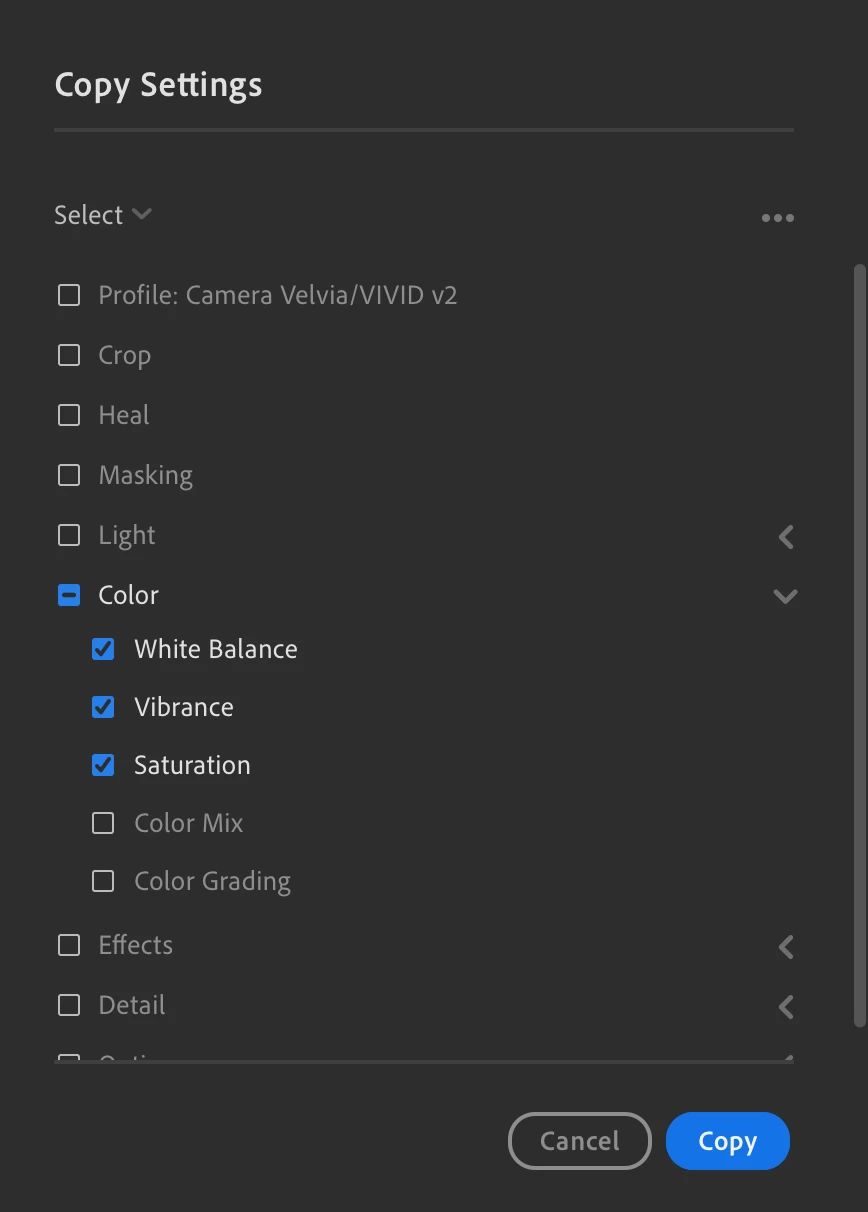
Here is what I've selected in "Copy Settings":
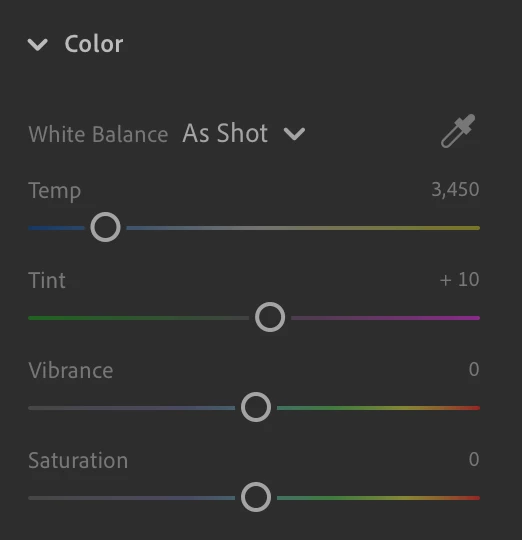
Here's what I'm copying from:
When I press paste on the target image, this is the result:
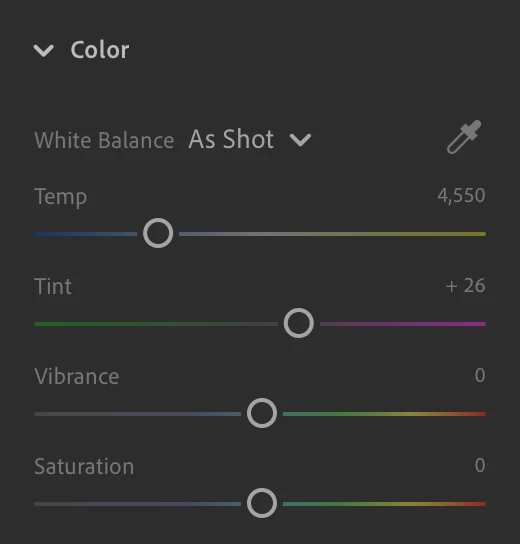
Hmmmmm. Maybe if I change "As Shot" to "Custom" -- Oh that works. Not it copies the correct values.


 AdChoices