
Participant
July 2, 2019
Answered

Lightroom desktop side-panels text is hard to read

  • July 2, 2019
  • 2 replies
  • 727 views

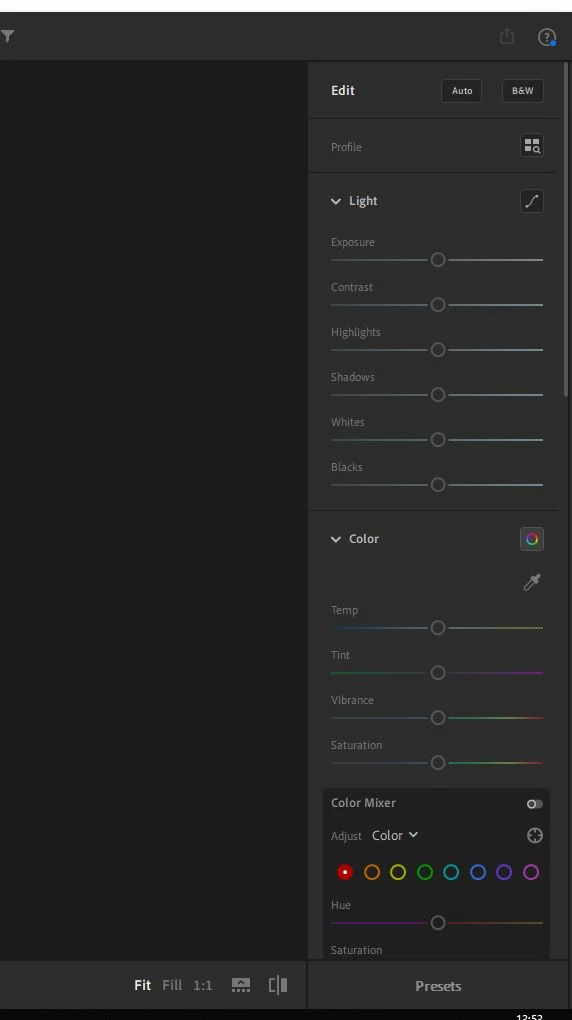
I am finding reading the menu on the right of the main page very difficult to read *see attachment* Is there a way to make the text lighter so that I can read it? Many thanks in advance.
Message was edited by: Akash Sharma
    This topic has been closed for replies.
    Correct answer Akash Sharma

    Hi Robertm,

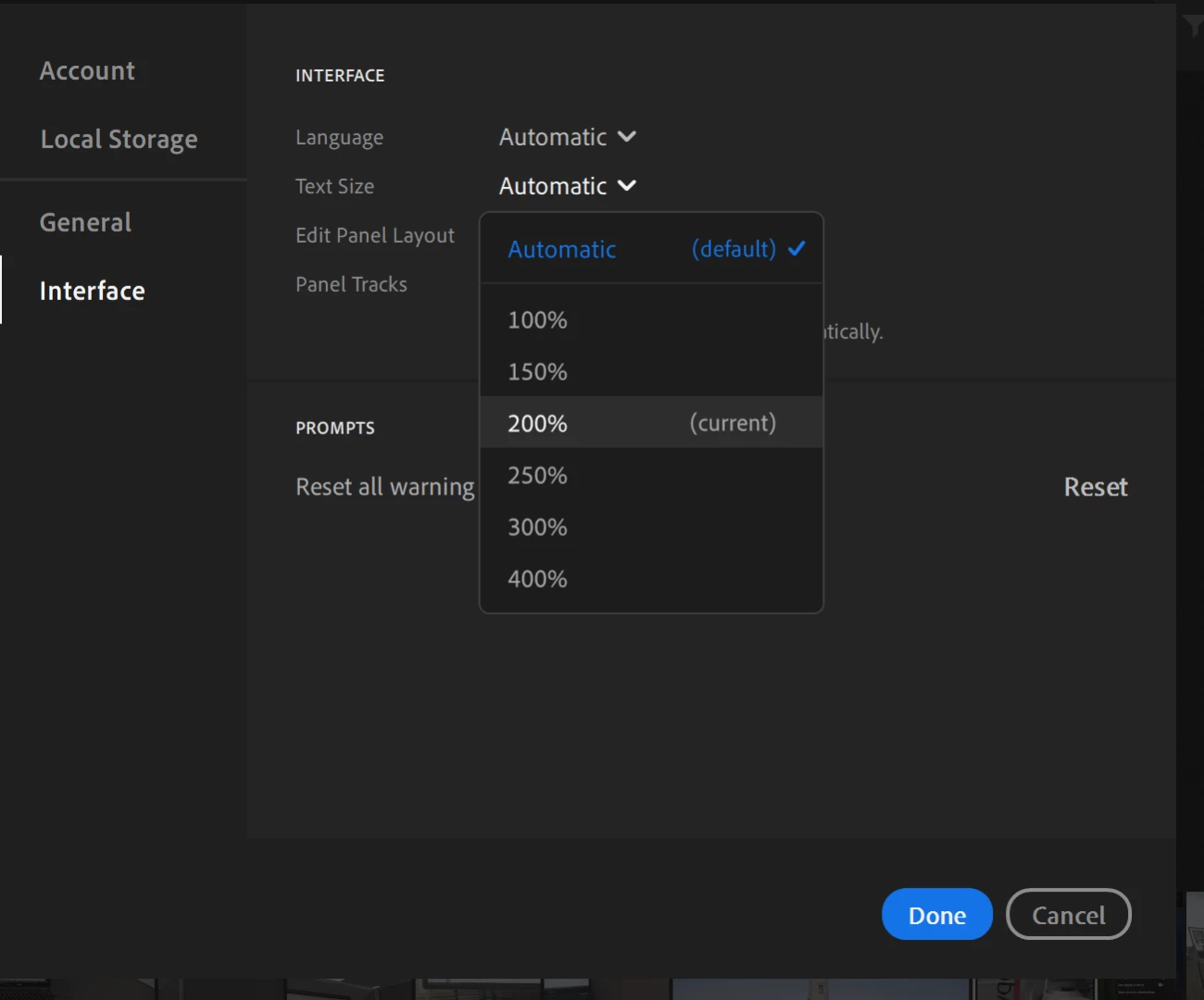
    Sorry that Lightroom editing panels in the user interface are difficult to read. You may increase the text size to see if that makes a difference.

    Lightroom> Edit> Interface:

    Let us know if that helps.

    Thanks,

    Akash

    2 replies

    Participant
    October 20, 2021

    the increased text size helps a bit but is there a way to make the Font  BRIGHTER

    Participant
    December 15, 2021

    Pleaes forward me the anwser if you get one.

    Akash Sharma
    Akash SharmaCorrect answer
    Legend
    July 2, 2019

    Hi Robertm,

    Sorry that Lightroom editing panels in the user interface are difficult to read. You may increase the text size to see if that makes a difference.

    Lightroom> Edit> Interface:

    Let us know if that helps.

    Thanks,

    Akash

    Participant
    July 2, 2019

    Yes Thanks Akash the text is now 150% and I no longer struggle to see the commands. Sorry for the long lime in coming back, your help has been very much appreciated.

    Akash Sharma
    Legend
    July 3, 2019

    Thanks for the update. Glad to know it helped.

    ~Akash