Participant
March 3, 2020
Question

lightroom developing panel

  • March 3, 2020
  • 2 replies
  • 507 views

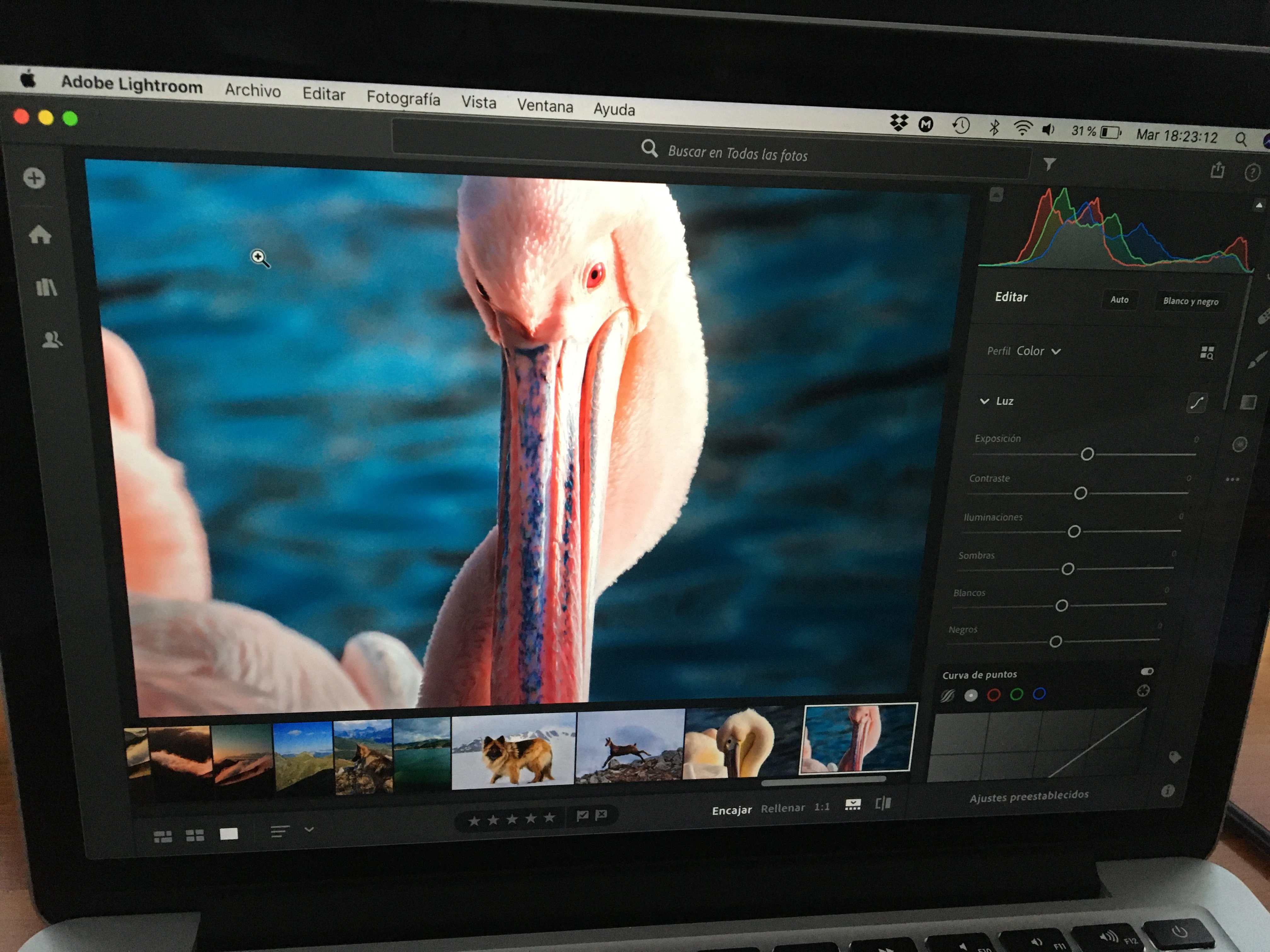
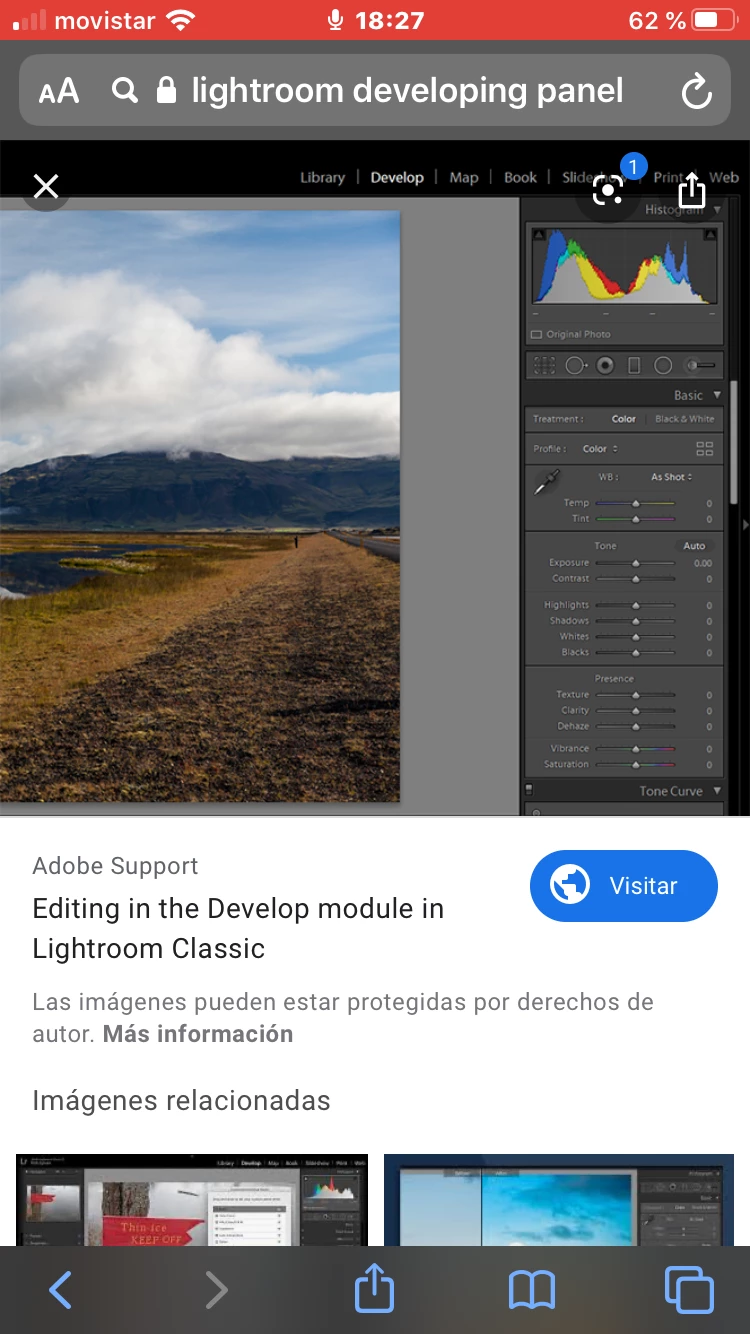
Does anybody know how to change this panel of the first photo into that other panel of the second photo


This topic has been closed for replies.

2 replies

Just Shoot Me
Legend
March 3, 2020

Yes. Install LR Classic. The Traditional version of LR.

What you show in your first picture is the Cloud Centric version called just Lightroom.

Two completely different programs.


What Exact Subscription do you have? The Photography plan or the Lightroom plan?


Participant
March 3, 2020

I have the lightroom plan. So now what do i do? Do i just have to go into the app store and purchase the classic?

Just Shoot Me
Legend
March 3, 2020

You can but that would cost you another $9.99 a month.


Try this link to change your plan (that is IF you want to change your plan from the LR plan to the Photography plan).


But before you do any of that please read what is, and isn't, included with each plan.


https://helpx.adobe.com/manage-account/using/change-plan.html


AxelMatt
Community Expert
Community Expert
March 3, 2020

This are two different programs, Lightroom CC and Lightroom Classic. Lightroom CC doesn't have all function of the Classic version. Both version have different user interfaces. You can't have the same develop panel in both. 

My System: Intel i7-8700K - 64GB RAM - NVidia Geforce RTX 3060 - Windows 11 Pro 25H2 -- LR-Classic 15 - Photoshop 27 - Nik Collection 8 - PureRAW 5 - Topaz Photo
