Participant
December 8, 2021
Answered

Lightroom DNG Export Sizing Image Down

  • December 8, 2021
  • 1 reply
  • 2091 views

Using Lightroom 5.0 x64 [ 20211012-0002-a1240ed ] (Oct 12 2021), on Brand New HP Pavilion Desktop PC with Windows 11. 

After Editing a Canon RAW File in Lightroom, tried to export as a DNG file. The original image size is 4160 x 6240 pixels at 72 dpi. The exported DNG file is 683 x 1024 pixels at 96 dpi. Losing resolution for some reason.

Cannot find any adjustable DNG export settings.
This topic has been closed for replies.
Correct answer Rob_Cullen

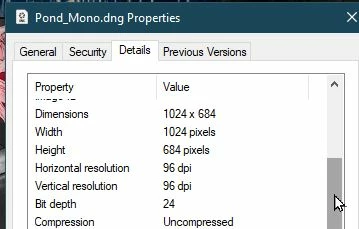
"The exported DNG file is 683 x 1024 pixels at 96 dpi."

No, it won't be. That is just the Windows Properties dialog telling you big lies. It is reporting the pixel size of the embedded preview within the DNG. Don't trust Windows File Properties! Also the Windows Photos App shows the same 1024x768px- It also is only editing/showing the embedded preview, it does not render the raw data in the DNG.


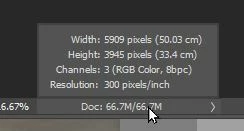
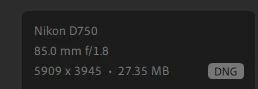
If you view the exported file in Photoshop or other Adobe editing App you will find that the exported DNG (being a RAW file) will have the exact pixel dimensions as the original.    

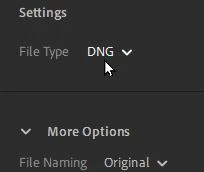
1) Info in Lr5.  2) Export DNG in Lr5.  3) WIndows Properties.  4) Dimensions of DNG in Photoshop-


1 reply

Rob_Cullen
Community Expert
Rob_CullenCommunity ExpertCorrect answer
Community Expert
December 9, 2021

"The exported DNG file is 683 x 1024 pixels at 96 dpi."

No, it won't be. That is just the Windows Properties dialog telling you big lies. It is reporting the pixel size of the embedded preview within the DNG. Don't trust Windows File Properties! Also the Windows Photos App shows the same 1024x768px- It also is only editing/showing the embedded preview, it does not render the raw data in the DNG.


If you view the exported file in Photoshop or other Adobe editing App you will find that the exported DNG (being a RAW file) will have the exact pixel dimensions as the original.    

1) Info in Lr5.  2) Export DNG in Lr5.  3) WIndows Properties.  4) Dimensions of DNG in Photoshop-


Regards. My System: Windows-11, Lightroom-Classic 15.4.1, Photoshop 27.8, ACR 18.4, Lightroom 9.4, Lr-iOS 10.4.0, Bridge 16.0.3 .
Participant
December 9, 2021

Thanks for the information. I went back and viewed the exported DNG file in Photoshop, and the resolution was the same as the original. 
Will no longer trust Windows File Properties info.