

wok5
Known Participant
June 8, 2021
Question

Lightroom eating up all memory

  • June 8, 2021
  • 2 replies
  • 884 views

Starting Lightroom on a brand new M1 Mac, doing nothing, after 3 Minutes this alert pops up. Re-installed it, same.
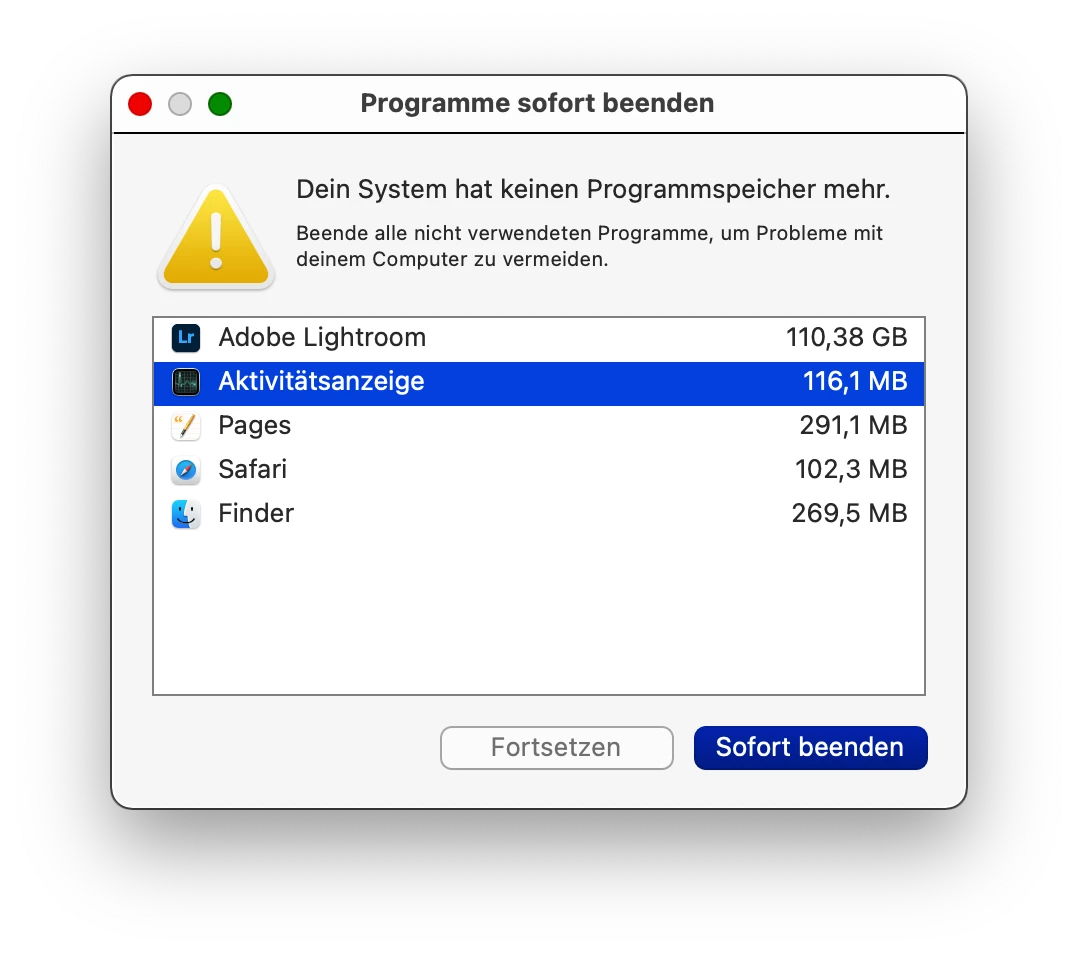
 

Any help? THX



This topic has been closed for replies.

2 replies

Community Expert
August 7, 2021

This looks like a bug to me. I don't have an M1 and have never seen it do this but that doesn't help you much. I would urge you to look at https://feedback.photoshop.com and post the problem there if you can't find others with the same problem. On that forum there are actual Adobe engineers. This forum is just other users and a few reps but no actual engineers that can fix anything.

wok5
wok5Author
Known Participant
May 23, 2022

I switched Computers, got a new MBAir, installed LR fresh: Same f********g problem. What can I do to word with LR (not Classic)?

Adobe: Someone listening?

Wolfgang

Jessica Lea Photography
Participant
August 29, 2023

I have the same issue, every time you try to export something it crashes and I have 32GB of RAM and nothing else running on the computer. Lightroom has become bloated and frustrating to use. I am just going to go back to Photoshop and process everything that way.

Akash Sharma
Legend
June 9, 2021

Hi there,


Sorry that Lightroom Desktop is using an unexpectedly high amount of memory and freezes after a few minutes.


Would you mind sharing the exact version of Lightroom Desktop you are using and what is the version of macOS?


Would you mind restoring Lightroom Classic app preferences to default and let us know if the issue still persists? Please refer this article for step by step instructions: https://helpx.adobe.com/lightroom/help/setting-preferences-lightroom.html#restore_preferences_to_default_settings


If that does not help,  try deselecting the option "Use Graphics Processor" located in Lightroom's Preferences > Performance menu, then relaunch the app and let us know if it helps?


See: https://helpx.adobe.com/lightroom-classic/kb/troubleshoot-gpu.html


Thanks,

Akash

wok5
wok5Author
Known Participant
June 9, 2021

Hello, Akash!

 
Ist Mac OS 11 BigSur latest. Version of Lightroom (NOT Classic) ist the latest Version.
 
Thanks
 
Wolfgang
wok5
wok5Author
Known Participant
June 9, 2021

Follow up:


I deleted every bit of Adobe from this computer, installed everything fresh: Same problem.


Deselecting the option "Use Graphics Processor" does not work either: I am not ablle to open Preferences.


Wolfgang