
sams4133887
Participant
August 11, 2025
Question

Lightroom Enhance turning images green and noisy?

  • August 11, 2025
  • 1 reply
  • 140 views

Trying to work out if anyone is having the same issue as me?


When trying to use the "enhance" setting on lightroom, instead of nicely denoising the images as I would expect, it seems to do the exact opposite, making it very green and exteremely noisy (see below screenshot for reference) - this has happened since the latest update (with "raw details"), and originally going back to previous versions would help, but that doesn't seem to be doing much anymore.
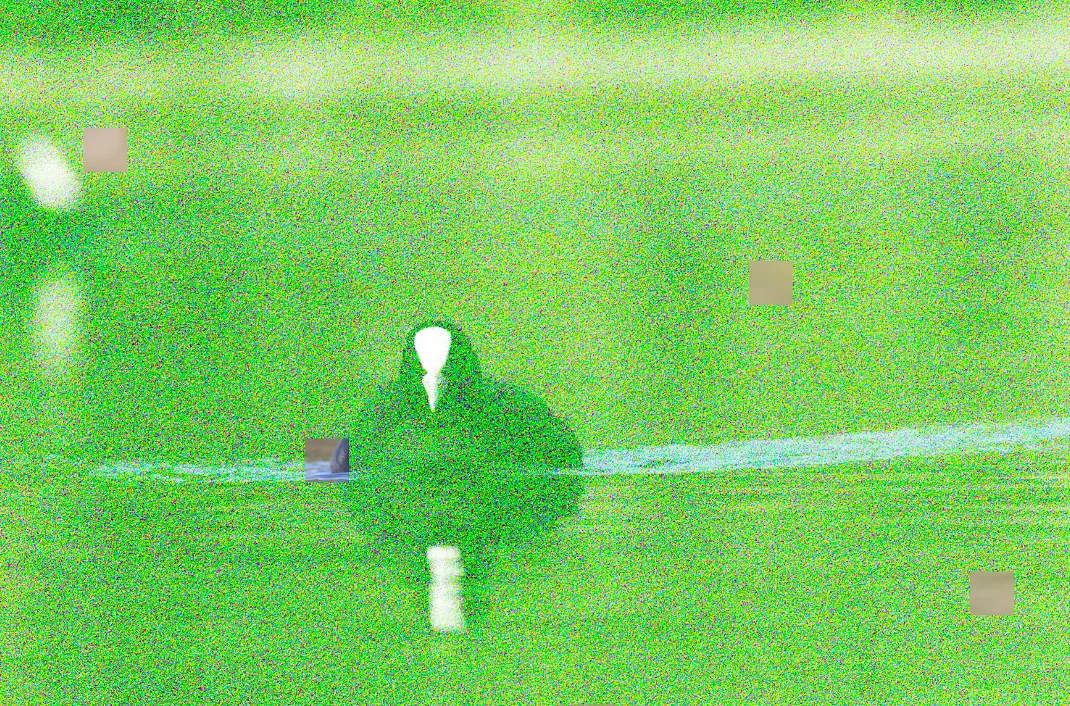
 

Glad of any help with this.

1 reply

Community Manager
August 11, 2025

Hi @sams4133887, welcome to the community!

Visual glitches like the one you're seeing can sometimes point to a graphics card issue. To help us take a closer look, could you share your System Info with us? You can find it in Lightroom by going to Help > System Info. Just copy the info into a text file and attach it to your reply, or feel free to share it through Google Drive, WeTransfer, or any other file-sharing service you prefer.

Thanks so much!
Alek

*(If you mention me with an @, like @Aleke, I’ll get a notification and can respond faster.)*
sams4133887
Participant
August 17, 2025

Thanks @Aleke,


Sorry for the delay, I've attached the system info, does this help?

Community Manager
August 18, 2025

Hi @sams4133887, thanks for sharing your System Info!

When you get a chance, could you check NVIDIA’s website to see if there’s a graphics driver update available for your RTX A500 Laptop GPU? If you’re updating, I’d recommend going with the Studio drivers, they tend to work more smoothly with Adobe apps compared to the Game Ready ones.

Thanks again!
Alek

*(If you mention me with an @, like @Aleke, I’ll get a notification and can respond faster.)*