


lewisrvrs
Participant
June 4, 2026
Question

Lightroom Error

  • June 4, 2026
  • 2 replies
  • 28 views

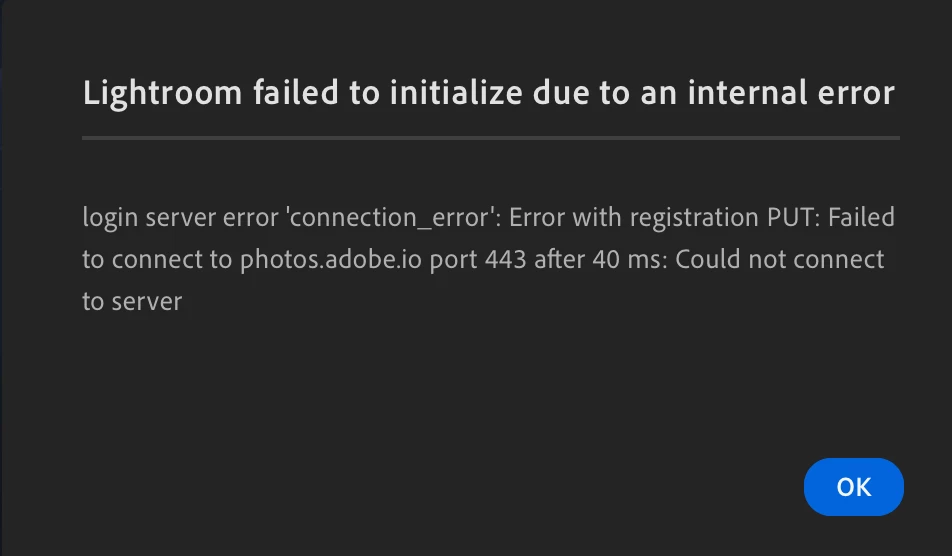
Lightroom will not open and gives me the following error. I have recently switched internet but have been on the new network for over a month and have been using Lightroom until now. 

Please help! 
 

    2 replies

    Anshul_Saini
    Community Manager
    Community Manager
    June 9, 2026

    Hi ​@lewisrvrs,

    Thank you for reaching out. The error you're seeing, "Lightroom failed to initialize" with a connection_error referencing photos.adobe.io on port 443, indicates that Lightroom is unable to establish a connection to Adobe's sync servers during startup.

    This is typically caused by something on your network blocking or interrupting the connection. Here are some steps to troubleshoot:

    1. Confirm you can reach other Adobe services (Creative Cloud Desktop, Photoshop, etc.). Try connecting to a different network (e.g., mobile hotspot) to rule out a network-level block.

    2. If you're on a corporate or managed network, your proxy or firewall may be blocking connections to photos.adobe.io. If you use a VPN, try temporarily disconnecting from it. Security software (e.g., Zscaler, antivirus with web filtering) can also intercept TLS connections and cause this error.

    3. Ensure the following domains are allowed through your firewall/proxy:

    4. Flush your DNS cache: ipconfig /flushdns on the Windows Command Prompt app, sudo dscacheutil -flushcache on the Mac Terminal app.
     

    Let us know which steps you've tried, and we'll help narrow it down.

    Best,

    Anshul Saini

    JohanElzenga
    Community Expert
    Community Expert
    June 4, 2026

    Check that your firewall isn’t blocking Lightroom.

    -- Johan W. Elzenga
    lewisrvrs
    lewisrvrsAuthor
    Participant
    June 4, 2026

    Is there a straightforward way to do that?


    lewisrvrs
    lewisrvrsAuthor
    Participant
    June 4, 2026

    I actually had my firewall disabled to check and still nothing :/
