Participant
June 23, 2025
Question

Lightroom Fehler

  • June 23, 2025
  • 1 reply
  • 196 views

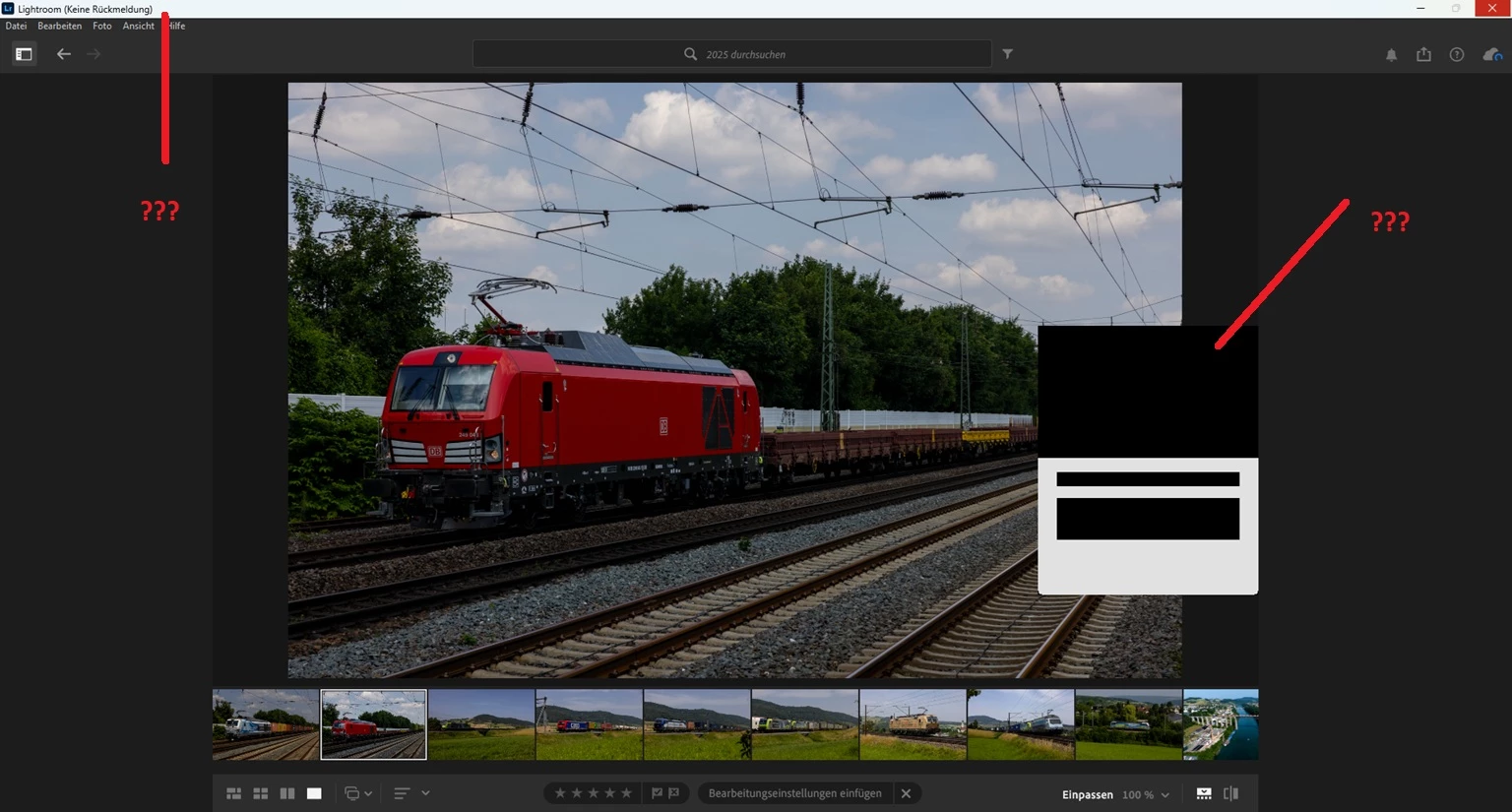
Zufällig wird in Lightroom dieses kleine Fenster ohne Inhalt geöffnet und bleibt ca. 60 Sekunden dort. Während dieser Zeit ist das Programm nicht bedienbar.

Die Software wurde letzte Woche geladen und ist neu aufgespielt.

1 reply

Srishti_Bali
Legend
June 23, 2025

Hi @wolfram_9671


Thanks for reaching out! To help us troubleshoot the issue, could you please answer the following questions:

  • What version of Lightroom Classic are you currently using?

  • What operating system and version are you on (e.g., Windows 11, macOS 14.4)?

  • When exactly does the empty window appear — right after launching Lightroom, during import/export, or while performing a specific action?

  • Does this happen every time you open Lightroom, or only occasionally?

  • Do you have any plug-ins or third-party tools installed that might be affecting performance?

  • Did this behavior start after the recent update, or was it happening before as well?


Once we have these details, we’ll be in a better position to help resolve the issue.


Regards,

Srishti

Participant
June 24, 2025

Ich habe gestern eine Antwort gesendet. Leider ist diese nicht in dem Thread zu sehen. Sehr merkwürdig.

Normal windows.11 pro.

passiert jedesmal nach nach Bild laden und bilder änderungen

es sind keine plug-ins installiert.

es ist die erst installation.

Sameer K
Community Manager
Community Manager
July 8, 2025

Thanks for sharing this. I'll need more info to help you figure this out. 

Please share the system information from Lightroom Help > System info > Copy and paste into a text document > Upload and attach here. 


Does this happen after a series of steps, or have you installed Lightroom for the first time on this machine? Generally, this could directly be related to the Graphics processor (GPU) on your machine. You can follow the steps here to troubleshoot the GPU: https://adobe.ly/44hxyBa;


Let me know how it goes. Thanks! 

Sameer K

(Type '@' and type my name to mention me when you reply)