Participant
May 11, 2023
解決済み

Lightroom for MacBook Pro: No space left on my Macintosh HD. How can I create more space?

  • May 11, 2023
  • 返信数 3.
  • 3273 ビュー

Hi


I use LightRoom on my MacbookPro.

Since a few days, when I want to work in Lightroom, I get the message that my "Macintosh HD" is full, and that I need to clear space, or change my local storage settings.

When I change my local storage settings, nothing changes, so I get the same message again.

So I wander where exactly I can clear space?


このトピックへの返信は締め切られました。
解決に役立った回答 Ian Lyons

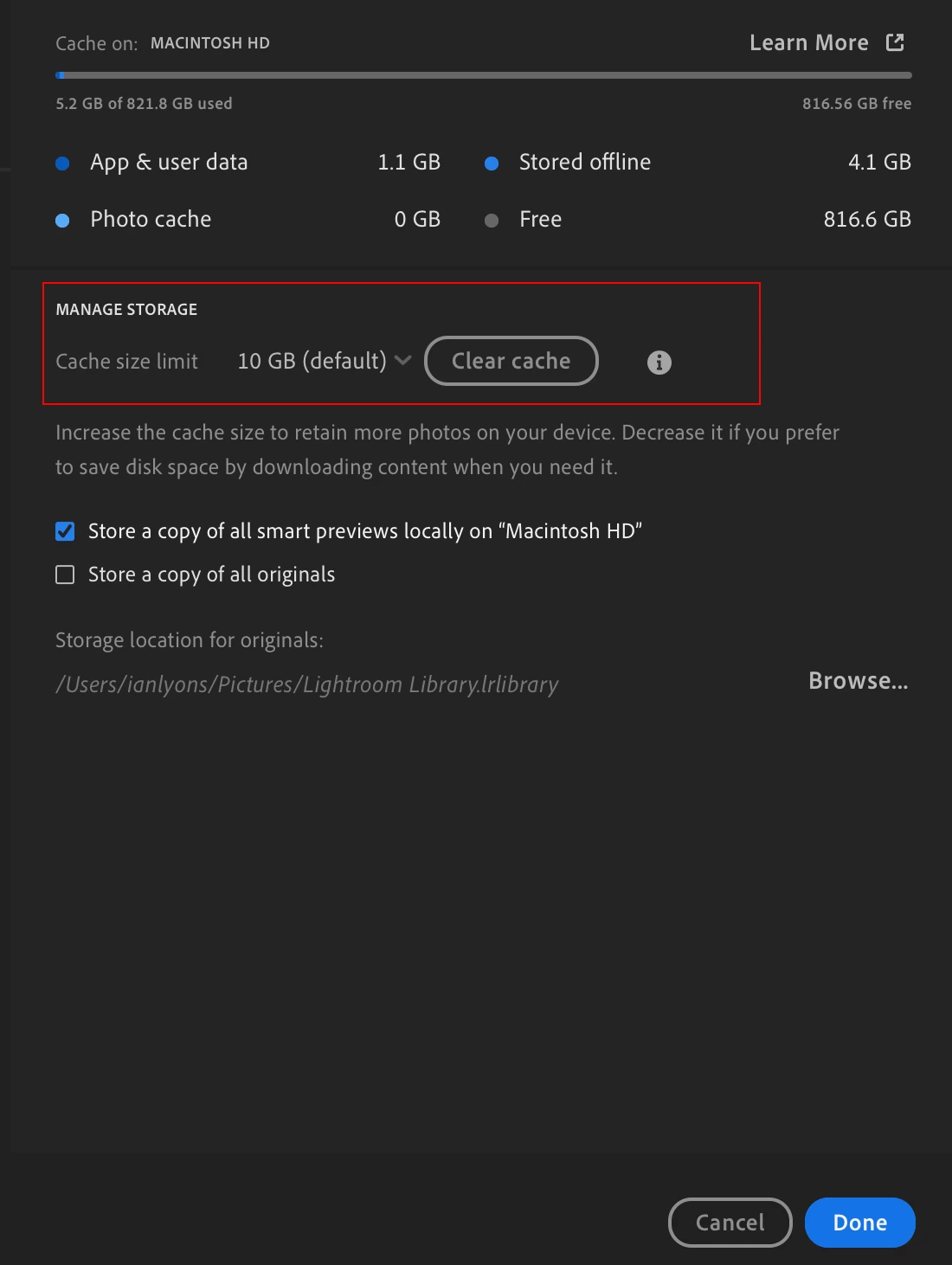
The OP was asking a question about Lightroom Desktop (cloud) and @Sameer K  answered with a screenshot showing the relevant dialog, albeit for an earlier version. I've attached a screenshot showing the dialog for the current version (LrD 8.x)


返信数 3

Sameer K
Community Manager
Community Manager
May 11, 2023

Hey @Ann29841500xrpn. Welcome to the Lightroom Community. I'll help you figure this out.

What specific version of Lightroom & the operating system are you working on?


In Adobe Lightroom, please share the screenshot of the options below from Preferences.


You can log on to Lightroom Web (https://lightroom.adobe.com) to check all the images and edits that finished syncing to the cloud before clearing any locally stored caches & data from Lightroom.


Let us know if it helps. Thanks!

Sameer K

Participant
December 9, 2024

What about Lightroom Cloud?

not classic

Ian Lyons
Community Expert
Ian LyonsCommunity Expert解決!
Community Expert
December 9, 2024

The OP was asking a question about Lightroom Desktop (cloud) and @Sameer K  answered with a screenshot showing the relevant dialog, albeit for an earlier version. I've attached a screenshot showing the dialog for the current version (LrD 8.x)