
Lightroom for mobile sync issues
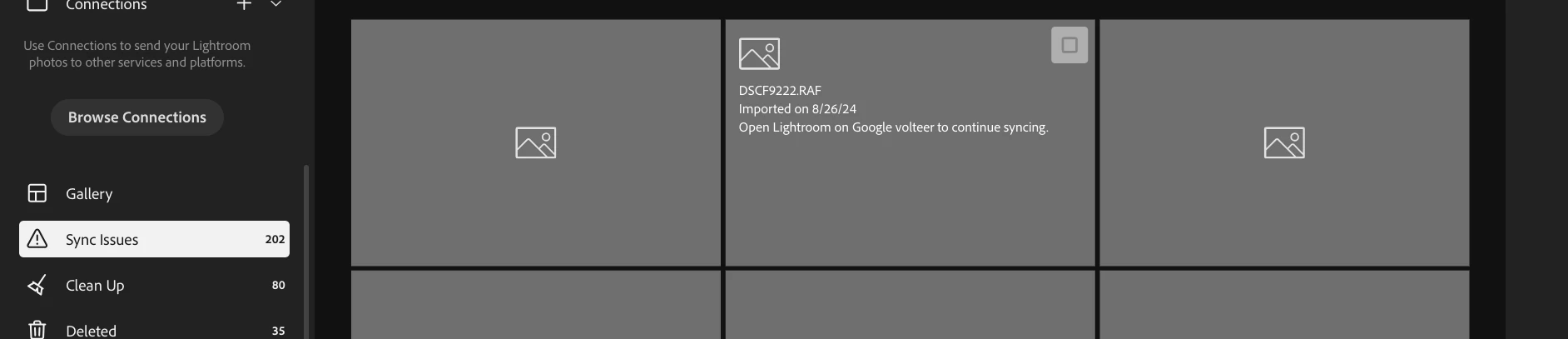
A couple of weeks ago because my internal chromebook storage was nearly full so I moved my files to the much larger sd card. Since then nothing but problems but I must first state partly I think it's partly my fault because I stopped syncing (not quite understanding what this did) several months ago, so when the photos were transferred alot of them came up grey , in fact I think they all did. If a support person had told me to just sync the files at that point I think I would have been Ok (don't know this for sure though) but they didn't although I think I must have done this for a minute or two because the photos all briefly reappeared until I turned the CB off and when I turned it back on they were not there so when I turned it back on I didn't hit sync again not understanding at that time it's importance. Anyway, losing my patience, I then uninstalled LR and re-installed it. At that point I completely lost about 35GB of unsynced photos. Doubtful if I will ever see them again. (At this point I would point out I have the 100GB of storage bought via the Google Plat App).
So I have had nothing but issues like nothing loads sometimes.
So now I think the main issue is there seem to be 202 photos from August that need to be synced. When I go onto to lightroom.adobe.com the message I get is as above. When I go into CB proper I can't see any way of dealing with it. In the past I have seen message Syncing 202 photos but even after hours nothing at all happens.
Can anyone suggest a course and of action. Of course I suppose I could just delete the 202 photos one by one through lightroom.adobe.com and then the problem would just disappear but there ought to be a correct way of doing this. Syncing in LR should but doesn't solve it.


 AdChoices