


Known Participant
November 21, 2025
Answered

Lightroom gets stuck when pasting settings on 80+ photos

  • November 21, 2025
  • 2 replies
  • 1470 views

When copy+paste settings from a single RAW photo across 80+ photos, Lightroom eventually just hangs. This usually happens regardless of whether I've restarted my Macbook and Lightroom, it just gives up after 80 something photos. 

The same happens for AI updates, often in even smaller batches. So if I want to be safe I need to do 30-40 photos at a time, which to me defeats the purpose of the feature altogether. It's super unreliable and I cannot leave the computer unattended and let it do its thing to 150 photos like I used to. 
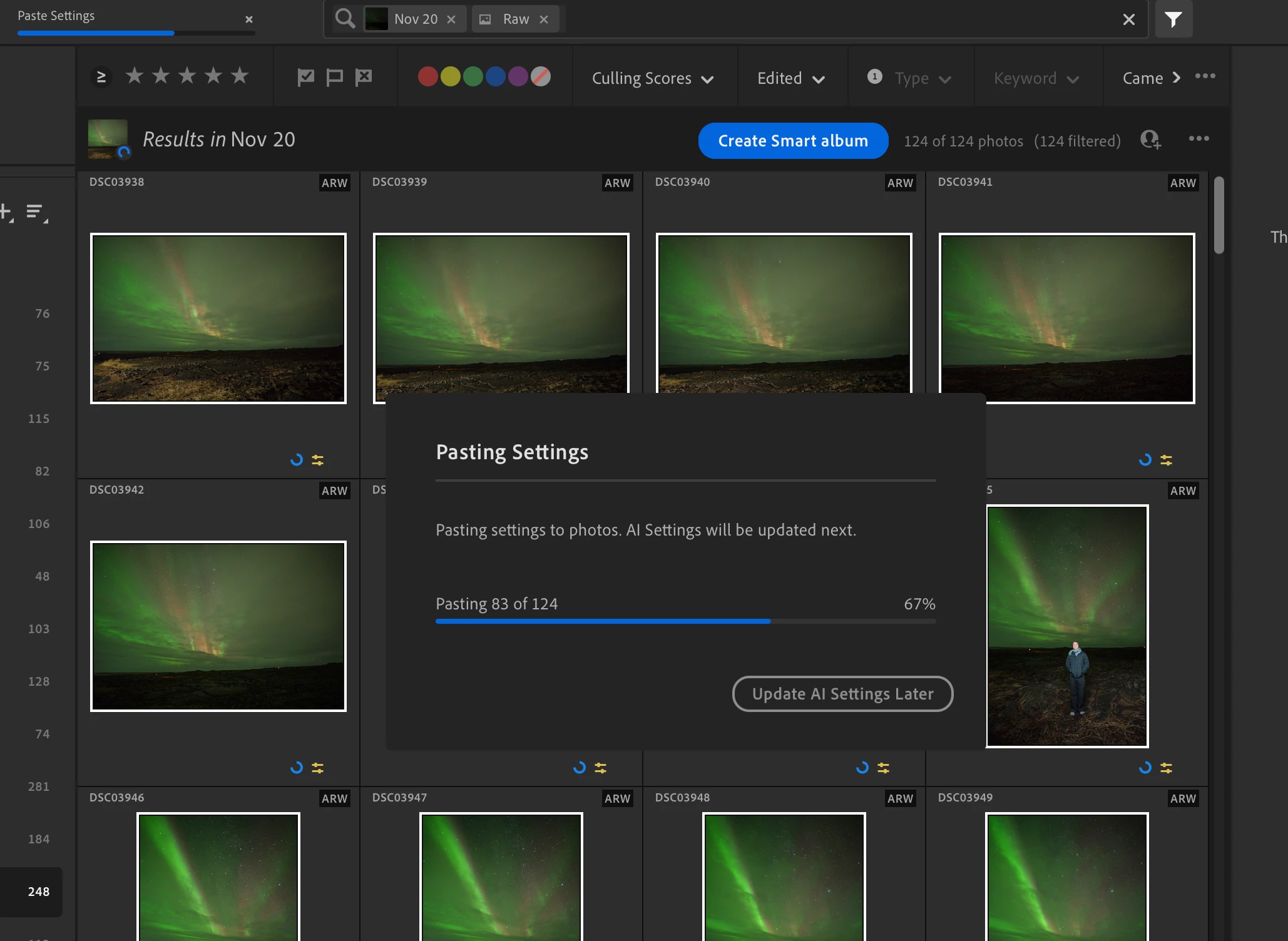
I'm on a Macbook Pro 14", 2023 model, 96GB of RAM, M3 Max. MacOS Sequoia 15.7.2.
My GPU acceleration settings are on Auto. 

This is super frustrating for me because I have to do small batches now and don't get the time savings of being able to let it run whilst I get to step away to do other things. 

Correct answer Anshul_Saini

9.1 same issue.  After 55-69 photos it stops applying the settings, and just hangs there.


Hi @charlesd29564609,


Thanks for confirming that the issue still occurs in Lightroom 9.1. We’ve seen similar behavior when the local Camera Raw AI models become inconsistent, which can cause batch operations to stall silently.


Please try the steps below carefully and in order:


• Update Lightroom to the latest available version from Creative Cloud to ensure all components are refreshed

• Quit Lightroom completely

• Delete the Camera Raw AI model folders:

• System-level: /Library/Application Support/Adobe/CameraRaw/ModelZoo/

• User-level: ~/Library/Application Support/Adobe/CameraRaw/ModelZoo/

Ensure to delete the entire ModelZoo folder, not just the contents


• Relaunch Lightroom

• Test by applying settings to a single image first, then retry a larger batch


This reset has helped in other cases where AI-driven batch edits stop or get stuck partway without errors.


Please let us know how it goes so we can decide on the next steps if needed.


Best regards,

Anshul Saini

2 replies

December 2, 2025

Hello, I am working on a timelapse with 1500 images and copying and pasting the AI settings seems to get stuck whenever I try to attempt more than 150ish images. I was previously experiencing this issue on my old macbook with 8gb ram (2020 macbook M1 chip) but way worse--only able to update 10 images or so at a time, so i bought a new one with m4 pro chip, 1 TB SSD, 24 gb ram. it pastes settings fine, but then appears to get stuck. initially I tried to batch edit 1500 images and let my laptop run over night--it pasted non AI edits to all 1500 images and got stuck on image 50. Now it will get stuck on the AI update on image 1 for any batch >200. and the laptop does not appear to be maxing out CPU/GPU wise so I'm confused, it just appears to stop without trying to work. 

Community Manager
December 2, 2025

Hi @maarij_8772, welcome to the community!

Can you let us know what version of Lightroom are you using? What type of AI edits are you copying? When you have the chance, please share your System Info. 
You can find it in Lightroom under Help > System Info. Just copy the info to a text file and attach it to your response, or share it with us through Google Drive, WeTransfer, or another file-sharing platform.
Thanks a lot!

Alek

*(If you mention me with an @, like @Aleke, I’ll get a notification and can respond faster.)*
December 3, 2025

Hi @Aleke , thank you for responding. please find the txt file attached as well as an image file showing the type of masking im performing. As I was batch editing 100 pictures, it showed in file you mentioned to attach that real memory is 24 gb while Adobe usage was only 8gb. Is my memory usage being throttled somehow preventing me from batch editing larger files?


maarij_8772_0-1764735154583.png


Community Manager
November 21, 2025

Hi @EmeraldSkies, thanks for reaching out!
Could you let us know what types of settings you’re copying and pasting? If you’re working with AI edits like AI Denoise, it can take longer to apply those settings, so doing it in smaller batches is usually recommended.
Also, which version of Lightroom are you using? If you haven’t updated to the latest version yet, that can often help improve performance.
As an initial step, resetting your preferences might help too. You can find detailed instructions here:
https://adobe.ly/3KfSSQg
Thanks!
Alek

*(If you mention me with an @, like @Aleke, I’ll get a notification and can respond faster.)*
Known Participant
November 22, 2025

Hi @Aleke 

Thanks for your reply! I'm on the latest version 9.0, I've reset my prefs multiple times. The settings are the default settings as per the screenshot including AI denoise. The issue isn't being slow - it's not at all, I'm on an M3 Max and processing is as good as it gets, but the programme just randomly gets stuck. If I'm updating 125 images, the copy/paste might stop after 60 or 80 images. If it manages to paste on all 125 then it might get stuck on applying the AI settings. Sometimes after 4 images, sometimes after 60. It's random. But it'll get stuck. 

It never used to be an issue on older versions like 7.4. And no, I've got a powerful machine so I don't have to do small batches, so I expect Lightroom to simply chug along and do its thing without me having to monitor it. That's what doing in-bulk is all about. 

It used to work reliably until version 8.x and then started to just drop-out. Not OK.