


Participant
June 22, 2021
Question

Lightroom iPad, error T505 opening cloud photos

  • June 22, 2021
  • 1 reply
  • 1849 views

I just opened Lightroom on iPad and it had updated to the latest version with presets. I was going back through images I had taken on my iPhone and processing them. But when I back a few days instead of downloading the smart preview I only get a T505 error. 
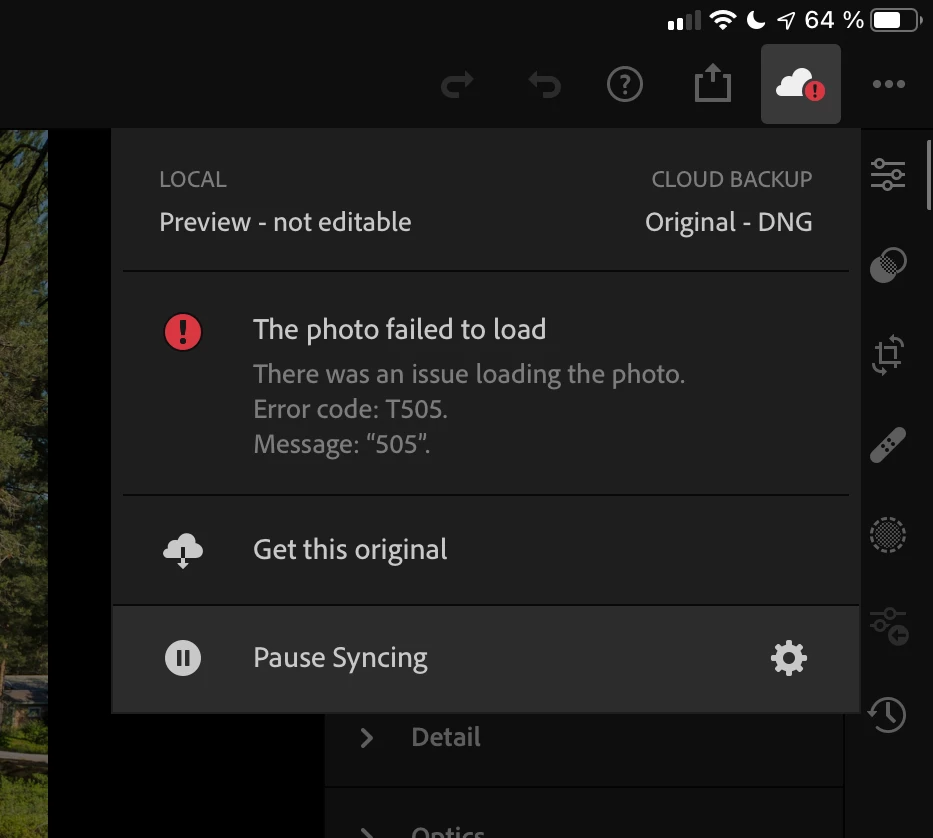
 

If I continue back through the photos then occasionally one loads, but almost all don't. But if I go back far enough (to late April) they start loading again. 

I have deleted and reinstalled the iPad app and it made no difference. 

This topic has been closed for replies.

1 reply

Community Manager
June 23, 2021

Hi,

for the image(s) that show T505, please try out:

1. add them to a album
2. Tap on the three dot menu in Library view connected to the album
3. Select Store Locally

If that doesn't help
4. change the Cloud & Storage setting to Download Original
5.  once the images have been downloaded again try again

If that doesn't help
6. edit the file in e.g. https://lightroom.adobe.com

Thanks,
Ignacio

Participant
June 27, 2021

This page doesn't let me reply from the iPad. It only complains about duplicate posts.