


TaneliFoto
Inspiring
December 25, 2025
Answered

Lightroom iPad JPG export issue

  • December 25, 2025
  • 1 reply
  • 254 views

For some reason there is a problem exporting lower resolution images from full size RAW's. When i choose custom resolution, for example 5500pix longer edge, the export just hangs on the first image. When exporting with "maximum available dimentions" the export goes just fine. 

All updates have been made and no errors appear.
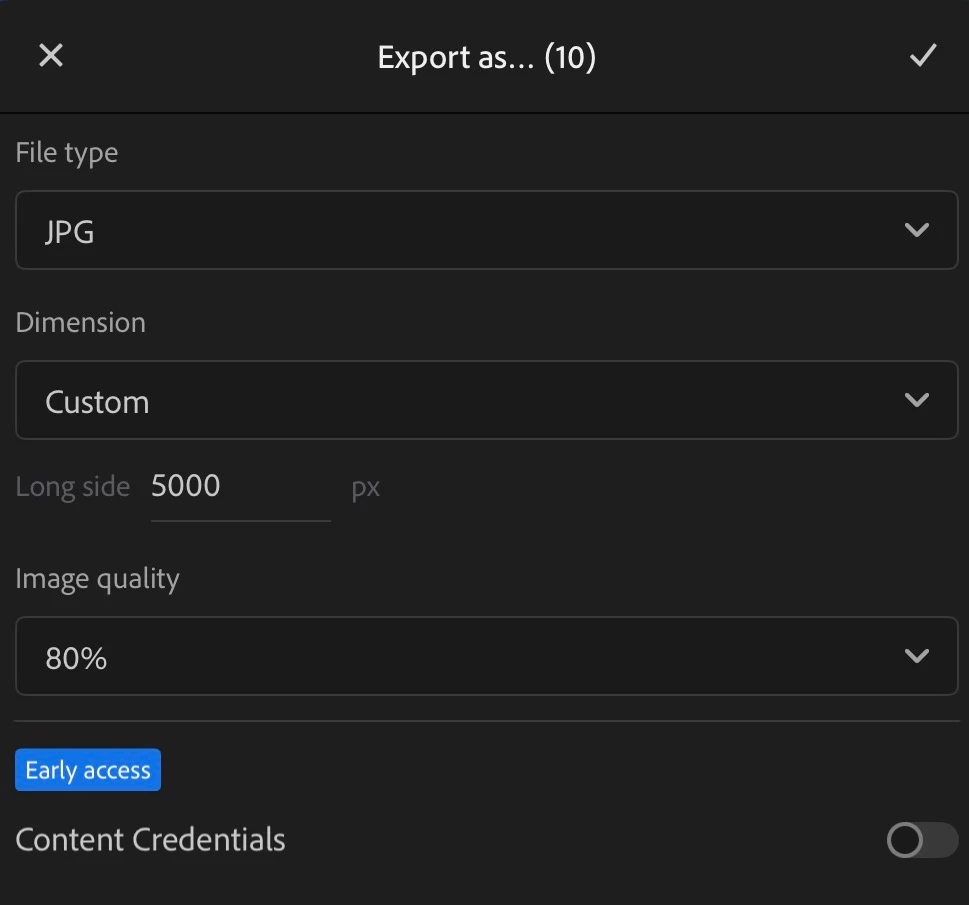
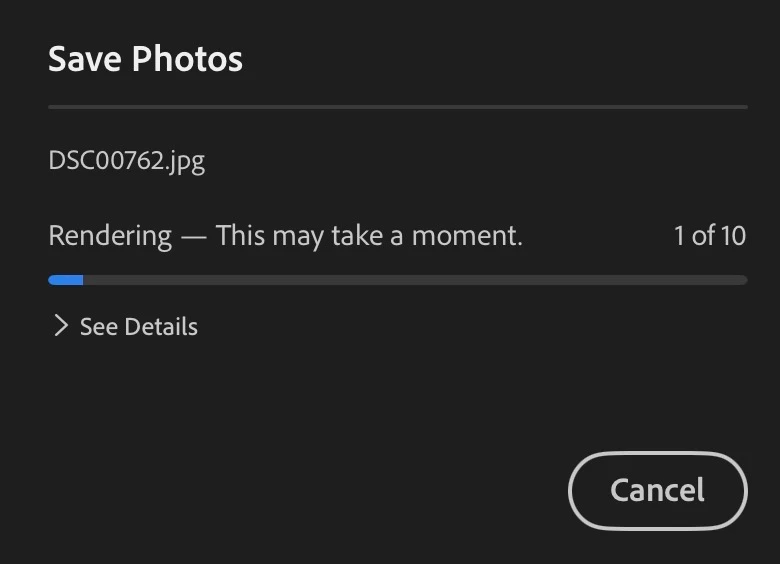
IMG_0958.jpegIMG_0959.jpeg


[moved from bugs to discussions according to the community rules - Mod.]

Correct answer Noel Orridge

Hi @TaneliFoto! Thank you for reaching out! Please share the version of Lightroom you're on and the version of your iPadOS and the model of your iPad. Here are a few things you can try to fix this: 


1) Tap the Gear icon (Settings) > Local Storage > Clear Cache.

2) Go to the Album containing these 10 photos and tap the three dots (...) next to the album name. Select Store Locally. Now, wait for the blue sync circle at the top to finish. Once the originals are 100% on the device, try the export again.

3 If you have less than 10–15GB of free space, the rendering engine may fail to initialize the temporary export file.

4) Force-close the Lightroom app and restart your iPad to flush the RAM. Try exporting just one image at the 5000px setting first. If a single image works but 10 images hang, the batch is likely overloading your iPad's available memory.


Thanks a bunch! 

1 reply

Noel Orridge
Community Manager
Noel OrridgeCommunity ManagerCorrect answer
Community Manager
December 25, 2025

Hi @TaneliFoto! Thank you for reaching out! Please share the version of Lightroom you're on and the version of your iPadOS and the model of your iPad. Here are a few things you can try to fix this: 


1) Tap the Gear icon (Settings) > Local Storage > Clear Cache.

2) Go to the Album containing these 10 photos and tap the three dots (...) next to the album name. Select Store Locally. Now, wait for the blue sync circle at the top to finish. Once the originals are 100% on the device, try the export again.

3 If you have less than 10–15GB of free space, the rendering engine may fail to initialize the temporary export file.

4) Force-close the Lightroom app and restart your iPad to flush the RAM. Try exporting just one image at the 5000px setting first. If a single image works but 10 images hang, the batch is likely overloading your iPad's available memory.


Thanks a bunch! 

Noel
TaneliFoto
Inspiring
December 26, 2025

Hello!

Seems the step 1) has fixed my problem. Thank you very much.

Just for information my Lightroom is 11.1.0, iPad OS is 26.2 and the iPad is iPad pro 11'' 4th generation.