
Participant
February 5, 2020
Answered

Lightroom.library File

  • February 5, 2020
  • 2 replies
  • 552 views

I have only found posts from a few years ago.


I have a small SSD and only about 14GB of my LR cloud storage used.

However my Lightroom.library file is 40GB in size.


What does this file do and can I delete it/make it smaller?
This topic has been closed for replies.
Correct answer JohanElzenga

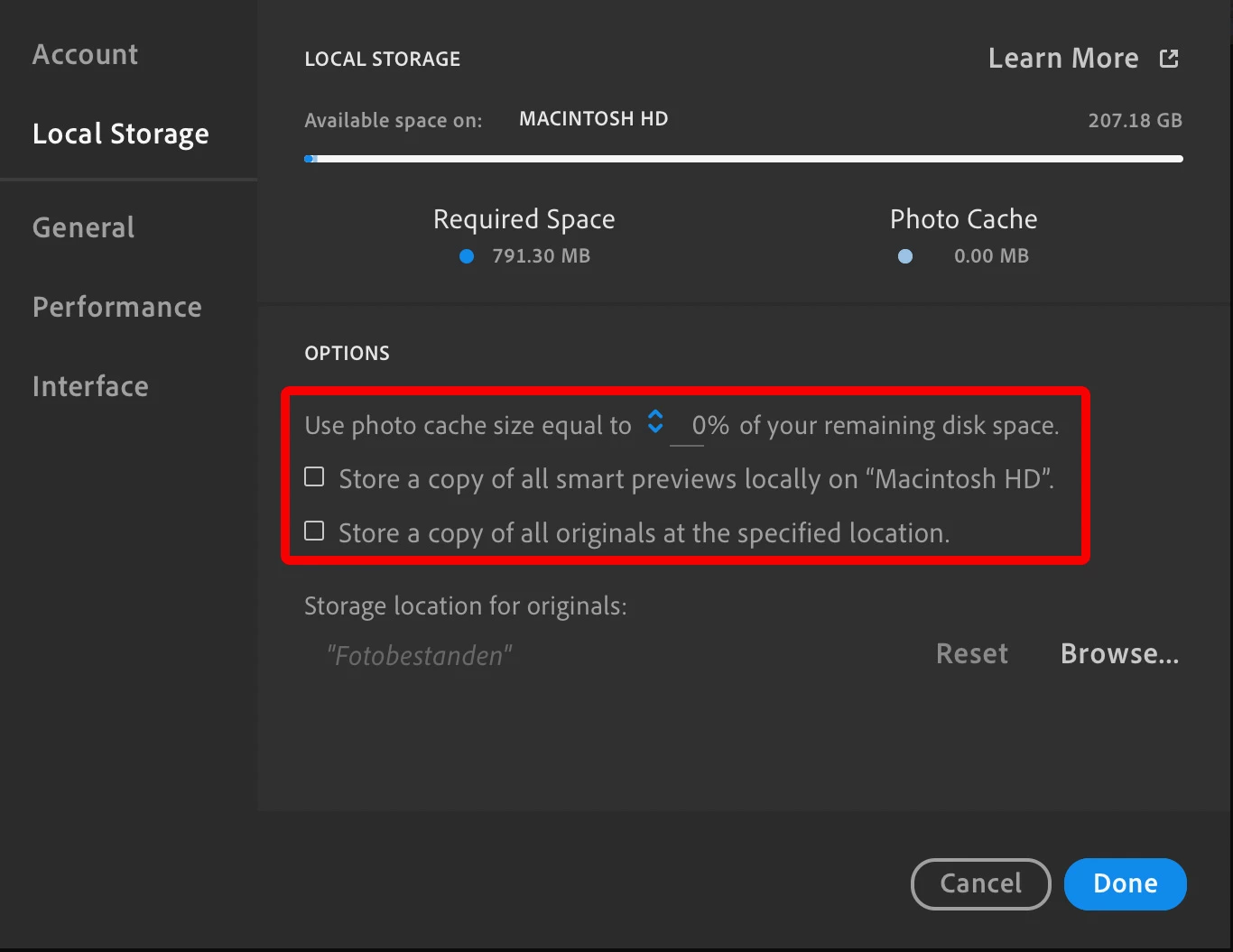
That file is a local cache. It is needed to speed up Lightroom and to make sure that you can still see your photos while you are offline. You can't delete it, but you can make it as small as possible by setting the photo cache to 0% in your preferences and uncheck the options to store smart previews or originals locally.


2 replies

aaronthelAuthor
Participant
February 6, 2020

Thank you for the quick answer! Will the file shrink in size after I change the settings? Or can I somehow trigger it to create a new file with the new settings?

Jim Wilde
Community Expert
Community Expert
February 6, 2020

It really depends on which of those settings you had checked, and whether you had changed the default location for stored copies of the originals. Posting a screenshot of your current Preferences>Local Storage tab would allow us to give you a more informed answer.

JohanElzenga
Community Expert
JohanElzengaCommunity ExpertCorrect answer
Community Expert
February 5, 2020

That file is a local cache. It is needed to speed up Lightroom and to make sure that you can still see your photos while you are offline. You can't delete it, but you can make it as small as possible by setting the photo cache to 0% in your preferences and uncheck the options to store smart previews or originals locally.


-- Johan W. Elzenga