

Weisr
Participant
May 21, 2026
Question

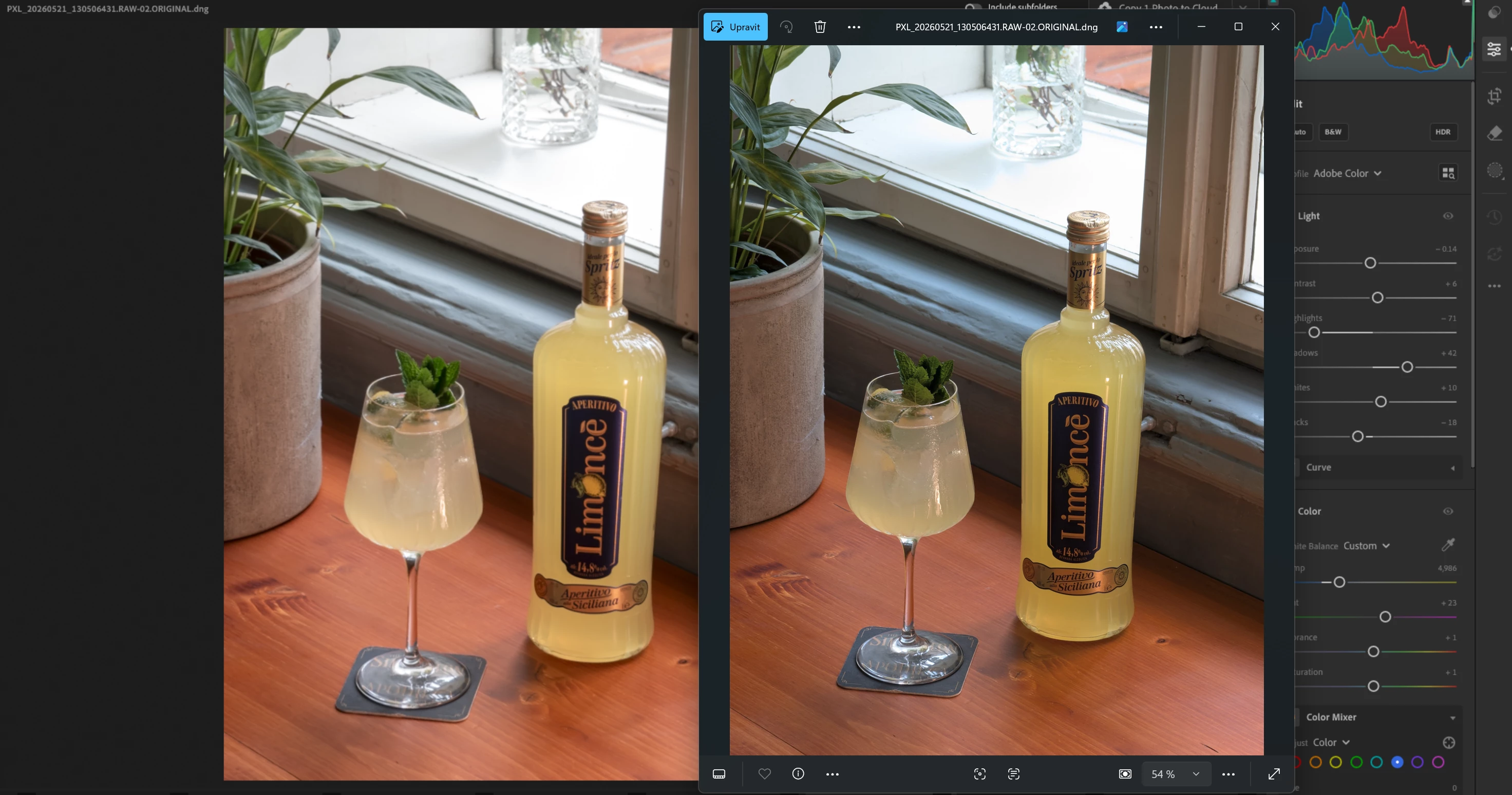
Lightroom local photo preview is low res
  • May 21, 2026
  • 2 replies
  • 32 views

I have an issue that is driving me crazy. My photo preview in Lightroom (usin local only, no cloud) is low res. When I view the same image in Lightroom Classic or using Photoshop Camera Raw, I dont have the issue, only in Lightroom. It is on the latest update, I have already tried changing the GPU settings and nothing works, this is absolutely horrendous and irritating error in the Lightroom app ...

    2 replies

    Claire H.
    Community Manager
    Community Manager
    May 29, 2026

    Hi ​@Weisr, thanks for reaching out to the Lightroom Community Forums! Let’s try a few things to troubleshoot this issue. 

    If you’re still experiencing this issue, please send your system info, a screen recording of the issue, and a numbered list of the exact steps needed to replicate it. You can find your system info by going to Help > System Info, copying and pasting it into a text file, and attaching it here. Thanks! ^CH

    Known Participant
    May 23, 2026

    I have a similar problem.

    I edited a photo in Lightroom, then transferred it to Topaz Photo AI, and afterwards sent it back to Lightroom again. After that, I exported the image.

    When I look at the exported photo on my computer, it does not appear exactly as sharp as it does inside Lightroom. What am I doing wrong?

    Also, there is another issue recently: when I look at the exported JPEG file inside the folder where I exported it, it says “waiting for update” underneath the file. Maybe this could be related to the problem.

    I will also send a screenshot of my export settings.