
Participating Frequently
July 4, 2022
Question

Lightroom mobile does not sync with cloud (Android)

  • July 4, 2022
  • 1 reply
  • 1085 views

Hi,


I just realised that LR is not syncing the photos since several months. I use LR mobile on android. On the mobile app, I see that several photos are apparently synced but if you look at the detail info, I see them still uploading. Connecting to the cloud, I have several hundreds of sync issue. It is suggesting to open the app and finish sync from the mobile, but I can do so. 
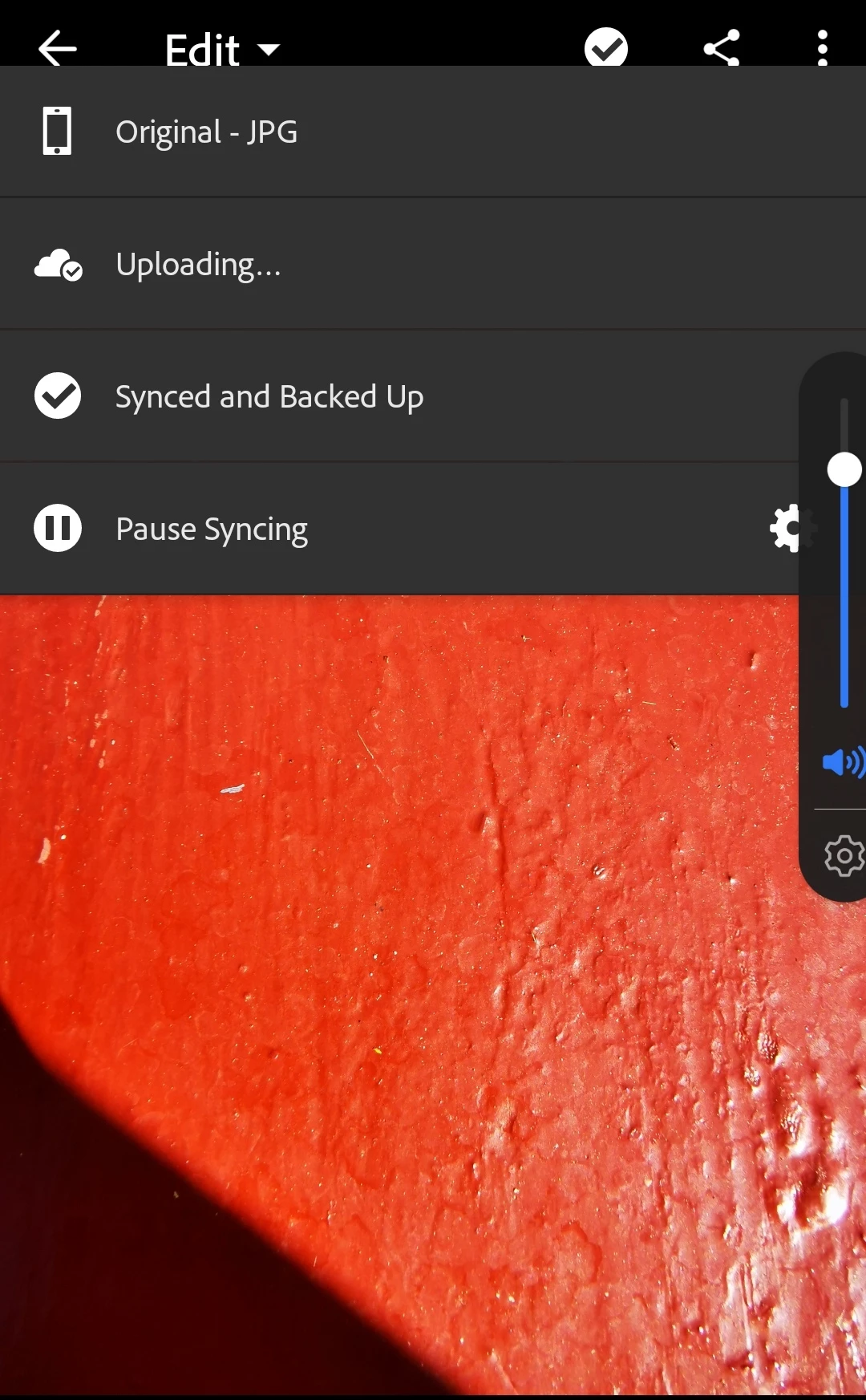


{Title edited by Moderator}

This topic has been closed for replies.

1 reply

Ranjisha Sengupta
Legend
July 4, 2022

Hi there,


Thanks for reaching out. We are sorry for the trouble with Lightroom. We are here to help.

Please do not re-install the Adobe Lightroom Mobile or sign out of the application. This can lead to potential data loss.


Could you please share the version of Adobe Lightroom & the Android OS you are working on? What is the format of images you are working with? Are they JPEG or RAW?

Have you tried changing the internet connection to a different WiFi or mobile network?

Please ensure Lightroom is up to date. Apply a few random edits to the images pending to be synced, which should kick start the Sync. For the time being, you can pause the Auto-Import temporarily on the mobile.


Let us know if this helps.


Thanks

Ranjisha

Participating Frequently
July 4, 2022

Thanks Ranjisha,

  • I am using 7.4.1 LR,
  • android 12.0.0,
  • files are jpeg
  • Changed different WiFi. I am currently with WiFi and fiber. 
  • Also using 4G connection does not do the trick.. 

Suggestions? 

Thanks for the help.. 

M. 

Interestingly, if I apply random changes it does not appear to start sync automatically, at least not immediately. If I push for sync I get the check mark but still uploading. 

  •