


Participant
September 17, 2023
Question

Lightroom Mobile iOS DNG images poor quality at night

  • September 17, 2023
  • 1 reply
  • 944 views

I'm sure the iOS night mode feature used to work when taking raw DNG photos using the Lightroom Mobile app. But it doesn't seem to work anymore. Also, when I take a picture, the preview looks ok and when I go to edit it, suddenly the quality is awful. 
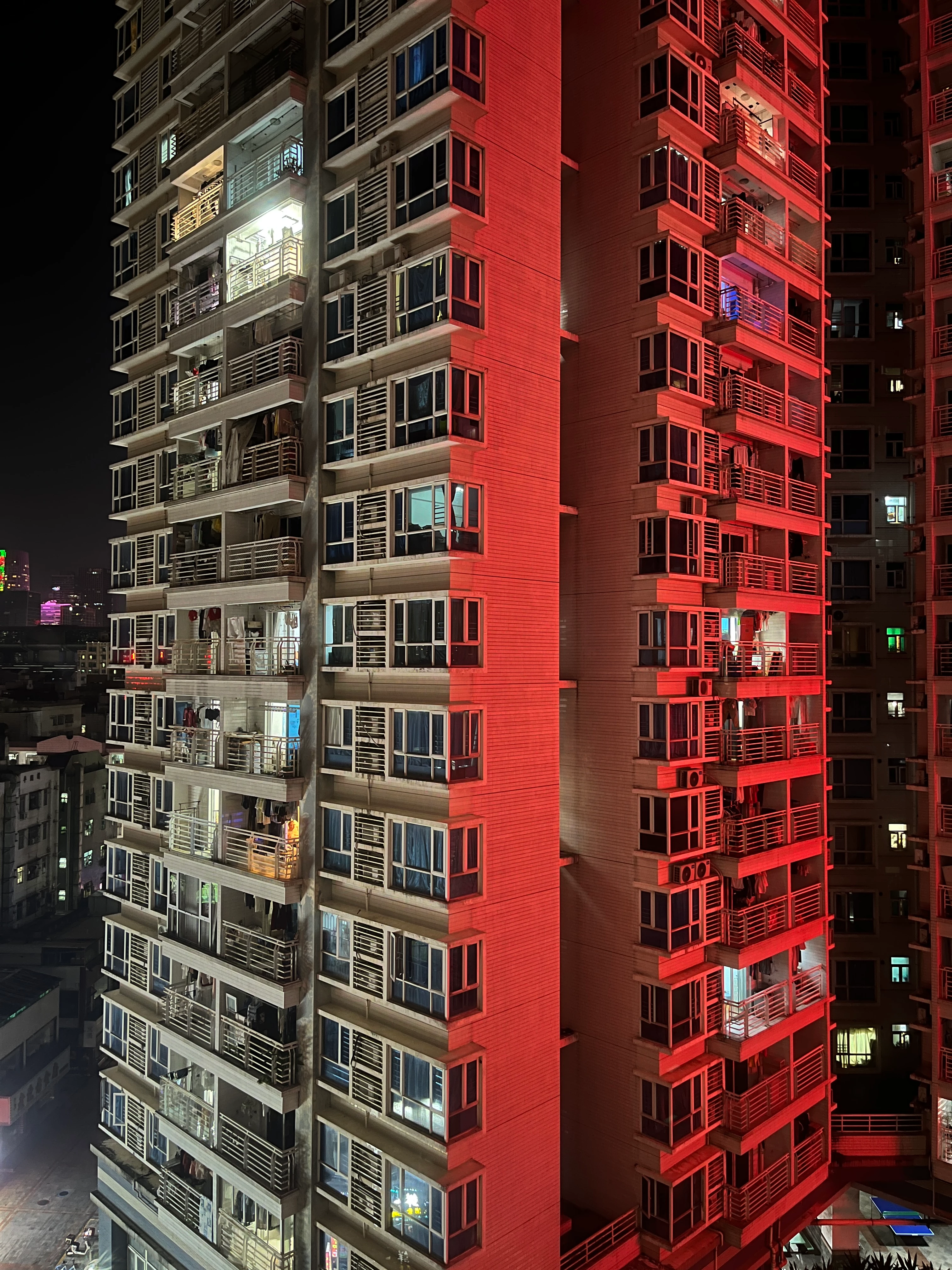
 

Normal night mode pic using the native iPhone camera.
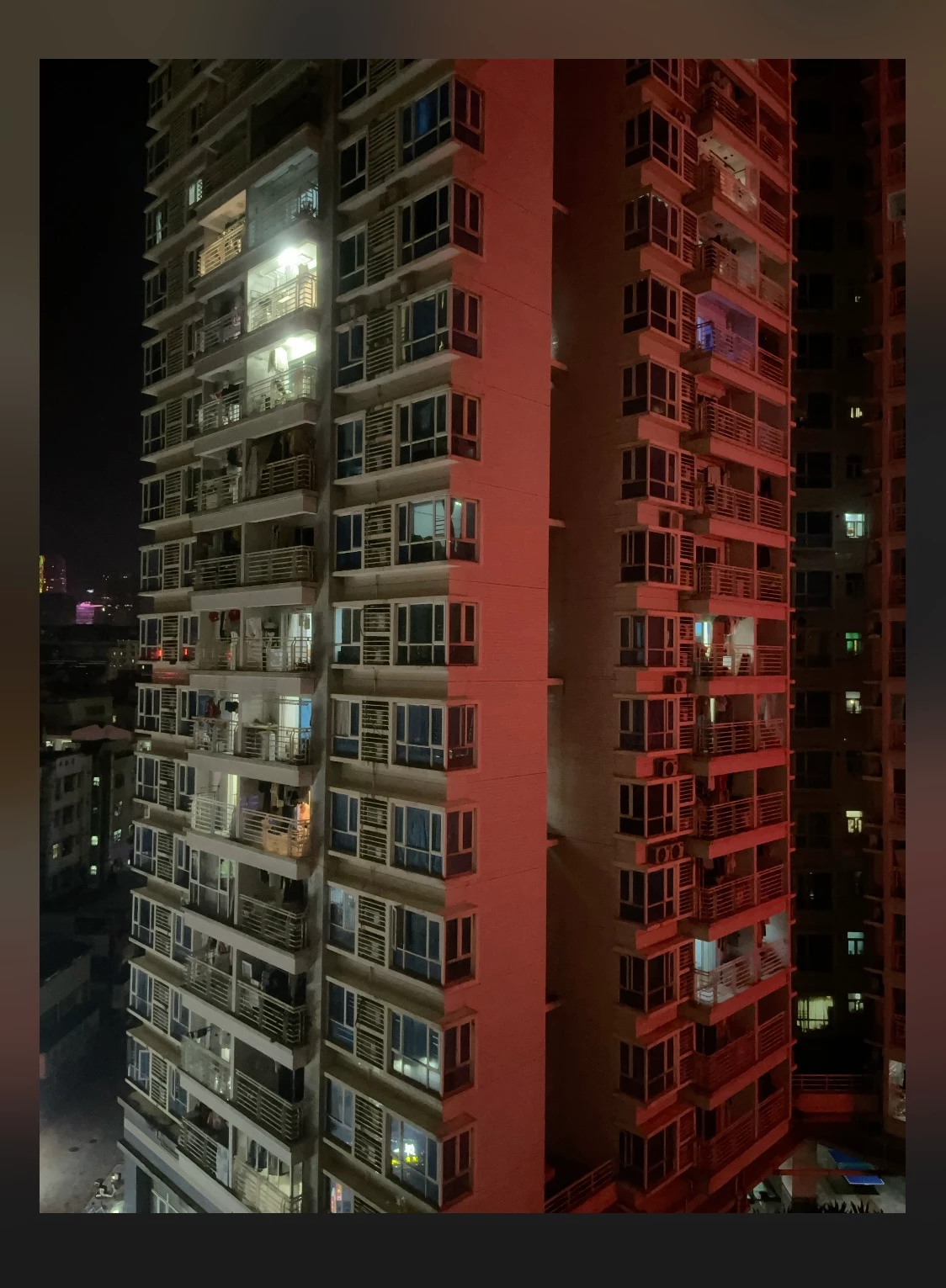
Screenshot of preview after taking raw DNG pic using Adobe Lightroom Mobile app.
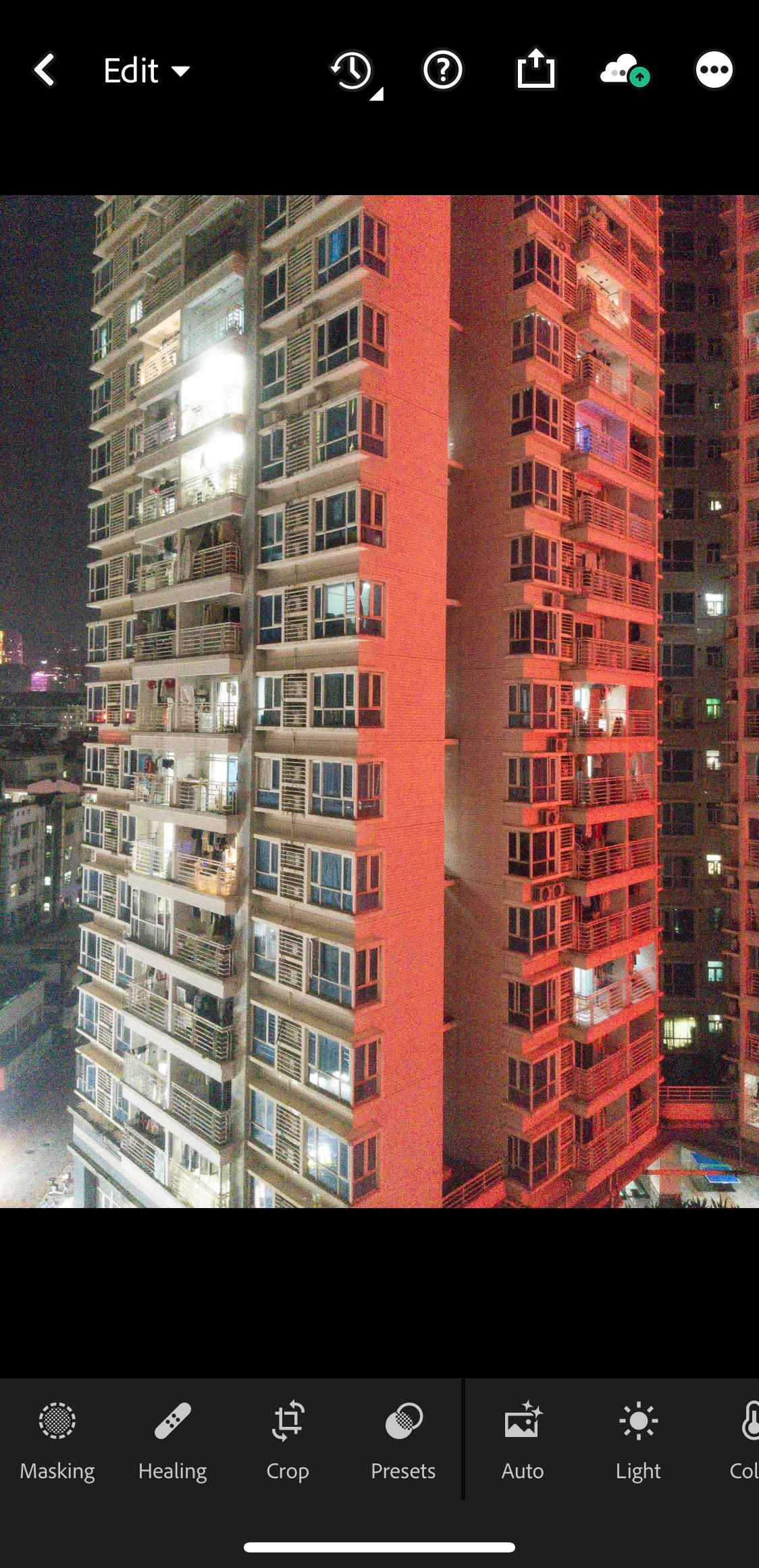
Same image in the Lightroom Mobile app edit screen. Suddenly it's full of noise and grain.


I'm sure the app never used to behave like this. Can anyone help me understand what's going on here? Or has anyone else experienced the same issues?


Thanks. 


This topic has been closed for replies.

1 reply

Inspiring
September 18, 2023

Hello @Baz01 


Fwiw, nothing has changed recently with Lightroom Mobile's in-app camera.  Is it possible you have upgraded to a new phone with a larger camera sensor?


As you mention, the LR Camera raw images appear more noisy than native camera images, because those native camera images are processed by iOS to make them look like they do.  With LR Camera raw images, especially with newer phones that have larger sensors, there is a lot more image data.  Dark scenes often contain "noise" which the LR app does not automatically process for you as heavily as the native camera.  


And the reason why Lightroom's in-camera preview (Review Mode), or JPG mode capture look so similar to the native camera images is that these are JPG images that are heavily processed by iOS capture APIs.


Sometimes tapping Auto in the LR editor can get your LR camera images to a better starting point, but editing (processing) is still likely needed in low light Raw captures.  One of the first things I adjust in such images is Color Noise Reduction, which is in the Detail tab in the LR Mobile editor.


I hope this info helps a bit!

Baz01Author
Participant
September 25, 2023

Hi @Charlie.D 

Thanks for your reply. I understand your explanation about why noise is appearing on the image. However, I was wondering about the Night Mode feature on iPhone as well. I have taken raw DNG pictures before with the Lightroom App camera and the Night Mode has been automatically applied. But for some reason, that doesn't happen anymore.

I haven't changed my phone either. Been using the same iPhone 13 Mini for over a year.

Thanks.

Baz

Inspiring
September 26, 2023

LR App camera did previously offer something called Long Exposure as a Technology Preview, and this was recently removed from the app.  However, that capture function worked more as a motion blur feature than a low-light feature like Apple's own Night Mode.  It was good for waterfalls, but didn't really help in low-light.