
Lightroom not correctly syncing duplicates
When I create a duplicate of an image with different settings in Lightroom Desktop, they aren't synced to the cloud. For example...
In Lightroom Desktop on my Mac, I duplicate an image so that I can have one version in colour and another in black and white:
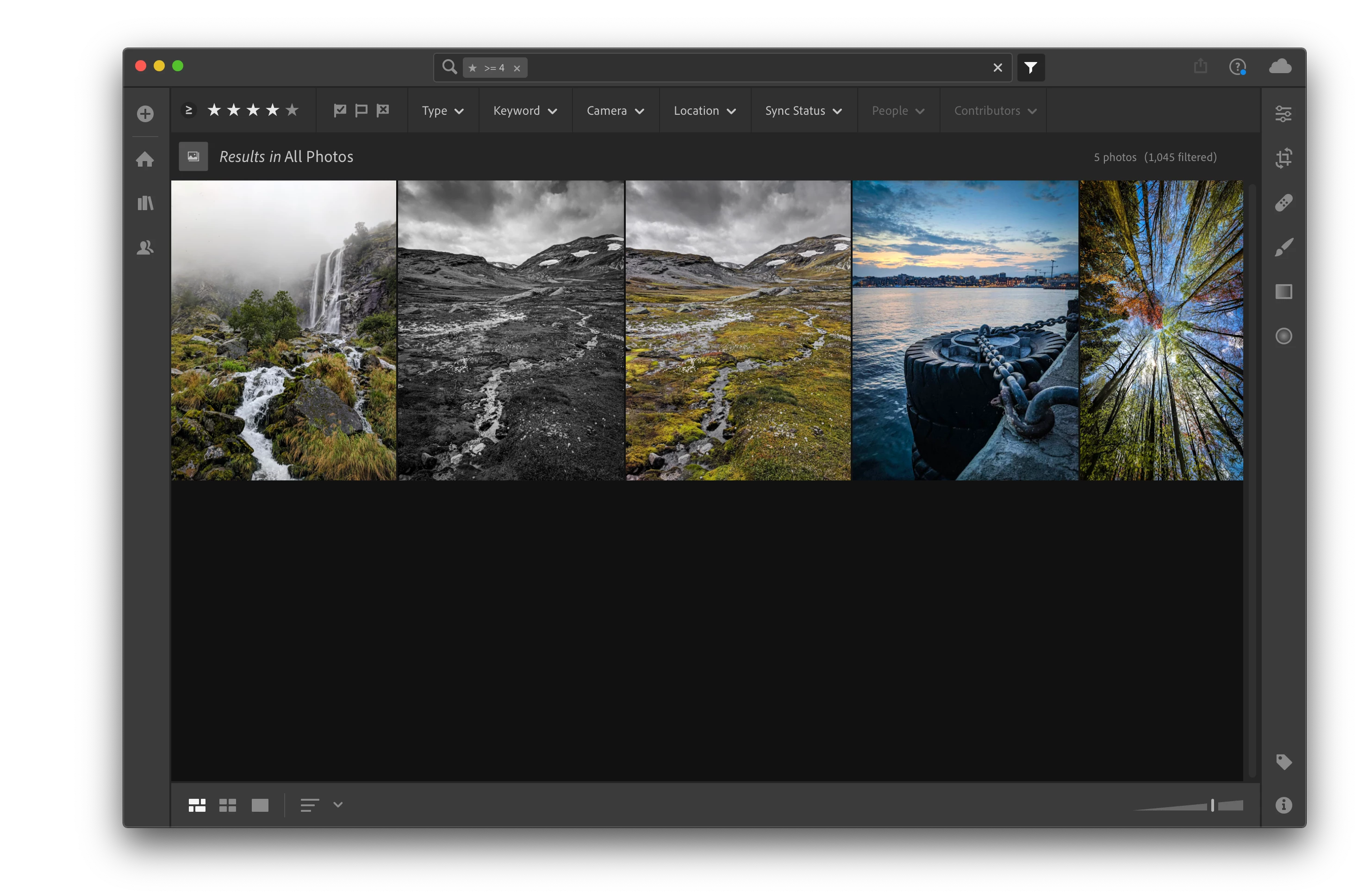
Then I let Lightroom sync and try to view the image in Lightroom Web (or on a mobile device) but the changes I made to the duplicate weren't synced:
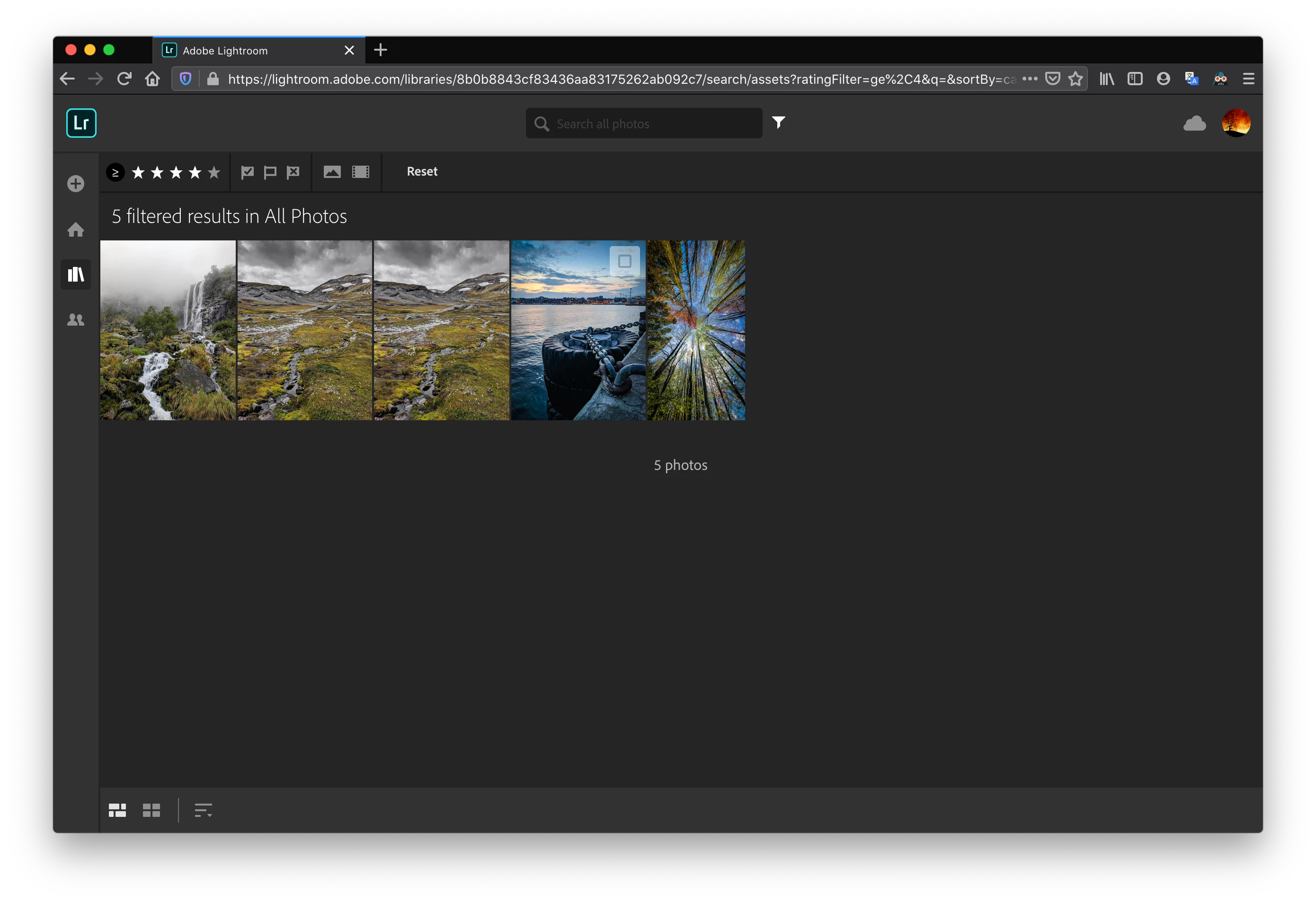
If I try to edit this duplicate in Lightroom Web, the settings it has don't make any sense – they aren't B&W (obviously) but they also don't match the settings on the original version.
If I make changes to the duplicate in the web version, the desktop version seems to get them... most of the time.
Is this a bug in Lightroom? Am I doing something wrong?
 AdChoices