
imix4u
Participating Frequently
May 28, 2024
Question

Lightroom Not Exporting the Version That I Want

  • May 28, 2024
  • 1 reply
  • 420 views

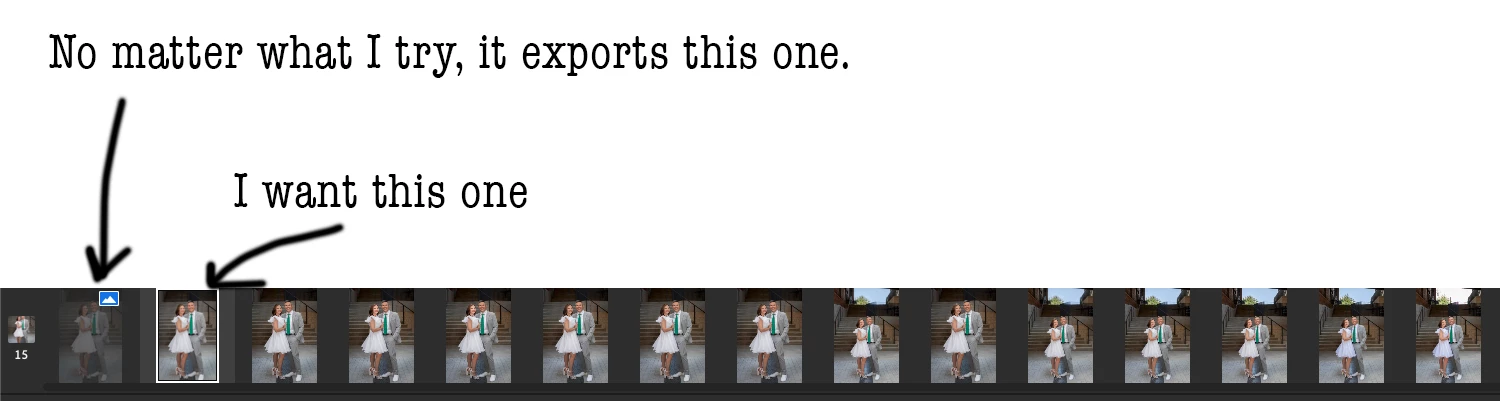
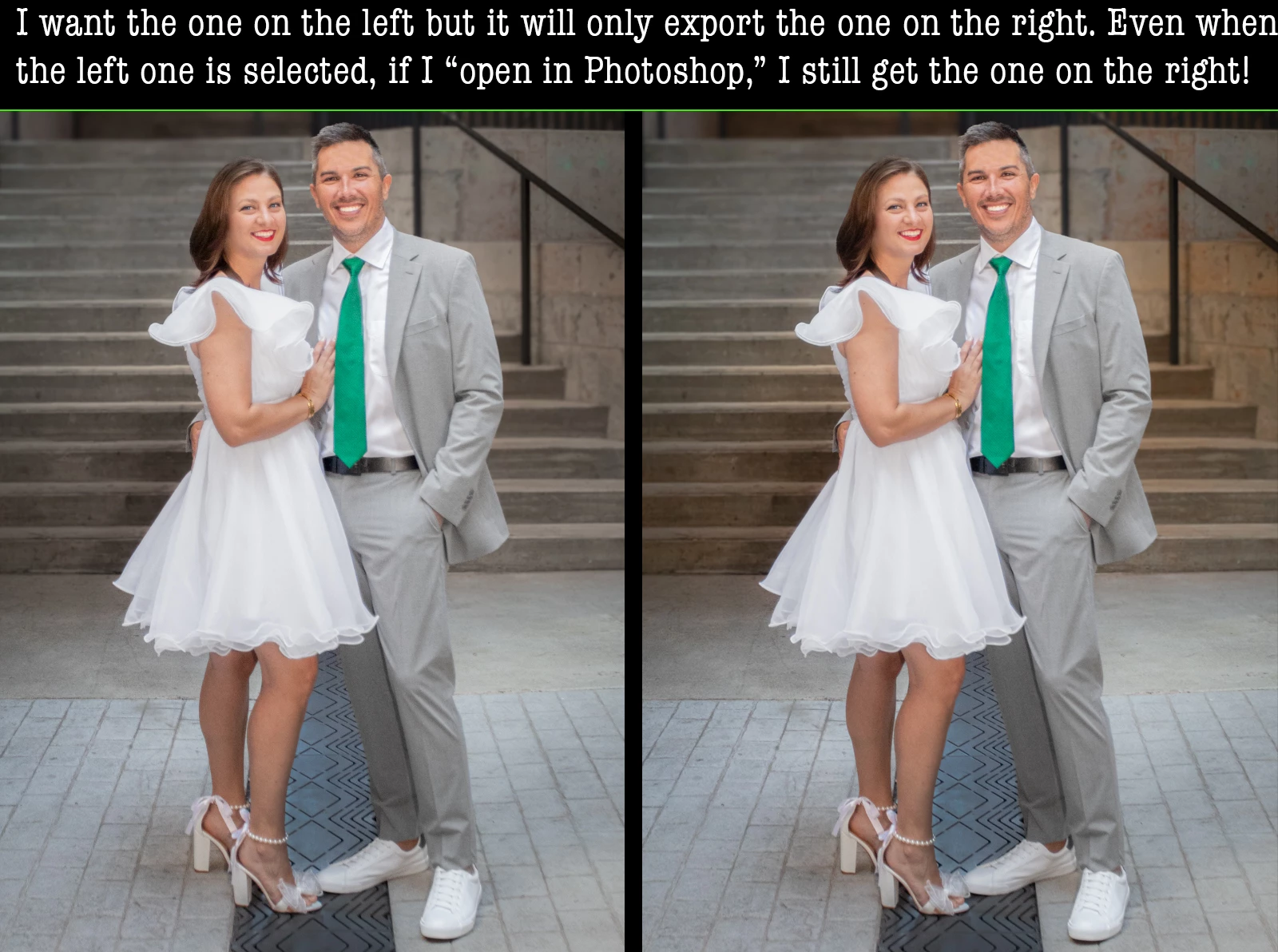
I'm dying here. I hope someone can help me out.  I want to export a version that is not the leftmost one. I have it clicked-on and it still wants to export the most recent edit. Even when I try to open the version that I want in Photoshop, it still opens the wrong one! 


No matter what I do, it will only export the one on the right, which has a more-orange concrete tone, which I don't want. Help!


This topic has been closed for replies.

1 reply

Victoria Bampton LR Queen
Community Expert
Community Expert
May 31, 2024

There's a couple of bugs related to stacking and the right-click menu. Try using the File menu instead?

Victoria - The Lightroom Queen
imix4u
imix4uAuthor
Participating Frequently
May 31, 2024
Nope. Tried all the things. 😞 I think maybe it's because I'm syncing to
cloud and not locally, so next project I'll try that.

Also keep getting messages about cloud almost full, buy more space, but
link never takes me to anything but much more expensive complete plans.
Victoria Bampton LR Queen
Community Expert
Community Expert
May 31, 2024

Can you give me steps to try to replicate. I'm trying with these images inventively numbered 1-5, but even set up like your screenshot, I'm getting 2 opened in PS. This is in the cloud side, not local.


Victoria - The Lightroom Queen