

Adobe Employee
April 2, 2024
Answered

Lightroom -playing around with Presets

  • April 2, 2024
  • 2 replies
  • 456 views

I am new to Lightroom, especially to the editing tools available. Once I accomplish this 
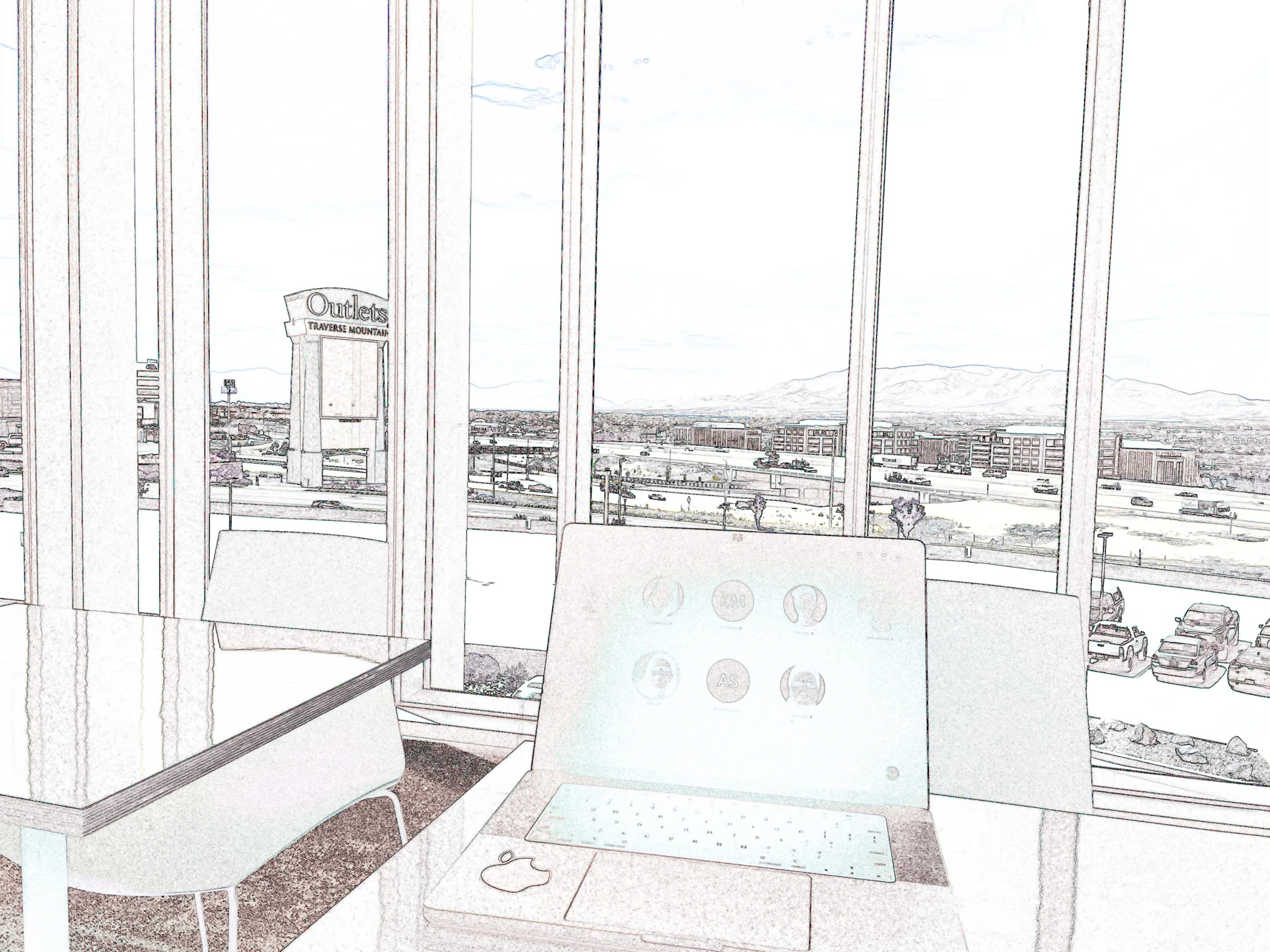
Out of this, but I can't recall how all I know is that I was playing around with the 'presets' tool. Can anyone help me figure out how to accomplish this and if it has a name ( the preset)? I would appreciate it. 

This topic has been closed for replies.
Correct answer Rob_Cullen

In Lightroom, I cannot find such a Preset in the default groups of presets supplied by Adobe.

Your image looks more like a 'Find Edges' filter in Adobe Photoshop, or some other software.


2 replies

Community Manager
April 3, 2024

+1 to Rob's response.  Maybe it was Photoshop Express?

MtZoneAuthor
Adobe Employee
April 3, 2024

Thanks for your input. This was almost two years ago; it could be that I am mixing the apps.  I will give Photoshop Express a go. That's the mobile version of Photoshop, right? 

Community Manager
April 4, 2024

Yes. Photoshop Express is a subscription app that's live on the App Store.

And if this is not Express, my other thought was this could be Photoshop Fix or Mix which are now no longer available (https://helpx.adobe.com/mobile-apps/help/photoshop-fix-mix-eos-faq.html

Rob_Cullen
Community Expert
Rob_CullenCommunity ExpertCorrect answer
Community Expert
April 3, 2024

In Lightroom, I cannot find such a Preset in the default groups of presets supplied by Adobe.

Your image looks more like a 'Find Edges' filter in Adobe Photoshop, or some other software.


Regards. My System: Windows-11, Lightroom-Classic 15.0, Photoshop 27.0, ACR 18.0, Lightroom 9.0, Lr-iOS 10.4.0, Bridge 16.0 .
MtZoneAuthor
Adobe Employee
April 3, 2024

Thanks for your input. This was almost two years ago; it could be that I am mixing the apps. 

MtZoneAuthor
Adobe Employee
April 10, 2024

You were right on, Rob!  I found it: Photoshop, Fide Edges filter.  I was convinced I did it from Lightroom, but all well, my memory did me wrong. 


Thanks!!