
Lightroom randomly applies edits and masks to other photos without user action.
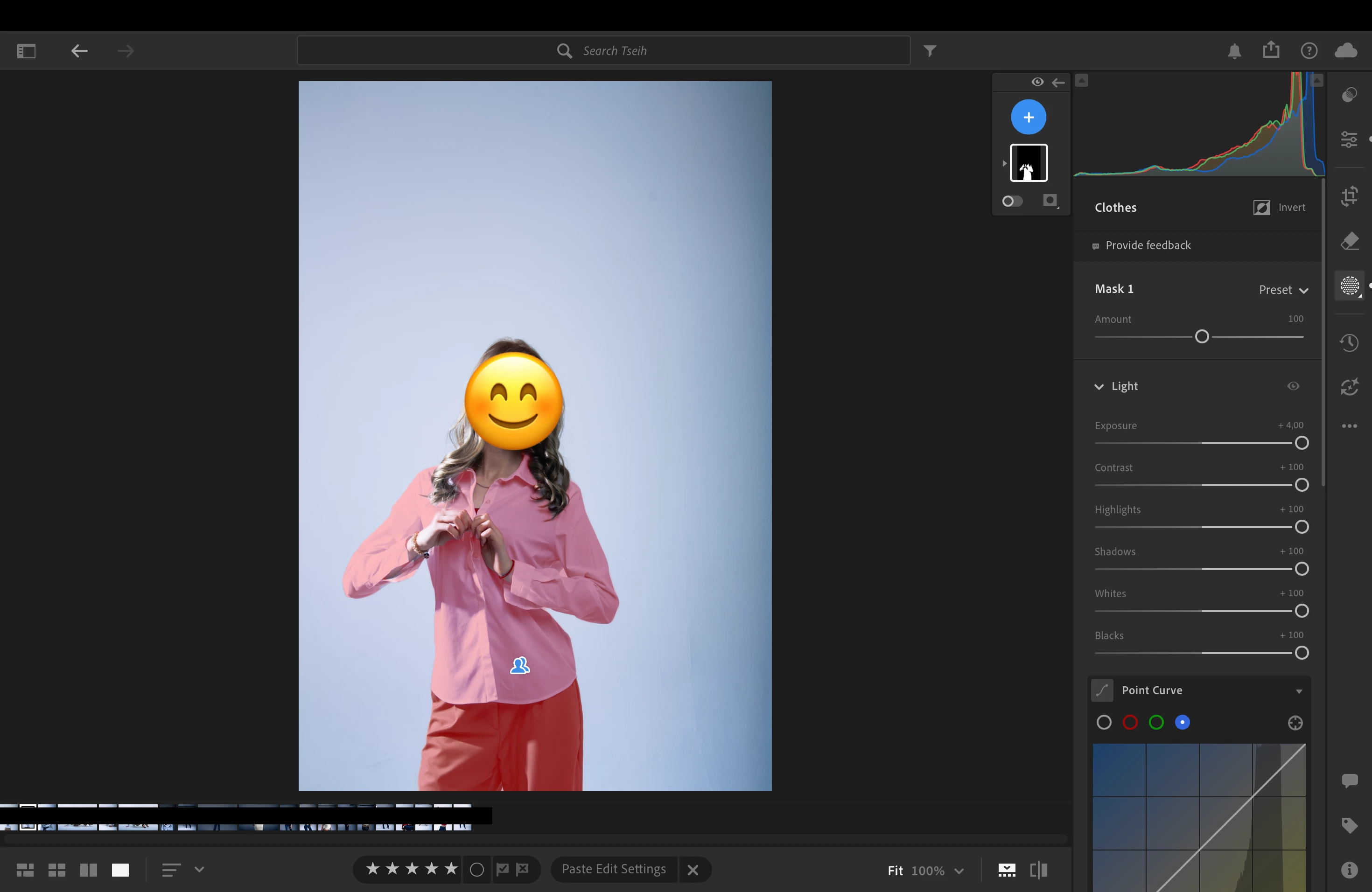
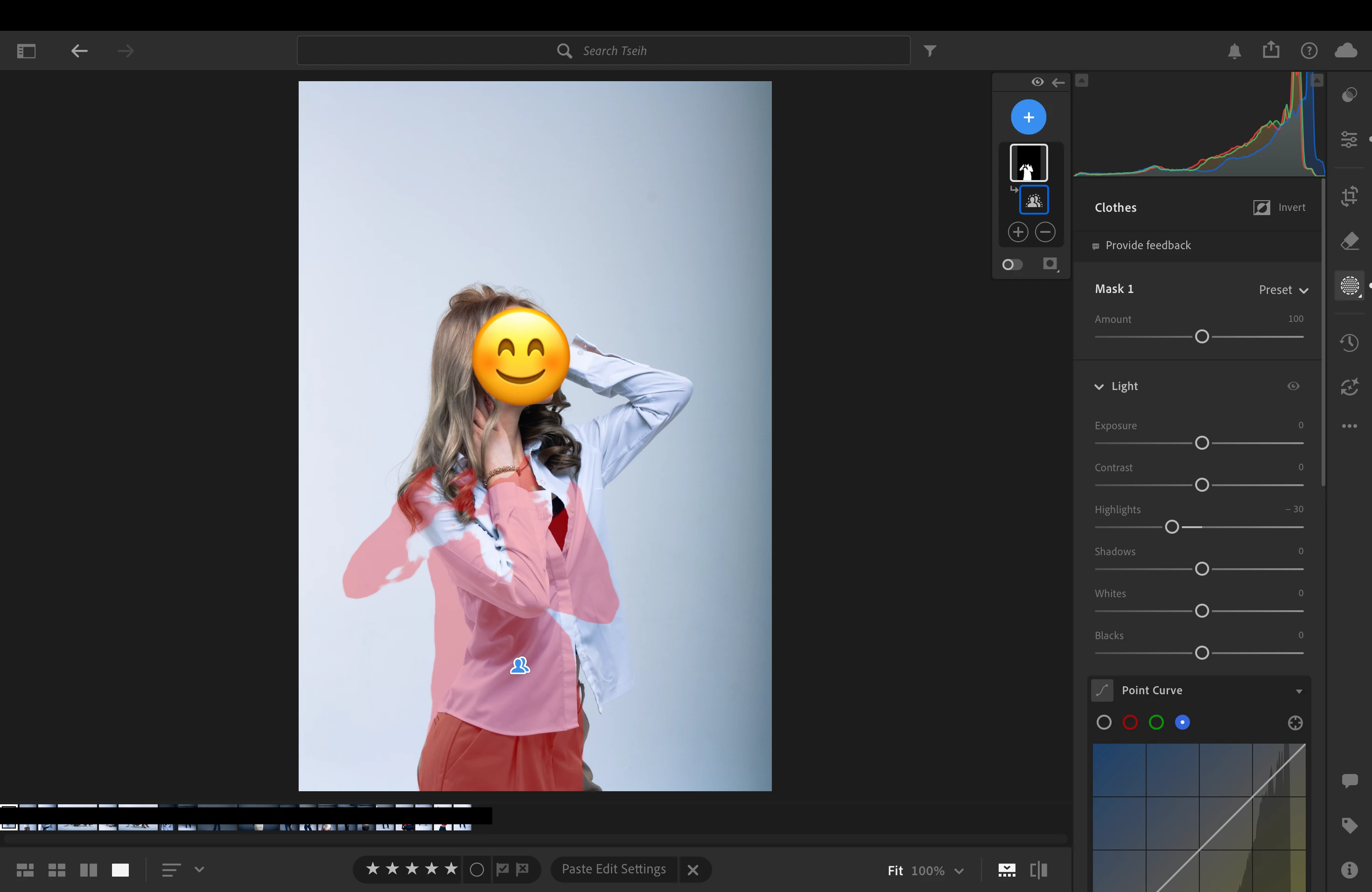
While editing photos in Lightroom (cloud version), I am experiencing an issue where adjustments - including masks - are unexpectedly applied to other images.
The problem occurs during normal editing: I edit one photo, then switch to another, and notice that adjustments from the previous image have appeared there, even though I did not copy or apply them.
This has been happening frequently over the past few days and disrupts the editing process, as changes appear on photos where they were not intended.
Steps to reproduce:
- Open Lightroom (cloud version)
- Edit a photo (including masks)
- Switch to another photo
- Continue working normally
- Observe that edits from a different photo may appear
Expected behavior:
Edits and masks should only appear on the photo where they were made, unless manually applied.
Actual behavior:
Edits and masks sometimes appear on other photos without any user action.
Frequency:
Occurs frequently.
System information:
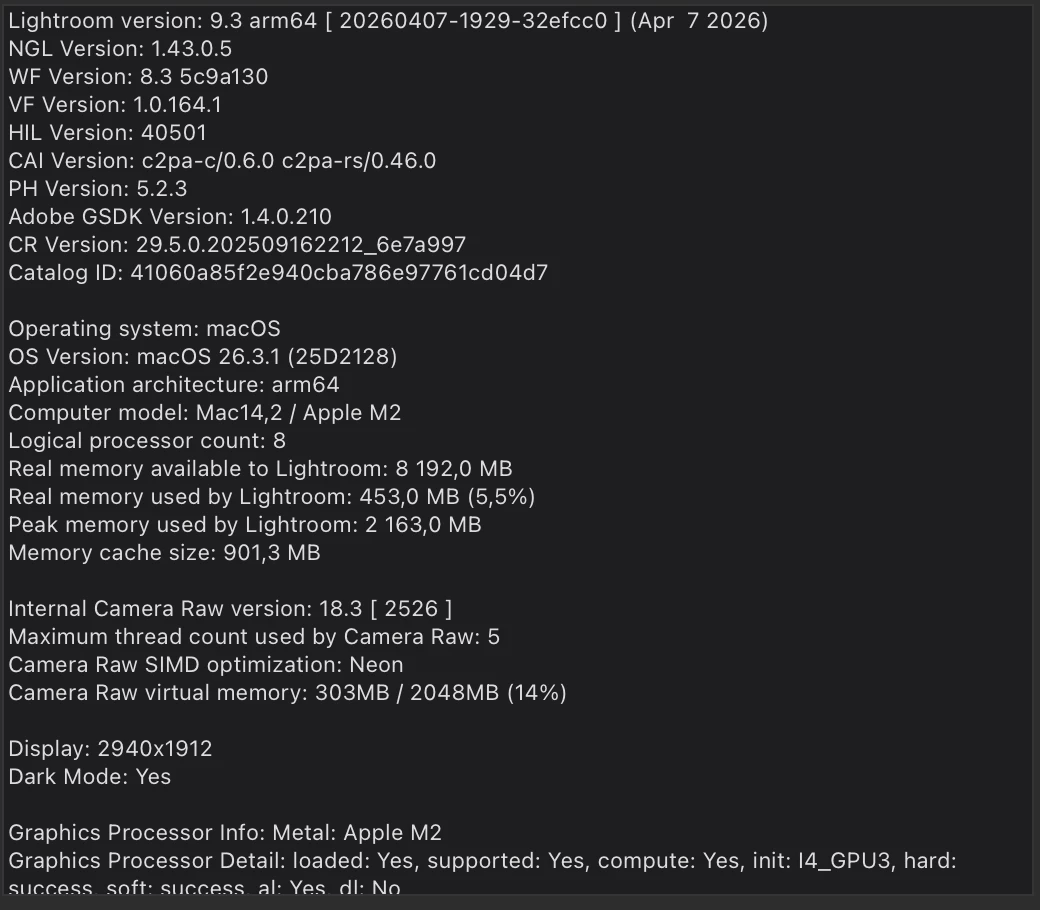
- Lightroom version: 9.3 (arm64)
- OS: macOS 26.3.1
- Device: MacBook Air (Apple M2)
- RAM: ~8 GB available
- GPU: Apple M2 (Metal)
Additional notes:
- The issue affects both general adjustments and masks
- Happens during normal editing and navigation between photos
- Makes the editing process unreliable
Attachments:
Screenshots showing edits and masks appearing on unintended photos
 AdChoices